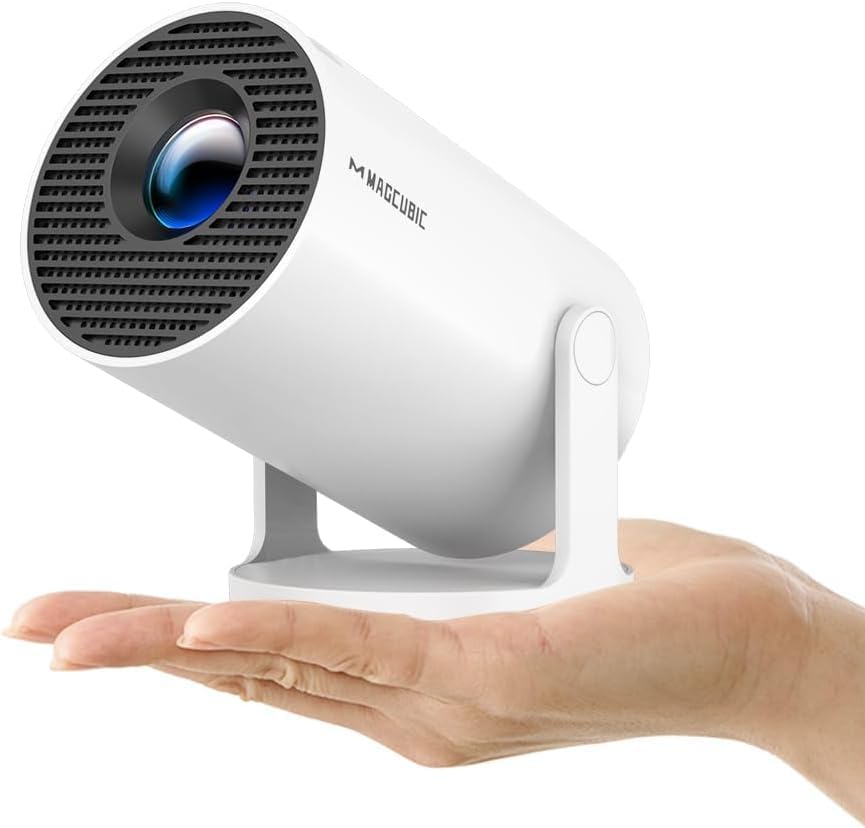
HY300PRO Mini Projector: Key Buying Insights for Portable 4K Support
When considering the 2026 Upgraded HY300PRO Mini Projector, understand that its true 4K support is via input only, not native resolution, and its auto keystone and 180-degree rotation add convenience for flexible setups. This guide helps you evaluate its real-world performance for home and outdoor use, especially given its EU plug and smart features.
Key Considerations Before Buying
- Native resolution matters: The HY300PRO supports 4K input but likely projects at 1080p or lower; check the actual chip resolution to set realistic expectations for sharpness, especially for movie nights.
- Brightness and ambient light: With a compact LED source, this projector excels in dark rooms but struggles in daylight; consider your typical viewing environment—outdoor use after sunset is ideal.
- Connectivity and sound: Integrated WiFi and Bluetooth add streaming ease, but built-in speakers are often underpowered; plan for external audio via Bluetooth or aux to compensate for limited volume and bass.
What Our Analysts Recommend
For mini projectors like the HY300PRO, prioritize lumen output (look for at least 200 ANSI lumens for decent darkness performance), auto keystone accuracy, and fan noise levels. Also verify HDMI and USB ports for external devices, and check if the rotation mechanism feels durable for ceiling or tripod mounting.
Projectors Market Context
Market Overview
The portable projector market has surged with budget-friendly models offering 4K support and smart features, appealing to consumers seeking home cinema without permanent setups. The HY300PRO enters a crowded space where price often compromises native resolution and brightness, making informed comparisons critical.
Common Issues
Common problems in this category include overheating during extended use, fan noise that disrupts quiet scenes, and inaccurate color calibration out of the box. Many users also report WiFi connectivity drops and sluggish smart OS interfaces, as seen in HY300PRO reviews mentioning heat and OS responsiveness.
Quality Indicators
Quality projectors typically feature high ANSI lumen ratings, reliable auto keystone, and quiet cooling systems. Look for DLP or 3LCD technology for better contrast and color accuracy, and check for firmware update support to address bugs—signs of a manufacturer committed to post-purchase performance.
Review Authenticity Insights
Grade B Interpretation
With a Grade B and an estimated 10% fake reviews, the HY300PRO's feedback is largely trustworthy but requires cautious reading. The 4.22/5 rating drops to 4.00/5 after filtering, indicating some inflated positivity, but the majority of reviews detail specific experiences like image quality and heating issues.
Trust Recommendation
You can generally trust the product's core performance claims based on authentic reviews, but be wary of overly glowing five-star ratings lacking specifics. Focus on verified purchase reviews, especially those mentioning real-world use scenarios like outdoor movie nights or gaming, to gauge reliability.
Tips for Reading Reviews
When reading reviews for this projector, pay attention to comments about brightness in dark vs. lit rooms, fan noise levels, and the ease of auto keystone calibration. Ignore one-liners praising 'amazing quality' without details, and prioritize reviews with photos or videos showing actual projection quality.
Expert Perspective
The 2026 Upgraded HY300PRO offers solid value for casual home and outdoor use, with convenient rotation and auto keystone, but falls short for purists expecting true 4K clarity or high brightness. Its 4.00/5 adjusted rating reflects a capable entry-level projector, not a premium device, and user feedback confirms it thrives in controlled lighting. The 10% fake review rate is manageable, but buyers should temper expectations around sound quality and heat management.
Purchase Considerations
Weigh the HY300PRO's portability and smart features against its native resolution and brightness limitations—ideal for occasional movie nights but not for bright rooms or detailed presentations. Consider your budget for external speakers and a screen, as these enhance the experience significantly.
Comparing Alternatives
Shoppers should compare with similarly priced models like the XGIMI Elfin or Anker Nebula Capsule for better brightness or audio, though these may lack the 180-degree rotation. Always check native resolution and ANSI lumens across options to ensure the best fit for your setup.