
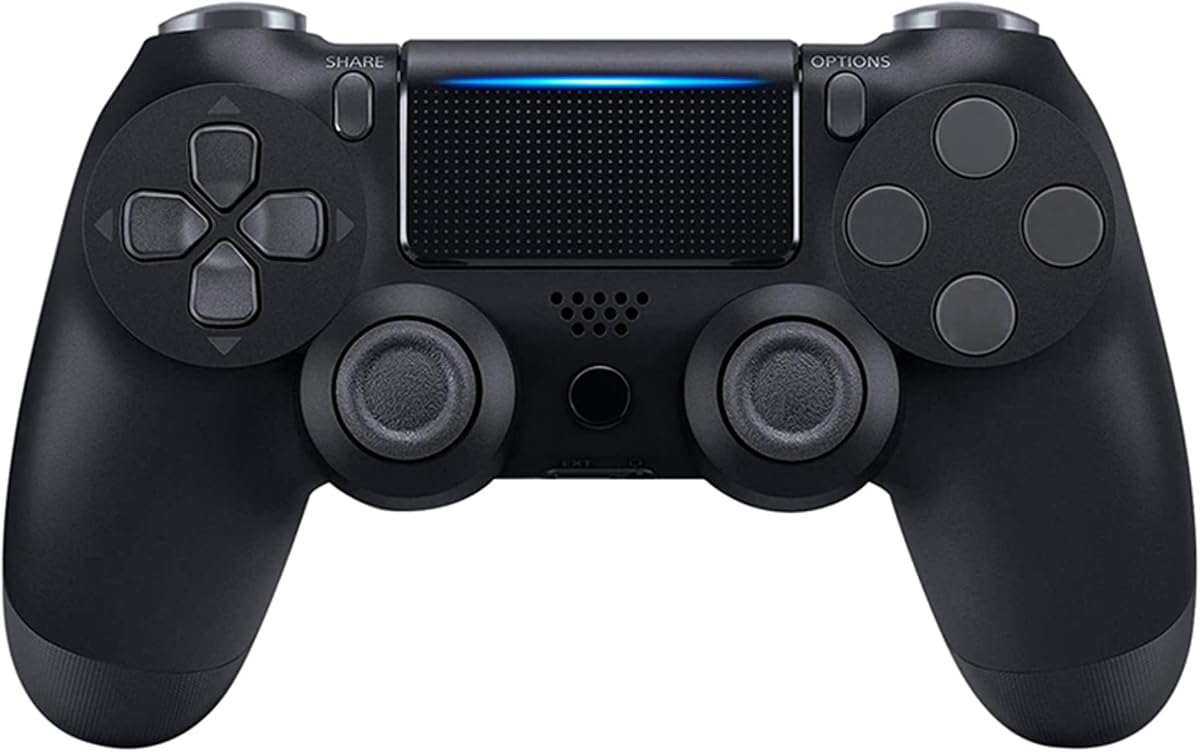
Find the Right PS4 Controller: Compatibility, Feel, and Durability Matter
When shopping for a PS4 controller, especially third-party options like this one, it's crucial to understand that not all controllers are created equal. This particular model promises Bluetooth connectivity, dual vibration, a touch panel, and a 3.5mm audio jack, but its 3.44-star rating suggests a mixed reception. Focus on what matters most: build quality, connection stability, and whether the features actually work as advertised.
Key Considerations Before Buying
- Check if the controller is officially licensed by Sony; unlicensed controllers may lack certain features or have compatibility issues with future system updates.
- Examine the build quality and button feel – look for reviews that mention the tactile response of the buttons and analog sticks, as these are common pain points in budget controllers.
- Verify that the touch panel and six-axis motion controls are fully functional, as some third-party controllers have inaccurate or non-responsive versions of these features.
- Consider the wireless range and battery life – Bluetooth controllers can vary significantly in how long they hold a charge and how well they maintain a connection.
What Our Analysts Recommend
In a PS4 controller, prioritize a solid, comfortable grip and responsive buttons. Look for controllers that use high-quality materials to avoid the 'cheap plastic' feel. Also, check if the controller has a built-in speaker and headphone jack that actually work, as these are often points of failure in third-party units.
Gamepads & Standard Controllers Market Context
Market Overview
The market for PS4 controllers is crowded, with official Sony DualShock 4 controllers competing against a wide range of third-party alternatives that offer lower prices and sometimes extra features. However, the trade-off is often in build quality and reliability, as many third-party controllers cut corners to reduce costs.
Common Issues
Common problems reported with third-party PS4 controllers include poor battery life, connectivity dropouts, and analog stick drift. Additionally, some controllers fail to support all features, such as the touch panel or motion controls, or have compatibility issues with certain games.
Quality Indicators
Quality indicators include a robust wireless connection, a comfortable ergonomic design, and positive feedback on button and stick longevity. Look for controllers that have been on the market for a while with consistent reviews, as this suggests they’ve been tested by many users.
Review Authenticity Insights
Grade B Interpretation
The Grade B authenticity rating and 12% estimated fake review percentage indicate that while the majority of reviews are likely genuine, a notable portion may be manipulated. This means you should take overly positive or overly negative reviews with a grain of salt, but overall, the review data is fairly reliable.
Trust Recommendation
Given the 12% fake review rate, it's wise to focus on reviews that provide specific details about usage, such as how the controller performs after months of use. Be cautious of reviews that are overly enthusiastic without substance, and prioritize those with verified purchase badges.
Tips for Reading Reviews
When reading reviews for this controller, look for patterns in complaints – if multiple users mention the same issue (e.g., connection problems), it's likely a real concern. Also, consider the balance of ratings; a mix of 1-star and 5-star reviews often indicates a product that works well for some but not others.
Expert Perspective
This wireless controller offers a feature set that closely mimics the official DualShock 4, but its 3.44-star rating suggests it may not deliver on all fronts. The presence of dual vibration, touch panel, and six-axis is promising, but the adjusted rating of 3.20, after removing suspicious reviews, hints at some underlying quality issues. As a consumer, you should weigh the cost savings against the potential for a shorter lifespan or feature glitches.
Purchase Considerations
If you're on a tight budget and need a spare controller, this could be a viable option, but be prepared for possible compromises in build quality. Consider whether you really need the touch panel and motion controls – if not, a simpler, more reliable controller might be a better investment.
Comparing Alternatives
Before purchasing, compare this with other third-party controllers like those from Hori or Nacon, which are known for better build quality, or consider spending a bit more for an official DualShock 4 to ensure full compatibility and reliability.


