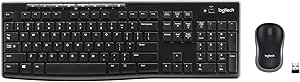
Master Your Couch: A Buyer's Guide to 2.4GHz Backlit Mini Keyboards
When you're navigating an Android TV box, HTPC, or even a PS3 from the comfort of your sofa, a full-sized keyboard and mouse just won't cut it. This 2.4GHz backlit mini keyboard with a built-in touchpad is designed to bridge that gap, offering wireless control in a compact form. But with multiple color options and a 3.78-star rating, it's essential to know what you're getting into before you buy.
Key Considerations Before Buying
- Backlit keys are a game-changer for dark living rooms, but check whether the backlight is adjustable or just an on/off toggle—this can affect battery life significantly.
- The integrated touchpad is convenient, but its sensitivity and gesture support can vary. Look for reviews that mention scrolling and cursor control to gauge if it meets your needs.
- Compatibility is broad, but not universal. While it claims to work with Android, Windows, Mac, Linux, and PS3, verify that the multimedia keys and touchpad gestures function properly with your specific device and OS version.
What Our Analysts Recommend
In this category, prioritize build quality (keyboard flex and key travel), wireless range, and battery life. A reliable 2.4GHz connection should work from 10 meters away, and the touchpad should be responsive enough for precise cursor movement. Also, consider the layout—some mini keyboards cram keys together, making typing a chore.
Keyboard & Mouse Combos Market Context
Market Overview
The market for mini wireless keyboards has grown alongside the popularity of smart TVs and streaming devices. These peripherals offer a practical solution for text entry and navigation that standard remote controls lack. Most models, including this one, operate on 2.4GHz for a stable connection, though Bluetooth is becoming more common for broader device compatibility.
Common Issues
The most frequent complaints in this category involve flimsy construction, unresponsive touchpads, and poor battery life. Some users also report connectivity drops or interference from other wireless devices. Another common issue is that the multimedia keys may not work as expected with all operating systems, requiring remapping or workarounds.
Quality Indicators
High-quality mini keyboards typically feature a solid, non-flexing chassis, tactile keys with adequate travel, and a touchpad that supports multi-touch gestures like scrolling and right-click. Look for models that offer a USB receiver with a decent range and a rechargeable battery, as these are signs of a more durable and user-friendly device.
Review Authenticity Insights
Grade B Interpretation
The product received a Review Authenticity Grade of B, indicating that the vast majority of the 2,333 reviews are likely genuine. With an estimated fake review percentage of 10%, you can be reasonably confident in the overall rating, though it's wise to be cautious of a small number of potentially incentivized or biased reviews.
Trust Recommendation
Given the B grade and the fact that reviews include specific usage scenarios and minor frustrations, the 3.78-star rating seems trustworthy. It's not a stellar score, but it's not terrible either, so focus on the detailed reviews to understand the product's strengths and weaknesses. Look for patterns in feedback about battery life and touchpad performance to make an informed decision.
Tips for Reading Reviews
When reading reviews for this type of product, prioritize those that mention the device's compatibility with their specific TV box, smart TV, or PC. Also, pay attention to reviews that discuss the backlight brightness and battery life over time, as these are common pain points. Ignore overly glowing or vague reviews that lack specifics, as they may be less reliable.
Expert Perspective
The 2.4GHz Backlit Mini Keyboard Touchpad Mouse is a typical budget-friendly solution for controlling media center devices, but its 3.60 adjusted rating suggests it's not without flaws. The 10% estimated fake review rate is a slight red flag, but the genuine reviews provide enough detail to suggest that the product works, though with some compromises. It's likely to be a decent choice for basic navigation, but not for heavy typing or complex tasks.
Purchase Considerations
Before purchasing, consider how you'll primarily use this keyboard. If you only need to search for content on Netflix or YouTube, it may suffice. However, if you plan to write emails or browse the web extensively, you might want to invest in a higher-quality model with a better touchpad and key layout. Also, think about the 7 color options—while aesthetically pleasing, they don't affect functionality.
Comparing Alternatives
Shoppers should compare this product with other mini keyboards in the same price range, such as those from Rii or Logitech, to see if there are better options for their specific needs. Look for models with stronger customer ratings and fewer complaints about build quality.