
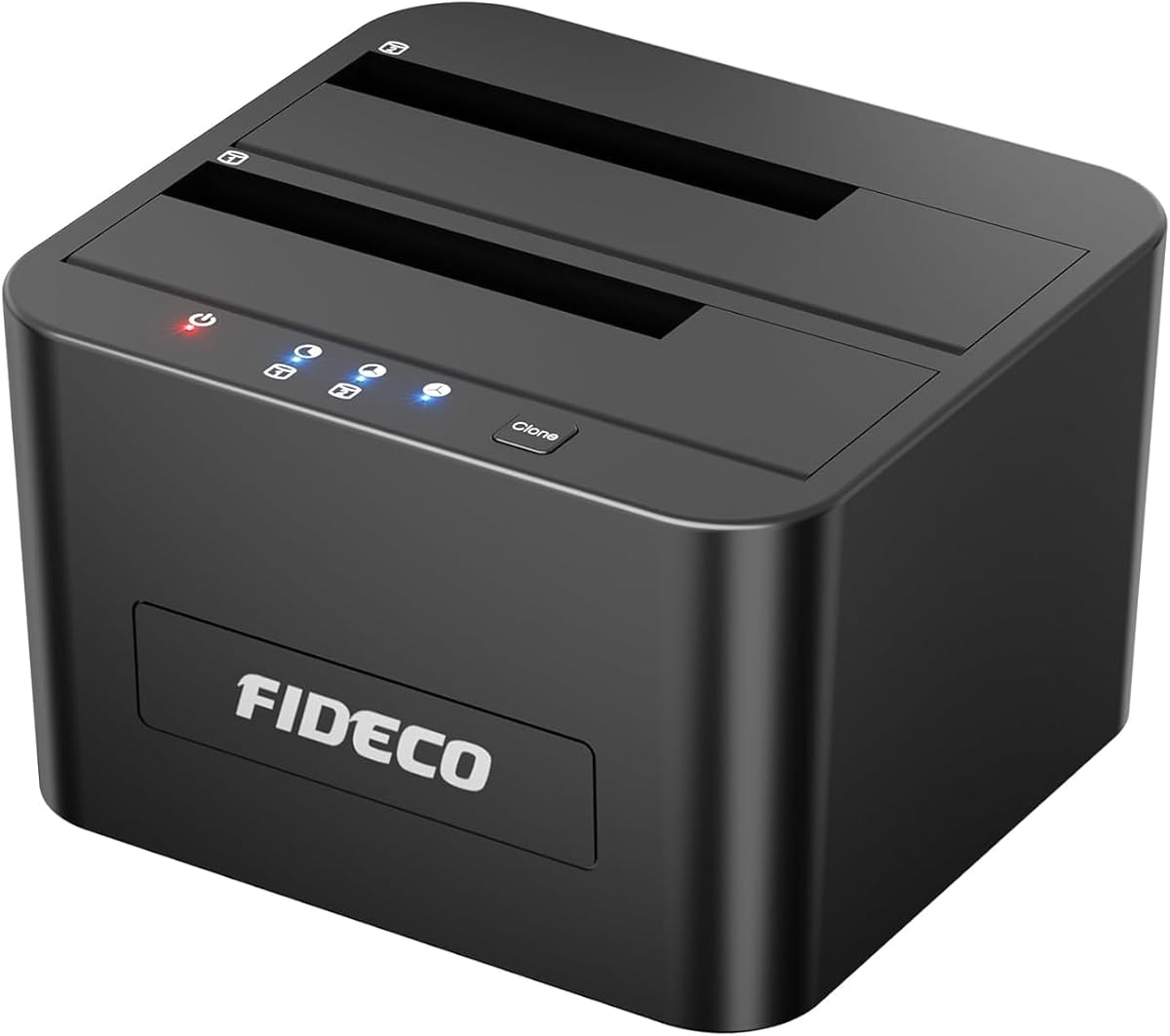
Dual-Bay SATA Docking Stations: What to Check Before Cloning
When considering a dual-bay docking station like the FIDECO for 2.5/3.5-inch SATA drives, your primary tasks are likely offline cloning, data recovery, or expanding storage. This category revolves around convenience, but the quality of the connection and the safety of your data hinge on specific features that are easy to overlook.
Key Considerations Before Buying
- Offline clone capability is a standout feature—ensure the dock supports one-touch cloning without a PC, but note that it typically clones the entire source drive to the destination, so confirm both drives are the same size or the destination is larger.
- Check whether the dock supports UASP (USB Attached SCSI Protocol); this is crucial for maximizing transfer speeds with SSDs and reducing CPU overhead, especially if you're using the dock for frequent backups or media editing.
- Verify the power supply's adequacy for 3.5-inch drives, which require 12V power. A weak adapter can cause drive dropouts or data corruption, so look for docks with a robust external power brick and overcurrent protection.
What Our Analysts Recommend
High-quality docks in this category feature tool-less drive installation, individual drive activity LEDs, and a sturdy build that prevents drive wobble. Also, consider the USB interface version—USB 3.0 is standard, but USB 3.1 Gen 2 or USB-C options offer faster throughput if your computer supports it. Finally, check for ventilation, as prolonged cloning sessions can generate heat that affects drive lifespan.
Docking Stations Market Context
Market Overview
The external drive docking station market has evolved from simple USB 2.0 enclosures to multi-bay devices with advanced features like offline cloning and UASP support, catering to both home users and IT professionals. Prices range widely, but dual-bay SATA docks remain popular for their balance of cost and functionality, especially as many users repurpose old internal drives for backups or media servers.
Common Issues
Frequent complaints in this category include flimsy construction that leads to poor drive contact, insufficient power delivery causing drive recognition failures, and misleading marketing about 'offline clone' capabilities that may not work as expected. Additionally, some docks lack UASP support despite claiming it, which can be a hidden performance bottleneck.
Quality Indicators
Look for docks with a metal body for better heat dissipation, individual power switches per bay, and a power supply with adequate wattage (usually 12V/2A or higher). Certifications like CE, FCC, or RoHS indicate better manufacturing standards. User reviews that mention consistent performance over months of use are a good sign of reliability.
Review Authenticity Insights
Grade B Interpretation
The Grade B rating and 10% estimated fake review percentage suggest that while the majority of the 5,629 reviews are likely genuine, there is a notable minority that may be incentivized or inauthentic. This means the adjusted rating of 4.40/5 is a more realistic expectation than the raw 4.67, but still indicates a high level of user satisfaction.
Trust Recommendation
Given the authenticity grade, you can trust the overall positive consensus, but be cautious of overly enthusiastic reviews with vague language or those that lack verified purchase badges. Focus on detailed reviews that mention specific use cases, such as cloning large drives or using with a NAS, as these are harder to fake and provide actionable insights.
Tips for Reading Reviews
For this product type, pay attention to reviews that discuss the offline clone procedure in detail—successes and failures—and any issues with drive compatibility (e.g., 2.5-inch SSDs vs 3.5-inch HDDs). Also, look for reviews that mention the included cables and power adapter quality, as these are common pain points.
Expert Perspective
Based on the analysis, the FIDECO dual-bay docking station appears to be a solid performer in its category, with a strong user rating and a high degree of genuine reviews. The support for offline cloning and UASP places it above basic docks, making it suitable for users who need to duplicate drives without a computer. However, the 10% fake review rate and the Grade B authenticity mean you should verify specific claims through detailed user feedback.
Purchase Considerations
Weigh the price against the features you actually need—if you only occasionally connect a single drive, a single-bay dock might be more cost-effective. For those who regularly clone or manage multiple drives, the dual-bay design and offline clone function justify the investment. Also, consider your computer's USB ports: if you have USB 3.1 Gen 2, look for a dock that supports those speeds, but the FIDECO's USB 3.0 is adequate for most HDDs.
Comparing Alternatives
Before finalizing, compare with similar dual-bay docks from brands like Sabrent, ORICO, or Thermaltake, which offer similar features with varying build quality and warranty terms. Check for any recent firmware updates or design revisions that might affect performance.


