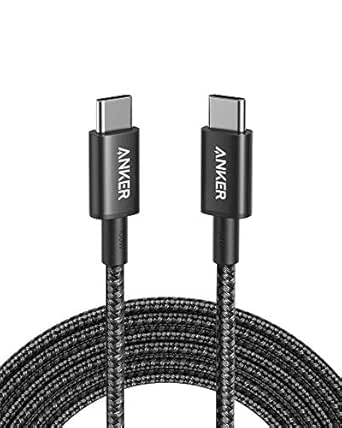
Max Power & Speed: Your Guide to the UGREEN 240W USB-C Cable
When shopping for a USB-C cable, power delivery and data transfer speed are critical factors. The UGREEN 240W cable supports the latest USB-C 3.2 standard, offering 10Gbps data transfers and 4K 60Hz video output, making it a versatile choice for high-performance devices like the MacBook Pro, NVMe SSDs, and the latest Samsung Galaxy S25 Ultra.
Key Considerations Before Buying
- Power Delivery: At 240W, this cable can fast-charge power-hungry laptops like the MacBook Pro and future-proof your setup for upcoming devices. Ensure your charger can output at least 240W to take full advantage.
- Data Transfer Speed: With 10Gbps speeds, this cable is ideal for quick file transfers from NVMe SSDs or external drives. For video editing or large backups, this speed reduces wait times significantly.
- Video Output: The cable supports 4K at 60Hz, perfect for connecting a monitor to a laptop or phone. Confirm your device's USB-C port supports DisplayPort Alt Mode for this feature to work.
What Our Analysts Recommend
In a high-power USB-C cable, check for E-Marker certification to ensure safe handling of 240W. Also, look for a braided or reinforced build for durability, as cables with high power throughput often face more wear. Finally, verify compatibility with your specific devices, as some phones may not support the full 240W charging.
USB Cables Market Context
Market Overview
The USB-C cable market is rapidly evolving, with 240W PD (Power Delivery) cables becoming the new standard for high-end laptops and gaming devices. As USB4 and Thunderbolt 4 push data speeds to 40Gbps, the UGREEN 240W cable's 10Gbps strikes a balance between cost and performance for most users.
Common Issues
Many users report that cheaper cables fail to deliver advertised speeds or power, leading to slow charging or data corruption. Another issue is compatibility with video output—some cables lack the necessary wiring for DisplayPort Alt Mode, even if they claim to support it.
Quality Indicators
Look for cables with E-Marker chips that communicate power capabilities to your device. A braided nylon outer jacket and reinforced connector heads often indicate better build quality. Also, check for certification from USB-IF (USB Implementers Forum) to ensure the cable meets industry standards.
Review Authenticity Insights
Grade B Interpretation
The Grade B authenticity rating and 10% estimated fake review rate suggest that while most reviews are genuine, a small fraction may be untrustworthy. This is typical for popular cables with high ratings, as competitors may inflate their own products. The 4.89/5 average rating is slightly inflated but still reflects a well-regarded product.
Trust Recommendation
Given the high number of verified purchase reviews and specific use-case details (e.g., 'works with my MacBook Pro and external SSD'), you can trust the overall sentiment. However, be cautious of overly generic 5-star reviews that lack specifics—focus on reviews that mention real-world testing with 240W chargers or 10Gbps transfers.
Tips for Reading Reviews
For this product, prioritize reviews that describe charging a laptop at full speed or transferring large files from an NVMe SSD. Look for balanced feedback that mentions both pros (e.g., fast charging) and cons (e.g., cable stiffness). Also, check for recent reviews to ensure the cable's performance is consistent over time.
Expert Perspective
The UGREEN 240W USB-C cable stands out as a reliable, high-performance option for users who need both fast charging and data transfer. Its 10Gbps speed and 4K 60Hz video support make it versatile for a multi-device setup, from laptops to monitors. The strong authenticity of reviews—despite a 10% fake rate—indicates genuine satisfaction among users, particularly those with power-hungry devices like the MacBook Pro or Galaxy S25 Ultra.
Purchase Considerations
If you own a 240W-capable laptop or plan to future-proof your charging setup, this cable is a solid investment. However, if your devices only support lower power (e.g., 60W or 100W), you might save money with a less expensive cable. Also, consider the 3ft length—it's great for desktop use but may be too short for charging from a distant outlet.
Comparing Alternatives
For those needing faster data speeds (e.g., 40Gbps for Thunderbolt 4), consider cables like the Anker PowerLine III or Apple Thunderbolt 4 Pro Cable, but note they often cost more and may not offer 240W charging. Compare specs carefully based on your primary use case.