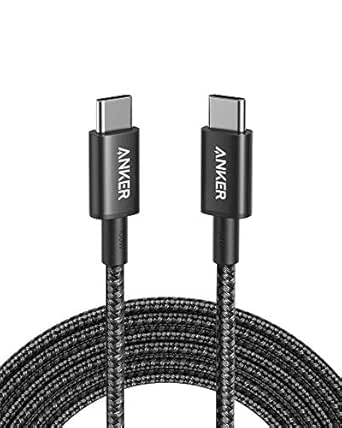
How to Choose a USB-C Monitor Cable That Actually Hits 20Gbps
Not all USB-C cables are created equal—especially when you're trying to drive a high-resolution display or transfer data at 20Gbps. The Cable Matters 20Gbps USB C to USB C Monitor Cable, 3ft, is a short-range option designed for these high-speed tasks, but understanding the specs behind the marketing is key.
Key Considerations Before Buying
- First, confirm your devices support USB 3.2 Gen 2x2 (20Gbps) or DisplayPort Alt Mode. Without compatible ports, this cable will fall back to slower speeds, so check your laptop, monitor, or docking station specifications before buying.
- Second, consider the length: 3 feet is ideal for reducing cable clutter and maintaining signal integrity, but it may be too short for some desk setups. Measure the distance between your devices to ensure a comfortable reach without strain.
- Third, look for clear certification and power delivery ratings. This cable supports up to 100W charging, but if you need to power a laptop and transfer data simultaneously, verify that your charger and device can handle the load.
What Our Analysts Recommend
When evaluating USB-C cables, prioritize those with explicit USB-IF certification and clear speed ratings (e.g., 20Gbps, 10Gbps). Check for reviews that mention durability and connector quality—well-built cables use reinforced strain reliefs and gold-plated connectors to prevent wear. Also, ensure the cable supports the specific protocols you need, such as DisplayPort 1.4 for 4K at 60Hz or higher.
USB Cables Market Context
Market Overview
The USB-C cable market is flooded with options, ranging from basic charging cables to high-performance data and video cables. As USB4 and Thunderbolt 4 become more common, 20Gbps cables like this one occupy a middle ground—faster than standard 10Gbps but not as cutting-edge as 40Gbps. This makes them a cost-effective choice for many current devices.
Common Issues
A frequent problem is cables that claim high speeds but fail to deliver, often due to lack of certification or poor shielding. Users also report compatibility headaches, especially with older devices that don't support USB 3.2 Gen 2x2. Additionally, some cables can't handle both high-speed data and video simultaneously, leading to flickering displays or slow transfers.
Quality Indicators
Quality USB-C cables typically feature thick gauge wires, multiple shielding layers, and robust connectors. Look for brands that publish detailed specs and have a track record of reliability. Positive reviews often highlight consistent performance over time, while negative ones may mention intermittent connections or premature failure.
Review Authenticity Insights
Grade A Interpretation
With an adjusted rating of 4.40/5 and a Grade A authenticity score, this product's reviews are highly trustworthy. The estimated 5% fake review percentage is low, meaning the vast majority of feedback comes from real customers who have used the cable in various setups. This gives confidence that the 4.56-star rating reflects genuine satisfaction.
Trust Recommendation
You can generally rely on the review sentiment for this cable, but as with any product, focus on reviews that describe specific use cases similar to yours. Pay attention to comments about durability and compatibility with particular devices, as these are common pain points. The high verified purchase rate further suggests the reviews are from actual buyers.
Tips for Reading Reviews
When reading reviews for USB-C cables, prioritize those that mention the devices used and the tasks performed (e.g., connecting a MacBook to a 4K monitor). Look for patterns in complaints—if multiple users report the same issue, it's likely a real flaw. Also, note that some negative reviews may stem from user error or incompatible hardware, so consider the reviewer's technical expertise.
Expert Perspective
The Cable Matters 20Gbps USB C to USB C Monitor Cable is a solid choice for users who need a short, high-speed connection between compatible devices. Its 3-foot length minimizes signal loss, and the 20Gbps bandwidth supports demanding tasks like 4K video and fast data transfers. With a strong adjusted rating and authentic reviews, it's a reliable option in a crowded market.
Purchase Considerations
Before buying, ensure your devices support USB 3.2 Gen 2x2 or DisplayPort Alt Mode to take full advantage of the 20Gbps speed. If you need longer reach or higher bandwidth (e.g., for 8K), you may need to look at 40Gbps cables. Also, consider whether you need additional features like 100W power delivery, which this cable provides.
Comparing Alternatives
While this cable performs well, it's wise to compare with similar 20Gbps cables from brands like Anker or Belkin, especially if you need different lengths or additional certifications.