
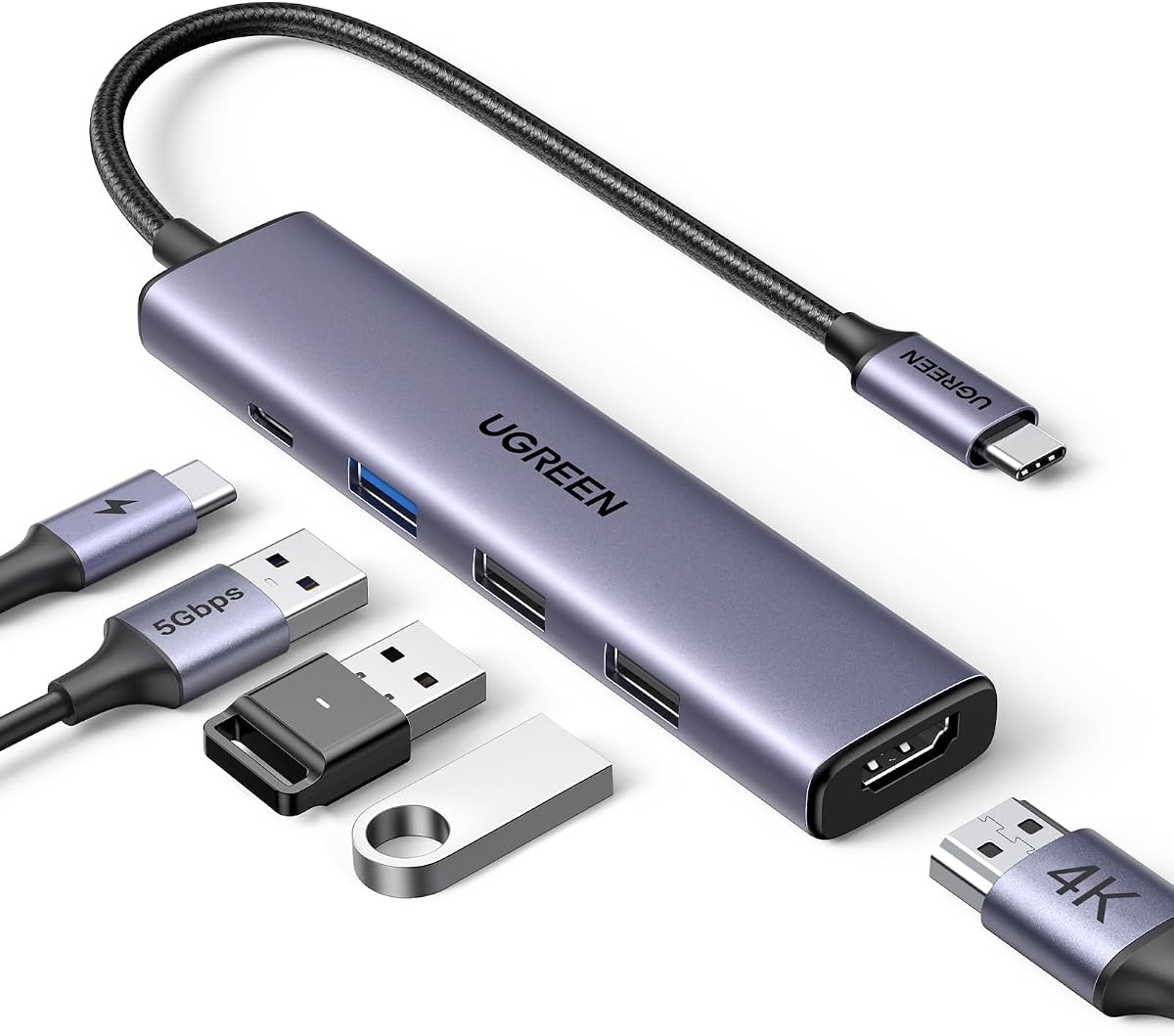
Maximize Your MacBook Ports: UGREEN Revodok 5-in-1 USB-C Hub Review
When you need to connect peripherals and displays to your sleek MacBook Air or Pro, a compact hub like the UGREEN Revodok 5-in-1 is essential. This specific model focuses on the most demanded ports: 4K HDMI, 100W pass-through charging, and three USB-A 5Gbps data ports, making it a practical choice for users who prioritize display output and power without a bulky dongle.
Key Considerations Before Buying
- Port Selection and Speed: The UGREEN Revodok offers three USB-A 5Gbps ports, which is ideal for connecting multiple USB drives or a mouse and keyboard. Ensure this speed meets your needs for large file transfers, as 5Gbps is faster than USB 2.0 but slower than USB-C 10Gbps or Thunderbolt standards.
- Charging Power Delivery: With a 100W USB-C charging port, this hub can power a MacBook Pro at full speed while leaving 85-90W for the laptop (some power is consumed by the hub itself). Verify that your laptop supports USB-C Power Delivery and that the hub's passthrough matches your charging requirements.
- 4K HDMI Output: The hub supports 4K at 60Hz for compatible devices, which is essential for crisp external monitor work. Check that your laptop's USB-C port supports DisplayPort Alt Mode to enable video output, and note that performance may vary with older devices.
What Our Analysts Recommend
For a reliable USB-C hub, examine build quality—look for an aluminum body that matches premium laptops and aids heat dissipation. Also, check for official certification (e.g., USB-IF) and verified compatibility with your specific laptop model, as some hubs have driver issues with certain operating systems.
USB Hubs Market Context
Market Overview
The USB-C hub market is saturated with options ranging from $15 to $150, with many offering similar port configurations. The UGREEN Revodok sits in the mid-range, competing with brands like Anker and Satechi, where reliability and build quality are key differentiators.
Common Issues
Common problems in this category include intermittent disconnections, overheating under load, and insufficient power delivery for high-performance laptops. Some cheaper hubs fail to maintain stable 4K 60Hz output or have USB ports that drop data transfer speeds when multiple devices are connected.
Quality Indicators
Look for hubs with a metal chassis for better heat management, a braided cable for durability, and explicit support for the latest standards like USB 3.2 Gen 1. Verified reviews that mention specific use cases (e.g., 'works with my M2 MacBook Air for 4K editing') are strong indicators of real-world performance.
Review Authenticity Insights
Grade B Interpretation
A Grade B with 10% estimated fake reviews means the vast majority of the 29,462 reviews are genuine, but a small portion may be incentivized or fabricated. This is common for popular, highly-rated products and doesn't undermine the overall positive sentiment.
Trust Recommendation
Trust the aggregate rating of 4.67/5 (adjusted to 4.40/5 after removing suspicious reviews) as a reliable indicator of customer satisfaction. Focus on detailed reviews that describe specific usage, such as 'works perfectly with my HP laptop for dual monitors,' as these are likely authentic.
Tips for Reading Reviews
When scanning reviews, prioritize those with photos or videos showing the hub in use, and look for balanced feedback that mentions both pros and cons. Be wary of reviews that are overly generic or use repetitive language, which may indicate fake or incentivized content.
Expert Perspective
The UGREEN Revodok 5-in-1 USB-C hub offers a solid, no-nonsense solution for users who need reliable 4K HDMI output, fast data transfer, and efficient charging in a compact form factor. With a strong authenticity grade and high customer ratings, it's a trustworthy choice for MacBook and iPad users, as well as Windows laptops like HP and ASUS. The 100W charging port is a standout feature for power users, though the lack of an SD card slot or Ethernet port may be a limitation for photographers or network-dependent workflows.
Purchase Considerations
Consider this hub if your primary needs are external display connectivity and expanding USB-A ports for legacy devices. However, if you require multiple video outputs, faster data speeds, or additional ports like SD/microSD, you may need a larger, more feature-rich hub.
Comparing Alternatives
Shoppers should compare the UGREEN Revodok with similar 5-in-1 hubs from Anker or Belkin, which offer comparable specs but may have slightly different build quality or warranty terms. Always verify compatibility with your specific device model before purchasing.


