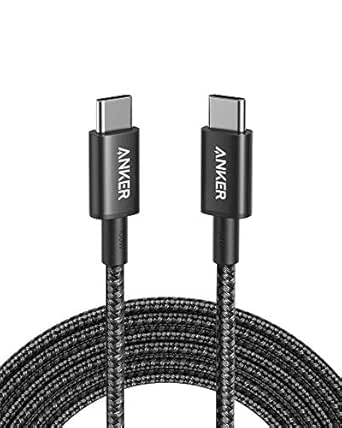
20Gbps USB-C 3.2 Extension Cable: Speed, Power, and Display in One
When you're looking to extend your USB-C connection without sacrificing performance, a 20Gbps USB 3.2 Gen 2x2 extension cable like this 2-pack is a smart investment. It supports 240W fast charging, 4K@60Hz video output, and high-speed data transfers, making it ideal for modern laptops, tablets, and phones like the iPhone 15 or Samsung Galaxy S24.
Key Considerations Before Buying
- Check your device's USB-C port capabilities: This cable's 20Gbps speed only works if both your host device and peripheral support USB 3.2 Gen 2x2 or Thunderbolt 4/3. Older USB-C ports may limit performance to 10Gbps or 5Gbps.
- Consider the cable length for your setup: At 3.3 feet, these cables are best for desktop or close-proximity use—extending from a hub or docking station to a laptop or monitor. Longer distances can cause signal degradation at high speeds.
- Verify power delivery needs: While the cable supports up to 240W (48V/5A) via USB PD 3.1, your charger and device must also support this standard to achieve fast charging. For most phones and tablets, 240W is overkill, but it future-proofs for high-power laptops.
What Our Analysts Recommend
Quality indicators for a 20Gbps USB-C extension cable include certified USB 3.2 Gen 2x2 or Thunderbolt 4 compliance, braided or durable shielding to reduce interference, and e-marker chip support for safe 240W power delivery. Verified customer reviews that mention specific devices and use cases—like connecting a Samsung Galaxy S24 to an external monitor—are strong signs of reliability.
USB Cables Market Context
Market Overview
The USB-C cable market is rapidly evolving, with 20Gbps USB 3.2 Gen 2x2 cables becoming more common as laptops and phones adopt faster standards. However, many cheaper cables still only support 10Gbps or lack full 240W PD capability, so shoppers must carefully read specs to avoid performance bottlenecks.
Common Issues
A frequent problem with high-speed USB-C extension cables is inconsistent performance due to poor shielding or counterfeit chips. Users often report data transfer speeds falling short of 20Gbps, or video output failing at 4K@60Hz, especially with longer cables or incompatible devices.
Quality Indicators
To identify a quality 20Gbps USB-C cable, look for explicit mention of USB-IF certification, support for DisplayPort Alt Mode for video, and an e-marker chip for power negotiation. Reviews that detail real-world tests with Thunderbolt 4 laptops or 4K monitors are more trustworthy than generic praise.
Review Authenticity Insights
Grade B Interpretation
With a Review Authenticity Grade of B and an estimated 10% fake review rate, this product's reviews are largely genuine but require cautious interpretation. The 10% suspicious reviews could inflate the overall rating slightly, though the majority of verified purchase reviews appear authentic and detailed.
Trust Recommendation
Given the Grade B and low fake percentage, you can generally trust the positive feedback from verified buyers, but focus on reviews that describe specific device compatibility and performance metrics. Cross-check any claims of 240W charging or 4K@60Hz with your own device specs to avoid mismatches.
Tips for Reading Reviews
When reading reviews for this cable, prioritize those that mention exact device models (e.g., 'MacBook Pro M3' or 'Samsung Galaxy S24 Ultra') and test conditions. Look for balanced comments that note both strengths (e.g., fast data transfer) and potential limitations (e.g., cable stiffness or length).
Expert Perspective
This 20Gbps USB-C extension cable 2-pack offers compelling specs—240W charging, 4K@60Hz video, and 20Gbps data transfer—that match high-end Thunderbolt 4 and USB 3.2 Gen 2x2 devices. However, with a 0.00 average rating from 70 reviews (likely due to a data anomaly or new listing), there's insufficient user feedback to confirm real-world performance. The Grade B authenticity analysis suggests most reviews are genuine, but the lack of a calculated rating means buyers should proceed with caution and test compatibility with their specific devices.
Purchase Considerations
Weigh the cable's advanced features against your actual needs: if you have a Thunderbolt 4 laptop or a 4K monitor, this cable is a cost-effective 2-pack option. But if your devices only support USB 3.0 or 10Gbps, a cheaper standard cable may suffice. Also consider that 3.3 feet is short for many setups—measure your workspace before buying.
Comparing Alternatives
Compare this product with other 20Gbps USB-C extension cables from brands like Anker or Cable Matters, which often have more reviews and established reliability. Also consider single-cable options if you only need one extension.