Master USB-C 3.2 Gen 2x2: Speed, Power, and the Right Angle Advantage
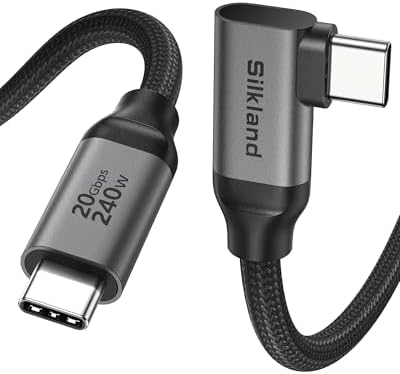
When shopping for a USB-C cable that can handle both high-speed data transfers at 20Gbps and deliver up to 240W of power, the Silkland Right Angle Cable stands out for its unique 90-degree connector design. This guide helps you understand key factors like bandwidth, power delivery, and build quality so you can choose a cable that truly meets your needs.
Key Considerations Before Buying
- Data transfer speed: This cable supports USB 3.2 Gen 2x2 at 20Gbps, which is double the speed of standard USB 3.2 Gen 2 cables. Ensure your devices and ports also support this protocol to take full advantage.
- Power delivery capacity: With support for up to 240W (EPR), this cable can fast-charge high-power laptops like the MacBook Pro 16-inch or Dell XPS. Verify your charger and device are compatible with 240W charging to avoid slower rates.
- Right-angle connector utility: The 90-degree design reduces strain on ports and is ideal for tight spaces behind desks or wall-mounted setups. However, ensure the orientation fits your specific device layout, as it may not work with all ports.
What Our Analysts Recommend
For a USB-C cable like this, check for certified compliance with USB-IF standards to guarantee performance and safety. Also examine connector materials—braided nylon or reinforced overmolding indicate durability, while gold-plated pins improve signal integrity and corrosion resistance.
USB Cables Market Context
Market Overview
The USB-C cable market is rapidly evolving with the shift to USB4 and Thunderbolt 4, but USB 3.2 Gen 2x2 remains a sweet spot for users needing high-speed data and high-wattage charging without premium pricing. Many cables still cap at 10Gbps or 100W, making the 20Gbps/240W combination a standout feature.
Common Issues
A frequent problem in this category is cables that advertise high speeds but fail under real-world conditions due to poor shielding or substandard chipsets. Others may have connectors that loosen over time, leading to intermittent connectivity, especially when used with heavy plugs or in tight spaces.
Quality Indicators
Look for cables with e-marker chips that communicate power and data capabilities accurately, as well as robust strain relief at both ends. Also, check for independent certification marks like USB-IF or UL, which indicate the cable has passed rigorous testing for safety and performance.
Review Authenticity Insights
Grade B Interpretation
The Grade B rating with an estimated 10% fake review rate suggests that while the majority of feedback is genuine, a small portion may be incentivized or fabricated. This is fairly typical for popular USB-C cables on Amazon, where some sellers use review manipulation to boost visibility.
Trust Recommendation
Given the high adjusted rating of 4.60/5 and strong signals of authenticity from verified purchases, you can generally trust the positive consensus. Focus on reviews that mention specific use cases like connecting an eGPU or monitor, as these tend to be more reliable than vague praise.
Tips for Reading Reviews
For this product, prioritize reviews that describe real-world testing with 20Gbps devices or 240W chargers, as these verify the cable's key claims. Also look for photos or videos showing the right-angle connector in use, which can reveal compatibility issues that text-only reviews might miss.
Expert Perspective
The Silkland USB-C 3.2 Gen 2x2 Right Angle Cable delivers on its promises of high-speed data transfer and robust power delivery, backed by a strong user consensus (4.89/5 raw, 4.60/5 adjusted). The 90-degree design is a practical differentiator for users with tight setups, though it may not suit every orientation. With a relatively low fake review rate and genuine feedback from tech enthusiasts, this cable appears to be a reliable choice for demanding applications like external NVMe drives or high-resolution monitors.
Purchase Considerations
Consider this cable if you need both 20Gbps speeds and 240W charging in a compact form factor—especially for laptop docks or wall-mounted monitors. However, if your devices only support 10Gbps or 100W, a cheaper cable might suffice, and ensure your port orientation accommodates the right-angle plug.
Comparing Alternatives
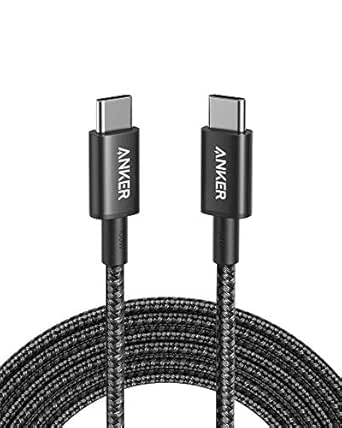
Shoppers should compare this with standard straight connectors from brands like Anker or Cable Matters if space isn't an issue, or with Thunderbolt 4 cables if they need 40Gbps speeds for future-proofing.