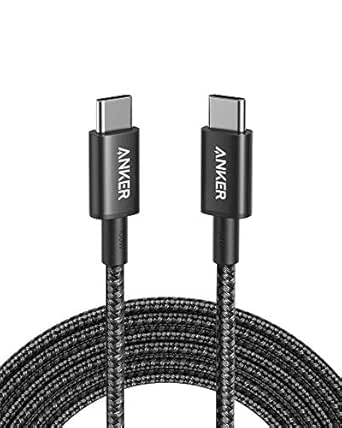
USB-C Cable Buying Guide: Speed, Power, and Video in One Wire
When shopping for a USB-C cable like the UGREEN 240W model, you're not just getting a charging cord—you're investing in a single cable that can handle fast charging, high-speed data transfer, and even 4K video output. This guide focuses on the key specs that matter for modern devices, from iPhones to NVMe SSDs.
Key Considerations Before Buying
- Look for a cable that supports USB 3.2 Gen 2 (10Gbps) if you plan to transfer large files quickly, such as from an NVMe SSD enclosure—this is crucial for photographers or video editors.
- Ensure the cable supports 240W Power Delivery (PD) for future-proofing your setup, especially if you own or plan to buy a high-power laptop like a MacBook Pro that can benefit from fast charging.
- Video output capability (e.g., 4K at 60Hz) is essential if you want to connect your phone or laptop directly to a monitor without needing an adapter—check that the cable supports DisplayPort Alt Mode.
What Our Analysts Recommend
Quality USB-C cables should clearly list their data transfer speed (e.g., 10Gbps), power rating (e.g., 240W), and video support (e.g., 4K60). Also check for robust connectors and braided or reinforced jackets, which indicate durability for frequent travel or desk use.
USB Cables Market Context
Market Overview
The USB-C cable market is crowded with options ranging from basic charging-only cords to high-performance cables that combine power, data, and video. With the rise of USB-C on everything from iPhones to gaming laptops, consumers increasingly seek one cable to replace many.
Common Issues
Many cables claim high speeds or power ratings but fail to deliver under load—especially common with cheaper unbranded cords. Users also report compatibility problems with certain devices, such as inconsistent charging speeds or lack of video output when using non-certified cables.
Quality Indicators
Look for USB-IF certification, which ensures the cable meets industry standards for safety and performance. Brand reputation, positive verified reviews, and clear specification labeling (e.g., '240W PD, 10Gbps') are also strong indicators of a quality product.
Review Authenticity Insights
Grade B Interpretation
The Grade B and 10% estimated fake review rate suggest that while the overwhelming majority of reviews are genuine, a small subset may be incentivized or unreliable. This is common for popular cables, so it's wise to focus on detailed, balanced reviews that mention specific device testing.
Trust Recommendation
Given the high 4.56 average rating and strong authenticity signals (e.g., personal brand loyalty, technical comparisons), you can trust the overall positive consensus. However, cross-check negative reviews for patterns—like charging speed inconsistencies—to see if they match your use case.
Tips for Reading Reviews
When reading reviews for this cable, prioritize those that mention specific devices (e.g., 'works with my Samsung S24 Ultra at 45W') and include both pros and cons. Be wary of overly generic five-star reviews without details—they may be among the estimated 10% fakes.
Expert Perspective
The UGREEN 240W USB-C cable stands out as a versatile, high-performance option that delivers on its promises of 10Gbps data transfer, 4K60 video output, and fast charging up to 240W. The adjusted rating of 4.30/5, even after accounting for a small number of potentially fake reviews, indicates strong real-world satisfaction. Its compatibility with a wide range of devices—from iPhones to NVMe SSDs—makes it a practical all-in-one solution for many users.
Purchase Considerations
If you need a single cable to charge your MacBook, transfer files from an SSD, and connect to a monitor, this is an excellent choice. However, if you only need a basic charging cable, you may find cheaper alternatives that suffice—but you'll miss out on the data and video capabilities.
Comparing Alternatives
Shoppers should compare this UGREEN cable with other high-power USB-C options like Anker or Belkin, especially if they prioritize specific certifications or have unique device compatibility concerns.