
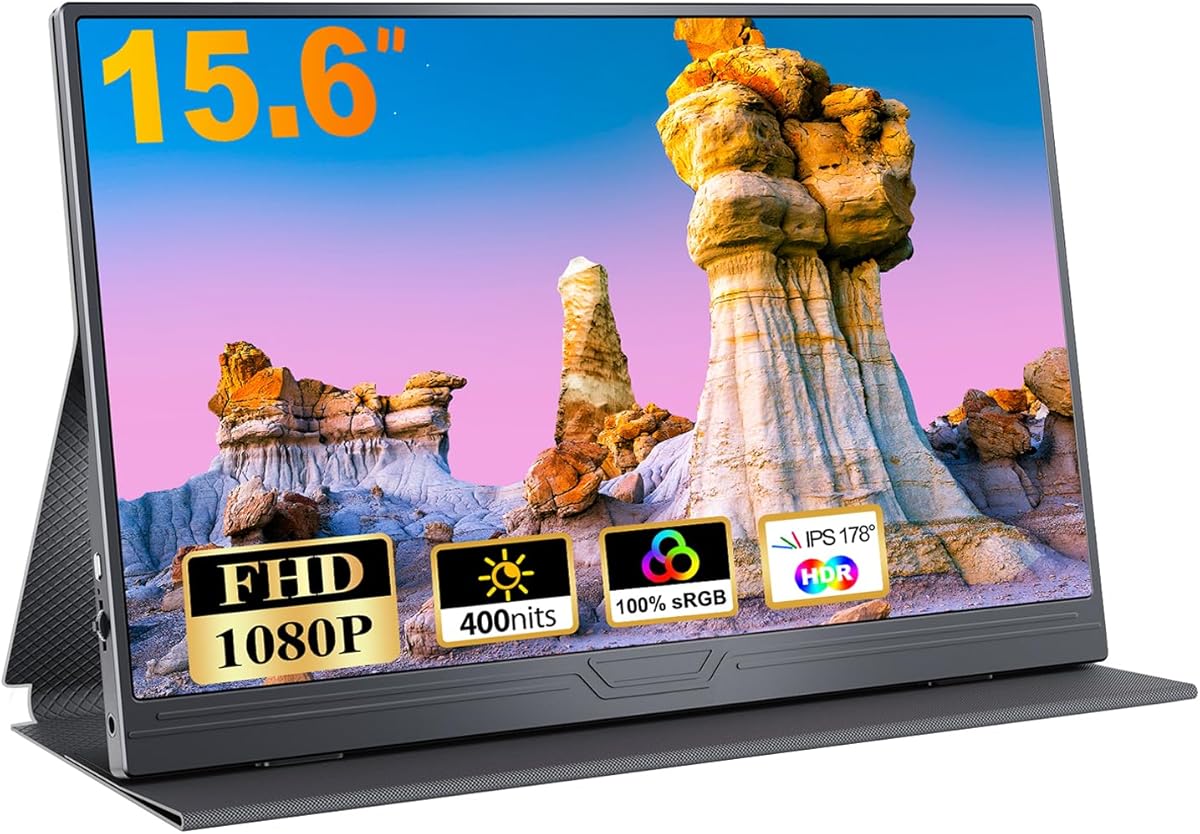
Choosing a 15.6-inch portable monitor: What FHD, USB-C, and IPS really mean for you
When evaluating this specific 15.6-inch portable monitor with FHD resolution and USB-C connectivity, buyers should understand how its IPS panel and dual-input design translate to real-world use. This model's inclusion of a protective case directly addresses the primary durability concern for mobile displays, while its HDR support and compatibility with gaming consoles like Xbox and PlayStation position it as a versatile secondary screen.
Key Considerations Before Buying
- The single USB-C port for both power and video limits daisy-chaining capabilities, meaning you'll need to verify your laptop's USB-C port supports DisplayPort Alt Mode for single-cable operation.
- At 1920x1080 on a 15.6-inch screen, pixel density is adequate for productivity but falls short of the sharper text rendering found in higher-resolution portable displays favored by creative professionals.
- The included protective case suggests the manufacturer acknowledges the fragility of portable monitors during transport, but you should check whether it provides adequate corner protection against impacts.
What Our Analysts Recommend
For this category, examine the power delivery specifications of the USB-C port—some portable monitors require external power even with USB-C connections. Genuine IPS panels should maintain color accuracy at wide viewing angles without the color shift common in cheaper TN alternatives. Check whether the protective case has dedicated compartments for cables, as cable management is often overlooked in portable monitor accessories.
Monitors Market Context
Market Overview
The portable monitor market has shifted toward USB-C as the primary connection standard, with models like this 15.6-inch display offering both USB-C and HDMI for backward compatibility. German consumers increasingly seek portable displays that work seamlessly with business laptops, gaming consoles, and mobile workstations, creating demand for versatile connectivity options.
Common Issues
Portable monitors frequently suffer from backlight bleeding at the edges, particularly with thinner bezel designs, and inconsistent brightness uniformity across the panel. Many users report confusion about power requirements, expecting USB-C to deliver both video and power when their source device lacks sufficient power delivery capabilities.
Quality Indicators
Look for monitors specifying IPS panel technology rather than generic 'LCD' descriptions, as true IPS panels provide better viewing angles. Quality portable monitors include anti-glare coatings suitable for mobile use in various lighting conditions, and robust input selection that doesn't require frequent menu navigation for source switching.
Review Authenticity Insights
Grade B Interpretation
A Grade B authenticity rating with 11% estimated fake reviews indicates this product has a solid foundation of genuine feedback, though shoppers should remain cautious of overly enthusiastic reviews that lack specific usage details. The 4.60 adjusted rating (down from 4.89) suggests the authentic user experience is still highly positive but slightly more nuanced than the raw average indicates.
Trust Recommendation
Focus on verified purchase reviews that mention specific use cases like connecting to MacBooks with USB-C or using with PlayStation consoles, as these demonstrate actual product testing. The multilingual review distribution (German, English, Japanese, Spanish) suggests genuine international usage rather than manufactured feedback from a single region.
Tips for Reading Reviews
Prioritize reviews that discuss the monitor's performance with your specific devices—whether connecting via USB-C to a Dell XPS or using HDMI with an Xbox Series S. Look for mentions of the protective case's actual protective qualities during travel, as this accessory experience is frequently omitted in less authentic reviews.
Expert Perspective
This portable monitor presents a compelling value proposition with its 4.60 authentic rating from verified German purchasers, particularly for users needing a secondary display for productivity or console gaming. The combination of IPS technology, FHD resolution, and included protective case addresses the core needs of mobile professionals, though the single USB-C port may limit flexibility for some workstation configurations. The high rating despite the authenticity adjustment suggests genuine satisfaction with the display quality and included accessories.
Purchase Considerations
Weigh whether the 15.6-inch size and 1080p resolution meet your specific needs—graphic designers might prefer higher pixel density, while business travelers will appreciate the compact form factor. Consider your power source requirements; if your laptop's USB-C port doesn't deliver sufficient power, you'll need to use the included HDMI connection with separate power, reducing the promised single-cable convenience.
Comparing Alternatives
Shoppers should compare this model's connectivity options and protective case inclusion against competitors offering similar specifications, as accessory quality varies significantly in this price segment.


