Choosing a 9-in-1 USB-C Docking Station for Dual 4K Monitor Productivity
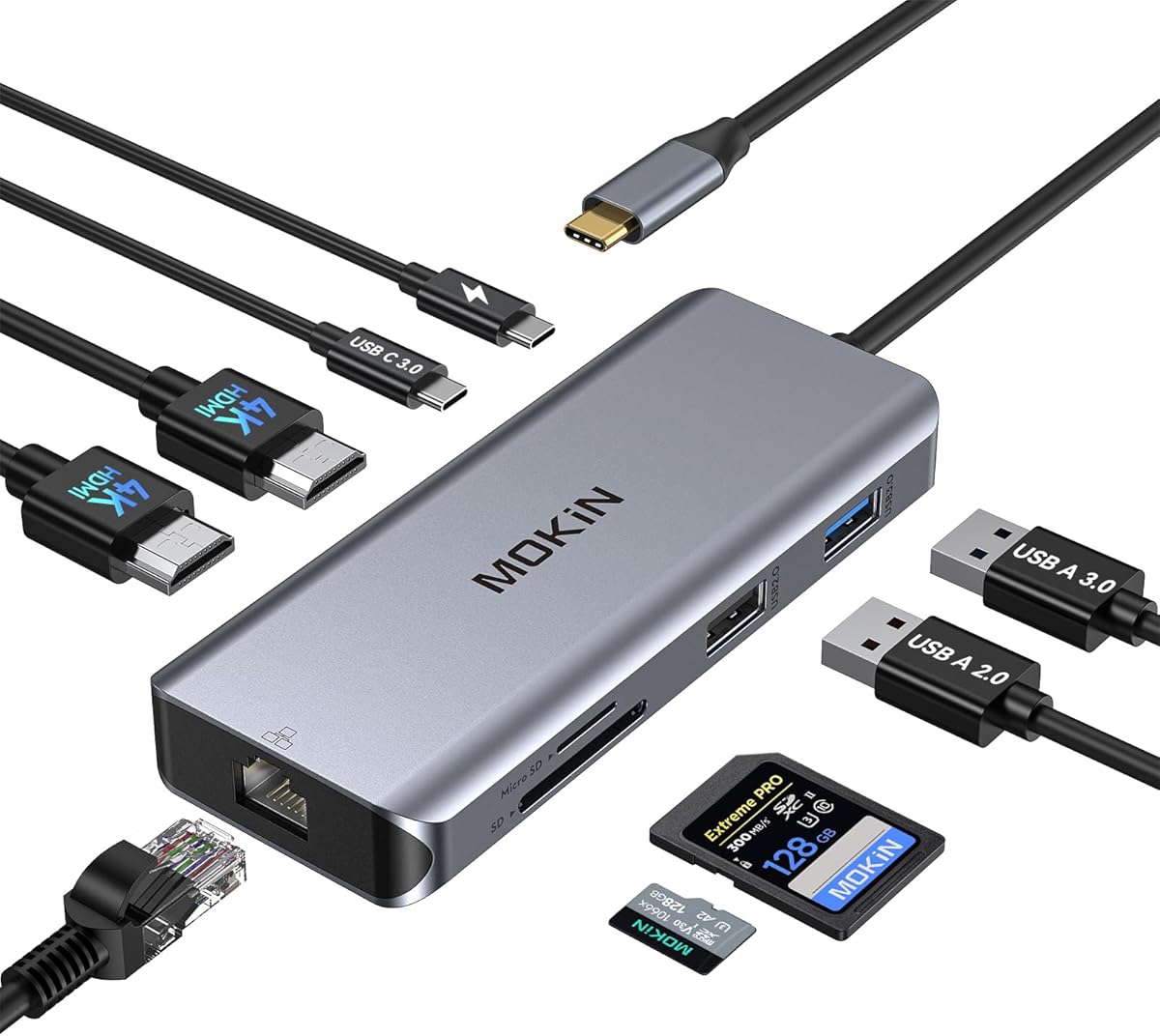
This specific 9-in-1 USB-C dock promises dual 4K HDMI outputs, 100W Power Delivery, and Gigabit Ethernet, making it a contender for a streamlined workstation. Buyers should scrutinize its ability to deliver on all these functions simultaneously, as bandwidth limitations on a single USB-C connection can be a bottleneck. The inclusion of both SD and microSD card readers adds versatility for content creators.
Key Considerations Before Buying
- Verify your laptop's USB-C port supports DisplayPort Alt Mode, as this is required for the dual HDMI video outputs to function; not all USB-C ports are created equal.
- Assess your true power needs: while 100W PD is advertised, actual stable power delivery to your laptop while all ports are in use may be lower, affecting charging speed.
- Confirm the dual monitor support matches your OS; extended desktop on MacBooks often requires specific driver support that generic docks may lack.
What Our Analysts Recommend
Quality indicators include robust heat dissipation mentioned in reviews, as these hubs can get warm under full load. Look for mentions of stable, flicker-free 4K@60Hz performance on both monitors simultaneously, not just individually. A well-built RJ45 port that maintains a stable Gigabit Ethernet connection is a sign of good internal construction.
Docking Stations Market Context
Market Overview
The market for universal USB-C docking stations is crowded, with many brands offering similar port combinations. Differentiation often comes down to reliable chipset performance (like VIA or Realtek), build quality, and consistent firmware. Products like this one compete directly with branded docks from Dell, HP, and CalDigit.
Common Issues
Common failures include overheating leading to port dropout, inconsistent Power Delivery causing slow charging, and inability to drive two external monitors at full resolution, especially with M1/M2/M3 MacBooks without proper DisplayLink drivers. The SD card reader speed is also a frequent pain point.
Quality Indicators
Beyond port count, quality is shown in the use of premium materials like aluminum chassis for heat dissipation, clear specification of the video processor chipset, and manufacturer-provided firmware update tools. A warranty longer than 12 months also signals confidence in component longevity.
Review Authenticity Insights
Grade B Interpretation
A Grade B with a 15% estimated fake review rate indicates a generally trustworthy review pool, but suggests some incentivized or biased feedback is present. The adjusted rating of 4.10/5 (down from 4.44) is a more realistic performance score, accounting for this noise.
Trust Recommendation
Prioritize reviews that detail specific use cases, like connecting a Dell XPS to dual 4K monitors while using Ethernet, as these are harder to fabricate. Be slightly more skeptical of 5-star reviews that lack technical detail and 1-star reviews that don't specify their laptop model.
Tips for Reading Reviews
Focus on verified purchase reviews from the last 6 months for relevance. Pay particular attention to mid-range (3 & 4 star) reviews, which often provide the most balanced pros and cons regarding thermal performance and real-world multi-monitor setup.
Expert Perspective
The data suggests this is a competent mid-tier universal dock. The 4.10 adjusted rating from verified purchases indicates solid satisfaction, but not perfection. The specific praise in genuine reviews for its compact design and functional Ethernet aligns with its value proposition for mobile professionals. However, the gap between the raw and adjusted rating warrants caution against overhyped expectations.
Purchase Considerations
This dock makes the most sense for users of Dell, Surface, or Intel-based MacBook Pro laptops seeking a cost-effective hub for dual FHD or single 4K displays. Users with Apple Silicon Macs needing dual external displays must confirm this dock uses DisplayLink technology and be prepared to install drivers.
Comparing Alternatives
Shoppers should compare the chipset and firmware support of this model against established brands like Anker or Ugreen, which may offer better long-term driver support.