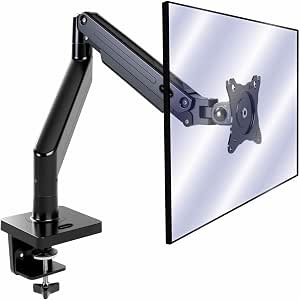
Vertical Dual Monitor Mounts: What to Know Before You Stack
A vertical dual monitor mount lets you stack two screens to save desk space and reduce neck strain, but it demands careful attention to weight, VESA compatibility, and height range. This mount supports 17–49 inch flat and curved displays, up to 20 kg per arm, with VESA 75/100 mm and a vertical stacking design.
Key Considerations Before Buying
- Weight capacity per arm is critical: 20 kg per arm is generous, but always check your monitor's weight with the stand removed, and remember that a 49-inch ultrawide can approach this limit.
- Height adjustability must accommodate your seated eye level; the vertical range should let you position the top screen's center at or slightly below eye level to avoid neck strain.
- Curved monitors require a mount that supports their depth and curve; ensure the VESA plate and arm joints allow the screen to sit flush without stressing the tilt mechanism.
What Our Analysts Recommend
Look for a sturdy steel construction, gas or mechanical spring arms that hold position without sagging, and a base that clamps or grommets securely to your desk. Cable management channels and padded VESA plates are signs of thoughtful design that protects your equipment.
Monitorarm Market Context
Market Overview
The monitor arm market has exploded with remote work, offering everything from basic fixed mounts to premium gas-spring arms. Vertical dual mounts are a niche but growing segment, catering to coders, traders, and anyone needing more screen real estate without widening their setup.
Common Issues
Sagging arms, difficulty achieving true vertical alignment, and insufficient tilt range for curved screens are frequent complaints. Some mounts also struggle with heavier 32-inch-plus monitors, causing drooping over time.
Quality Indicators
Quality mounts use thicker gauge steel, smooth-bearing joints, and precise tension adjustment. A robust clamp, clear weight ratings, and a generous warranty are good signs. Reviews mentioning long-term stability and easy installation are reliable indicators.
Review Authenticity Insights
Grade A Interpretation
An adjusted rating of 4.40/5 from 176 reviews, with an A authenticity grade and only 8% estimated fake reviews, means the feedback is largely trustworthy. The slight drop from the 4.56 average suggests some inflated reviews were filtered out, but the core sentiment remains positive.
Trust Recommendation
You can rely on these reviews for real-world pros and cons. Focus on detailed comments about build quality, weight handling, and adjustment ease, as they reflect genuine user experiences.
Tips for Reading Reviews
Look for reviewers who mention their specific monitor models and weights, as this gives context to the mount's performance. Pay attention to complaints about installation or sagging, and see if multiple reviewers share the same issue.
Expert Perspective
This vertical dual monitor mount appears to be a solid mid-range option, with a high weight capacity and broad VESA compatibility. The strong review authenticity suggests it performs as advertised for most users, though the 20 kg per arm limit may be tight for some 49-inch ultrawides. The height adjustability and support for curved screens add versatility.
Purchase Considerations
Before buying, measure your desk thickness for the clamp, confirm your monitors' VESA patterns and weights, and check if the vertical range suits your seating position. If you have very heavy or unusually deep monitors, verify the arm's reach and tilt range.
Comparing Alternatives
Compare with other vertical dual mounts that offer independent height adjustment per arm or higher weight capacities, especially if you plan to use large ultrawides.