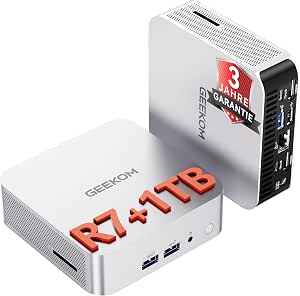
GEEKOM A7 Mini PC: Ryzen Power & DDR5 Flexibility for Creatives
The GEEKOM Mini PC A7 stands out in the compact desktop market by pairing AMD's Ryzen 5 7535HS processor with upgradeable DDR5 RAM (non-LPDDR) and a spacious 1TB SSD, making it a strong candidate for creative professionals and home office users demanding 8K multi-display setups. This guide focuses on what makes this specific configuration—with quad-display support and 2.5G LAN—a unique choice for European buyers.
Key Considerations Before Buying
- Check that your workflow benefits from the Ryzen 5 7535HS's integrated Radeon 660M graphics; while capable of 8K output, it is not a discrete GPU for heavy 3D rendering or gaming.
- The DDR5 RAM is upgradeable (not soldered LPDDR), so consider future memory expansion if you run memory-intensive applications like video editing or virtual machines.
- With 2.5G LAN and quad 8K display support, this mini PC excels as a multi-monitor workstation or a compact home server—verify your monitor cables and network infrastructure support these speeds.
What Our Analysts Recommend
For a mini PC in this class, prioritize models with upgradeable RAM and storage (like the A7's non-LPDDR DDR5 and M.2 SSD slot), robust thermal design (look for reviews mentioning fan noise under load), and verified support for multiple high-resolution displays—the A7's 8K-Quad-Display claim should be tested with your specific monitors.
Minis Market Context
Market Overview
The mini PC market has expanded rapidly as users seek space-saving alternatives to traditional desktops, with AMD's Ryzen 6000 and 7000 series driving strong integrated graphics performance. Models like the GEEKOM A7 compete with offerings from Minisforum and Intel NUC, emphasizing connectivity (2.5G LAN, USB4) and display outputs over raw CPU power.
Common Issues
Buyers often encounter confusion between soldered and upgradeable RAM—the A7's non-LPDDR DDR5 is a key differentiator. Additionally, thermal throttling in compact chassis can limit sustained performance; check independent benchmarks for the Ryzen 5 7535HS under load. Compatibility with 8K displays at 60Hz also requires careful cable and monitor selection.
Quality Indicators
Look for mini PCs with metal chassis for better heat dissipation, dual M.2 slots for storage expansion, and official Windows 11 Pro pre-installation (as with the A7) to ensure driver support and licensing. Verified user reviews detailing specific use cases (e.g., 'runs my 4K video editing smoothly') are strong quality signals.
Review Authenticity Insights
Grade B Interpretation
With a Grade B and an estimated 10% fake review rate, the GEEKOM A7's review set is largely trustworthy but contains a minor share of potentially manipulated feedback. The 4.50/5 average (adjusted to 4.30/5 after filtering) suggests genuine users are generally satisfied, though the slight drop indicates some reviews may overstate performance or overlook drawbacks.
Trust Recommendation
Focus on verified purchase reviews that mention specific hardware (e.g., 'DDR5 upgrade to 32GB') or usage scenarios (e.g., 'home office with three 4K monitors') as these are harder to fabricate. Be cautious of reviews with vague praise or no technical details, especially those in multiple languages that lack personal context.
Tips for Reading Reviews
For mini PCs, prioritize reviews that discuss noise levels during extended use, real-world multi-monitor performance, and ease of RAM/SSD upgrades. Cross-reference any claims about 8K output with your own display specs, and look for photos of the setup to verify authenticity.
Expert Perspective
The GEEKOM Mini PC A7 offers compelling value for creative professionals and power users who need a compact, upgradeable system with multi-display capabilities. Its Ryzen 5 7535HS provides solid integrated graphics for 8K output and everyday productivity, while the non-LPDDR DDR5 RAM slots and 1TB SSD future-proof the investment. The 4.30/5 adjusted rating and Grade B authenticity signal a reliable product with minor review inflation, likely from overly enthusiastic early adopters.
Purchase Considerations
Weigh the A7's upgradeability and quad-display support against your need for raw GPU power—if you do light 3D work or gaming, consider a model with a discrete GPU. The 10% fake review rate is low enough not to be a dealbreaker, but cross-check with tech forums for long-term reliability reports before purchasing.
Comparing Alternatives
Shoppers should compare the GEEKOM A7 with the Minisforum UM690 (similar Ryzen 9 option) or Intel NUC 13 Pro for different CPU architectures and warranty support in Germany.