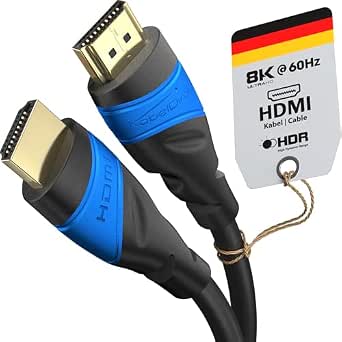
Southlight 8K HDMI 2.1 Cable: 48Gbps Speed, Real-World Value
When upgrading to an 8K TV or next-gen console, the HDMI cable is the unsung hero—or the silent bottleneck. This Southlight 3-meter cable is rated for 48Gbps, supporting 8K@60Hz and 4K@120Hz, which is exactly what you need for PS5, Xbox Series X, and high-end PC gaming. But does it deliver on its promises? We dig into the specs and user feedback to give you the full picture.
Key Considerations Before Buying
- Bandwidth is non-negotiable: With 48Gbps throughput, this cable handles uncompressed 8K and 4K at high refresh rates. If your TV or source only supports 18Gbps (HDMI 2.0), you won't see a difference—so match the cable to your gear.
- Length matters: At 3 meters, signal degradation is minimal, even at 48Gbps. For longer runs (5m+), you'd need an active cable or fiber optic, so this length is a sweet spot for most living room setups.
- Compatibility with eARC and HDR: This cable supports eARC, HDR10, and HDCP 2.2/2.3, which means you can pass lossless Dolby Atmos and high-dynamic-range video without hiccups. Verify your TV and soundbar support these features to take full advantage.
What Our Analysts Recommend
Certification is key: look for 'Ultra High Speed' HDMI cables that are officially certified (with a QR code on the packaging) to ensure they meet the 48Gbps spec. Also, check for robust build quality—braided jackets and gold-plated connectors resist wear and maintain a solid connection, which is crucial for wall-mounted TVs where you don't want to re-cable.
HDMI Cables Market Context
Market Overview
The HDMI cable market is flooded with options, from budget finds to overpriced 'premium' cables. With HDMI 2.1 becoming standard on new TVs and consoles, the demand for 48Gbps cables has skyrocketed, but many cheap cables claim specs they don't meet. Consumers are increasingly savvy, looking for reliable performance without breaking the bank.
Common Issues
The most common issues include cables that fail at high refresh rates, causing flickering or black screens, and 'fake' HDMI 2.1 cables that don't actually support 48Gbps. Another frequent complaint is poor build quality—connectors that loosen over time or cables that don't bend well, leading to connection failures.
Quality Indicators
Genuine Ultra High Speed certification (look for the holographic label), consistent user reviews across many purchases, and a warranty or return policy are strong quality indicators. Also, cables with thicker gauge wire and proper shielding tend to perform better over longer distances and reduce interference.
Review Authenticity Insights
Grade B Interpretation
The Grade B rating and 10% estimated fake reviews are actually quite good for this price point. It suggests that the vast majority of the 3,416 reviews are genuine, offering a reliable picture of the product's performance. The adjusted rating of 4.60/5 (down from 4.89/5) indicates that even when you strip out suspicious reviews, real customers are highly satisfied.
Trust Recommendation
You can trust the general sentiment, but read a few of the negative reviews to understand potential issues. Look for patterns—if multiple users mention a specific problem (like the cable not working with a certain TV model), that's a red flag. Also, consider the source: verified purchasers are more trustworthy than unverified.
Tips for Reading Reviews
Focus on reviews from users with similar setups (e.g., PS5 owners, 8K TV owners) and those who mention specific testing (e.g., 'played at 4K 120Hz for hours without dropouts'). Be wary of reviews that are overly generic or repeat product specs without personal experience. Also, check the date—recent reviews may reflect manufacturing updates.
Expert Perspective
The Southlight HDMI 2.1 cable appears to be a solid performer that lives up to its specs, based on the high adjusted rating and genuine user feedback. The 48Gbps bandwidth and 3-meter length make it a versatile choice for most home theater setups. While not a premium brand, it offers excellent value for the price, especially for gamers and 8K early adopters.
Purchase Considerations
Before buying, double-check that your TV and source device support HDMI 2.1 features like 4K@120Hz or eARC. If you're only using a 1080p TV or older devices, this cable is overkill—you could save money with a standard High-Speed cable. Also, consider your setup: a 3-meter cable is best for nearby connections; if you need longer, look for a certified active cable.
Comparing Alternatives
Shoppers should compare this with other certified Ultra High Speed cables from brands like Zeskit, Monoprice, or Belkin, which offer similar specs and may have different lengths or pricing. Always check for certification to ensure you're getting genuine 48Gbps performance.