
Choosing a USB Microphone: Key Factors for Clear Computer Audio
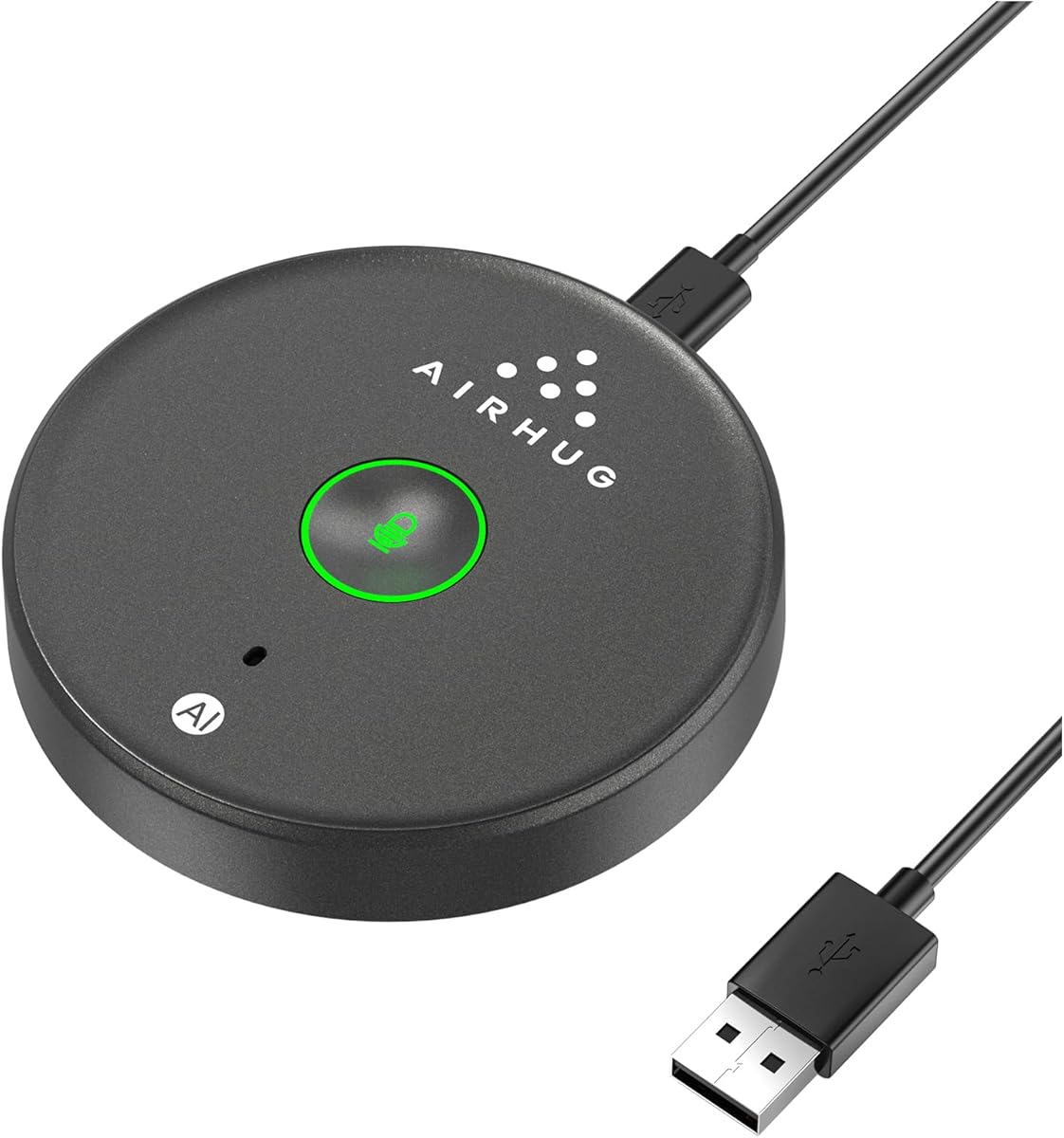
When shopping for a USB microphone like the AIRHUG Desktop Mic, you're likely seeking plug-and-play simplicity for clear voice capture on a laptop or desktop. This model emphasizes a no-speaker design, meaning it's purely for input—ideal if you already have separate headphones or speakers.
Key Considerations Before Buying
- Connectivity and compatibility: Ensure the microphone uses a standard USB-A or USB-C connector that matches your computer's ports. The AIRHUG model is designed for laptops and desktops, but verify it works with your operating system without extra drivers.
- Pickup pattern and audio quality: Most USB microphones use a cardioid pattern to focus on your voice while reducing background noise. Check reviews for clarity in calls, recordings, or streaming, and note if the mic picks up keyboard clicks or room echo.
- Physical design and placement: A desktop microphone should have a stable base and adjustable angle. Since the AIRHUG lacks a speaker, consider whether you need a headphone jack for real-time monitoring—this model does not include one, so you'll rely on your computer's audio output.
What Our Analysts Recommend
Look for a microphone with a sturdy build, a mute button or gain control for quick adjustments, and a stand that minimizes vibration. Check the frequency response and sample rate if you need professional-grade recording; for casual use, 16-bit/48kHz is sufficient. Also, read user feedback about durability and ease of setup.
Computer Microphones Market Context
Market Overview
The USB microphone market has exploded with remote work, streaming, and online learning, offering options from budget-friendly to studio-quality. Many sub-£50 models, like the AIRHUG, target everyday users who need reliable voice capture without complex setups.
Common Issues
Common complaints include background noise pickup, compatibility hiccups with certain apps, and flimsy stands that transmit desk vibrations. Some users also find that cheaper mics have low gain, requiring you to speak loudly or adjust software settings.
Quality Indicators
A quality USB microphone typically has a metal or reinforced plastic body, a weighted base, and clear documentation. Positive reviews often mention 'plug and play' success, consistent performance across platforms, and effective noise rejection. Avoid mics with many reports of early failure or driver issues.
Review Authenticity Insights
Grade A Interpretation
The AIRHUG microphone has an adjusted rating of 4.50/5 from 803 reviews, with an 8% estimated fake review percentage—a Grade A authenticity score. This means the overwhelming majority of reviews are genuine, so you can trust the overall sentiment and specific feedback.
Trust Recommendation
Given the high authenticity, you can confidently use the review distribution to gauge performance. Look for patterns in critical reviews (e.g., recurring technical issues) and balance them against the many positive experiences. The 4.67/5 average suggests most users are satisfied.
Tips for Reading Reviews
When reading reviews for this microphone, focus on those that describe specific use cases (e.g., Zoom calls, podcasting) and mention setup details. Pay attention to comments about build quality and long-term reliability, as these are less likely to be influenced by initial excitement.
Expert Perspective
The AIRHUG USB Microphone appears to be a solid budget-friendly option for everyday computer audio, backed by a strong 4.67-star rating and high review authenticity. Its no-speaker design keeps it simple, but it lacks features like monitoring or advanced controls found in pricier models. With 803 reviews and an adjusted 4.50 rating, it's a reliable choice for basic voice capture.
Purchase Considerations
Before buying, consider whether you need a headphone jack for zero-latency monitoring or a mute button for quick privacy. If you already have a headset or speakers, the AIRHUG's focused design may suit you well. Also, check that your computer's USB port can deliver enough power—some laptops have low-power ports that affect performance.
Comparing Alternatives
Shoppers should compare the AIRHUG with similar USB microphones from brands like Blue, Fifine, or Samson to ensure they get the best fit for their needs and budget.


