Quiet Typing with RGB Flair: Choosing Your Wired Office Keyboard
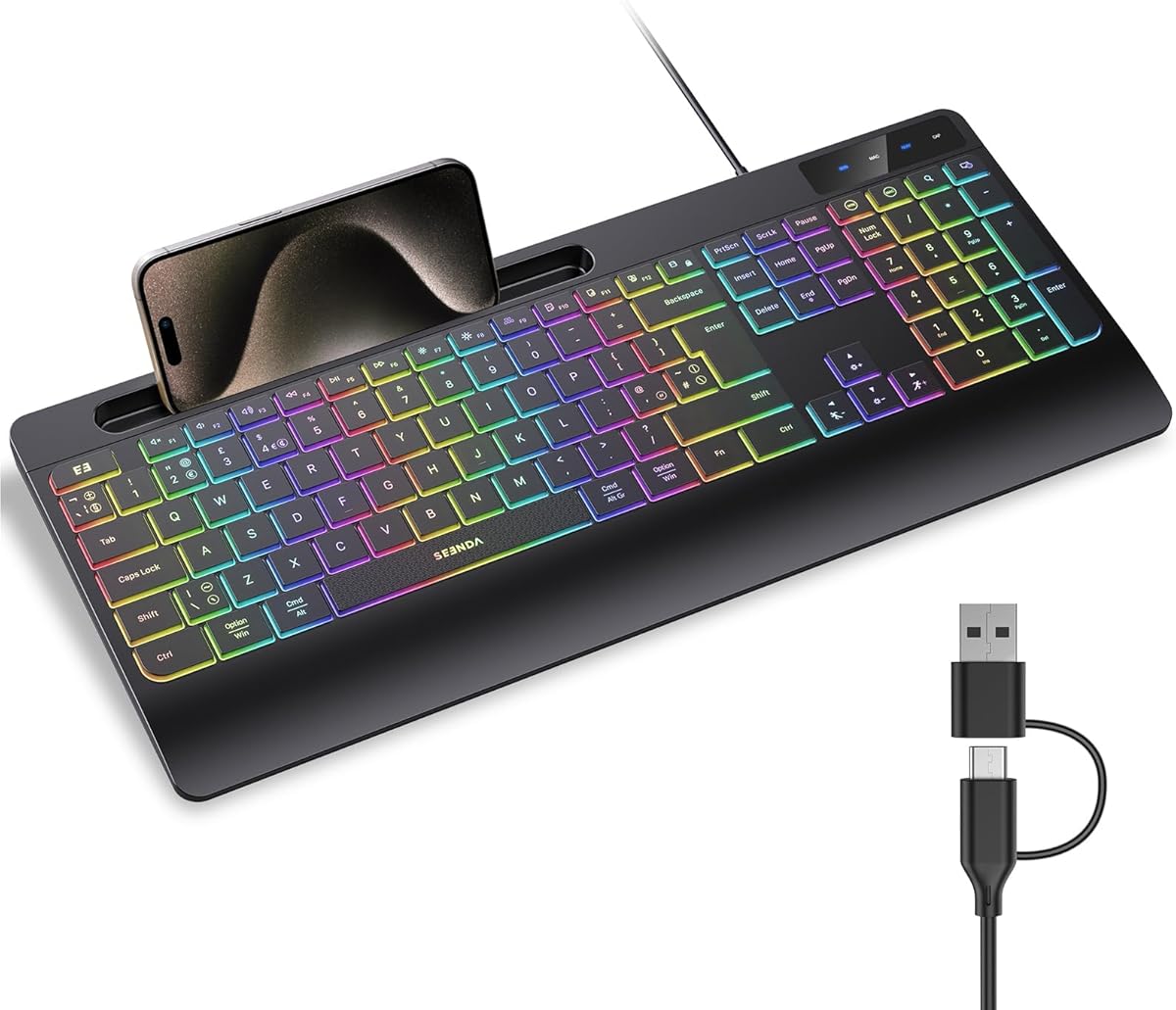
When shopping for a quiet, backlit wired keyboard like the Seenda KOE200, you're likely seeking a balance between a peaceful typing experience and visual customization. This model's low-profile keys and integrated phone holder make it a unique contender for both productivity and convenience. Here’s what to consider to ensure it matches your workflow.
Key Considerations Before Buying
- Switch type matters: The Seenda KOE200 uses quiet membrane switches, which are softer and less tactile than mechanical ones—ideal for shared offices or late-night work, but may feel mushy to fast typists.
- Connectivity simplicity: Its 2-in-1 USB & USB-C connector ensures plug-and-play with modern laptops and desktops, but verify your device's port compatibility, especially for older Macs or PCs.
- Ergonomics and extras: The built-in phone holder and detachable palm rest add convenience, but measure your desk space to ensure the full-size layout with numpad fits comfortably.
What Our Analysts Recommend
For a quiet keyboard, check the decibel rating or user comments on keypress noise. Look for durable keycap legends (double-shot or laser-etched) to prevent fading. Also, confirm RGB customization options—some models offer per-key lighting, while others have preset zones.
Keyboards Market Context
Market Overview
The wired keyboard market has seen a resurgence as remote workers seek reliable, low-latency input devices over wireless alternatives. Quiet, backlit models with extra features like phone holders are niche but growing, driven by demand for clutter-free desks and distraction-free typing.
Common Issues
Many budget-friendly quiet keyboards suffer from inconsistent key actuation or short lifespans (under 5 million keystrokes). Backlight bleed and limited software support for RGB customization are also frequent complaints in this price tier.
Quality Indicators
High-quality quiet keyboards use scissor-switch or dampened membrane mechanisms for consistent feel. Look for reinforced USB cables, non-slip base pads, and positive user feedback on long-term durability. A 4.89-star average (as seen here) often indicates strong build quality when reviews are authentic.
Review Authenticity Insights
Grade B Interpretation
A Grade B with an estimated 10% fake review rate suggests the vast majority of feedback is genuine, but a small batch of incentivized or suspicious reviews may inflate the rating slightly. For the Seenda KOE200, the adjusted rating of 4.60 is still excellent, indicating real users are generally satisfied.
Trust Recommendation
Focus on verified purchase reviews and those mentioning specific details like the quietness level, RGB brightness, or phone holder stability. The 10% fake rate is low enough to trust the overall sentiment, but cross-check any overly effusive five-star comments for pattern repetition.
Tips for Reading Reviews
For keyboards, prioritize reviews that describe typing feel, noise level, and long-term use (3+ months). Look for comments on keycap wear and software compatibility with your OS—these are often omitted in paid reviews.
Expert Perspective
The Seenda KOE200 appears to be a solid, well-received wired quiet keyboard with a high genuine satisfaction rate, as reflected by its 4.60 adjusted rating. Its unique combination of a phone holder, palm rest, and dual-USB connectivity adds practical value for multitasking users. The low 10% fake review rate and Grade B authenticity score suggest the buzz is mostly earned, though the RGB backlight may be more decorative than professional-grade.
Purchase Considerations
If you prioritize silent typing, a tidy desk, and don't need mechanical switches, this is a strong candidate. However, power users seeking programmable keys or per-key RGB should verify its software support—most budget models offer only preset modes.
Comparing Alternatives
Compare with other quiet wired keyboards like the Logitech K380 or Cherry KC 6000 Slim to see how the phone holder and palm rest stack up against your specific needs.