
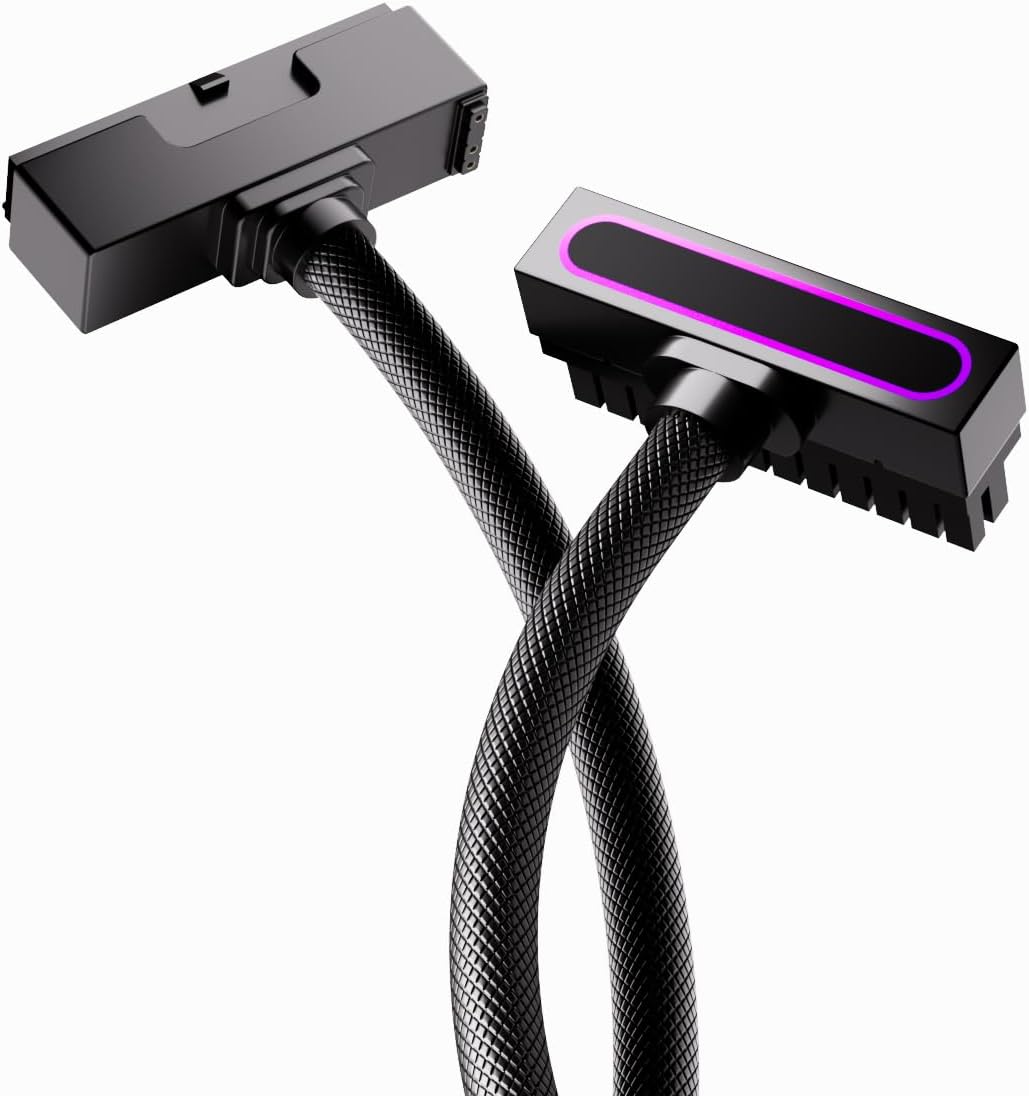
Brighten Your Build: 24-Pin ARGB PSU Extension Cable Buying Tips
If you're building a custom PC and want to add a splash of color to your power supply wiring, a 24-pin ARGB extension cable like this one is a great start. This guide covers key factors to consider when choosing such an extension, ensuring you get both style and reliable power delivery.
Key Considerations Before Buying
- Check your motherboard's ARGB header: This cable uses a 5V 3-pin connector, which is standard for addressable RGB on most modern boards. Ensure your motherboard has this header (often labeled JRAINBOW or ADD_GEN) and not a 12V 4-pin RGB header, as they are not compatible.
- Measure your case clearance: The 90-degree right-angle design is perfect for tight spaces, but you need to ensure the angled connector won't interfere with your GPU or other components. The 30cm length gives you flexibility, but verify it's enough to route neatly to your PSU.
- Confirm your PSU compatibility: This is an extension cable, meaning it connects from your existing 24-pin PSU cable to the motherboard. It's not a replacement, so make sure your PSU has a standard 24-pin output and that the male-to-female connectors match exactly.
What Our Analysts Recommend
For ARGB PSU extensions, prioritize the wire gauge (18AWG is ideal for safe current handling) and the quality of the connectors—they should fit snugly without excessive force. Also, look for a cable with individually addressable LEDs that can sync with your motherboard's software for customizable lighting effects.
Power Cables Market Context
Market Overview
The market for PC lighting accessories has exploded, with ARGB extensions being a popular way to personalize builds without replacing the entire PSU. These cables are a niche but growing segment, appealing to enthusiasts who want a clean, color-coordinated look.
Common Issues
Common issues include incompatible RGB headers (5V vs 12V), poor connector quality leading to loose fits, and cables that are too stiff to bend easily. Some users also report that the lighting effects don't sync properly with their motherboard software due to proprietary protocols.
Quality Indicators
Quality indicators include thick 18AWG wires, well-molded connectors with secure locking clips, and a braided or textured sleeve that resists kinking. Also, check if the cable has a separate ARGB connector for power (like the 5V 3-pin) and that the LED strip is evenly lit without hot spots.
Review Authenticity Insights
Grade B Interpretation
The Grade B rating and 10% estimated fake review percentage suggest that while the majority of reviews are authentic, a small portion may be incentivized or less reliable. This is typical for popular PC accessories, where sellers sometimes boost ratings. The high 5.0 average (adjusted to 4.8) still indicates strong genuine satisfaction.
Trust Recommendation
You can trust the product's quality based on the high adjusted rating and the fact that most reviews are verified purchases. However, be cautious of overly glowing reviews that lack specific details; focus on those that mention installation, cable flexibility, and lighting effects. Given the low fake percentage, the risk is minimal, but it's wise to read a mix of recent and older reviews.
Tips for Reading Reviews
When reading reviews, look for photos or videos that show the cable installed in a real build—these are hard to fake. Also, pay attention to comments about the 90-degree angle's fit and whether the ARGB connector works with their specific motherboard. Be wary of generic praise like 'great product' without any context.
Expert Perspective
Based on the analysis, this 24-pin ARGB extension cable appears to be a solid choice for PC builders. The 18AWG gauge ensures safe power delivery, and the right-angle design is a thoughtful touch for cable management. The high genuine review score, even after adjusting for potential fakes, suggests it meets expectations in terms of aesthetics and build quality.
Purchase Considerations
Consider your motherboard's ARGB compatibility before buying, and double-check your case dimensions for the 90-degree connector. If you're new to PC building, this is an easy, low-risk upgrade, but ensure you're comfortable with connecting the 5V 3-pin header. The 30cm length is typically sufficient, but measure your cable run to be safe.
Comparing Alternatives
While this cable is a strong option, compare it with other ARGB extensions that offer different lengths, straight connectors, or custom cable combs. Some brands also offer full cable kits for a more uniform look, so weigh your aesthetic goals against your budget.


