
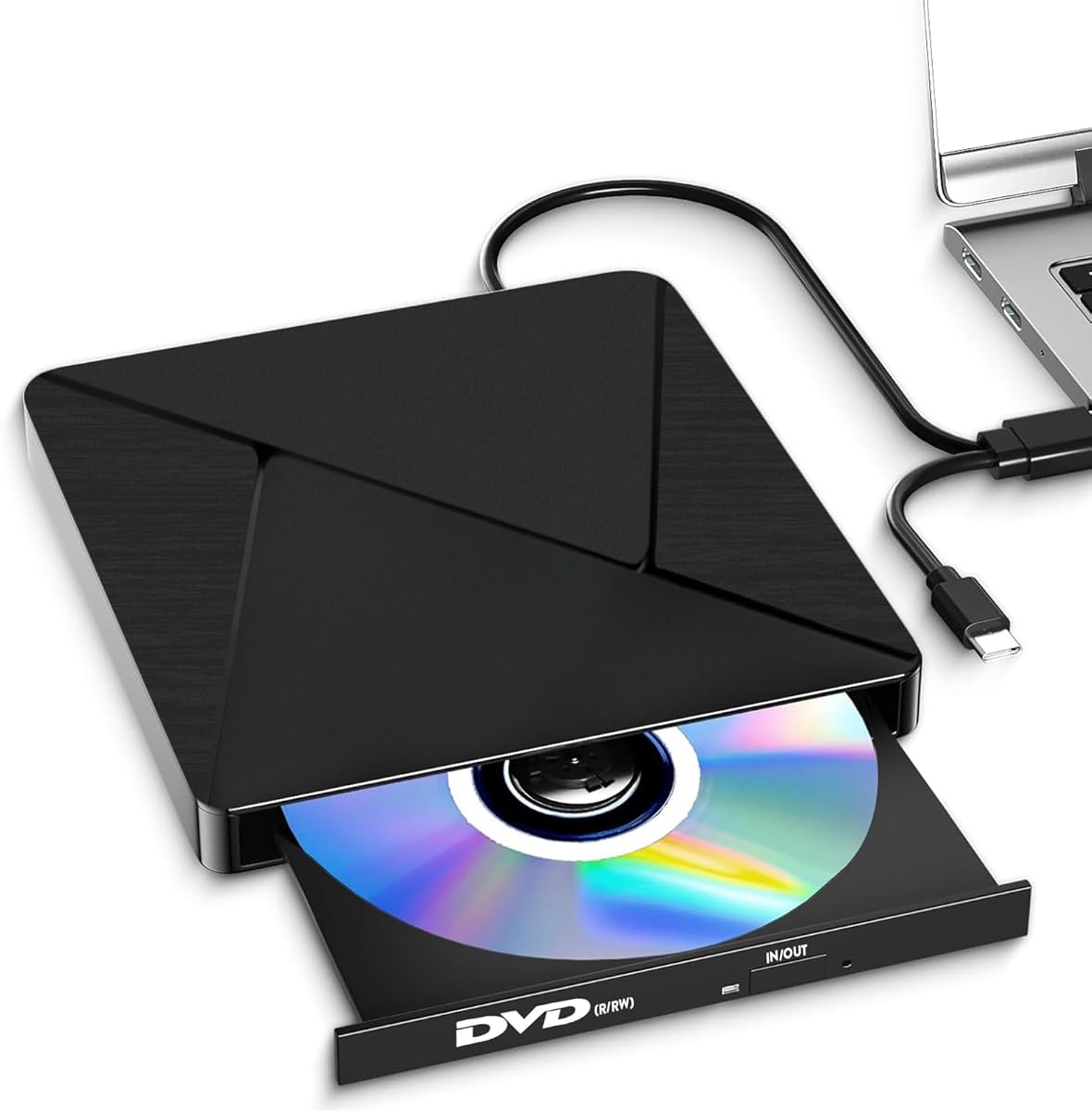
Choosing a Slim External Optical Drive for Modern Laptops Without Built-in Drives
This specific USB 3.0/Type-C external drive addresses a key gap for users of modern laptops and desktops that lack internal optical drives. Its slim, portable design and broad OS compatibility, including legacy Windows versions and Linux, make it a utility-focused solution for accessing, reading, and burning CDs and DVDs.
Key Considerations Before Buying
- Verify your primary use case: this drive reads and writes (burns) both CDs and DVDs, but does not support Blu-ray discs, making it ideal for software installs, legacy media, or data backups on standard optical formats.
- Check your connectivity: while it offers both USB 3.0 and Type-C ports for speed, ensure your computer has a compatible port, as some newer ultrabooks may require a Type-C adapter for full plug-and-play functionality.
- Consider the noise profile: marketed as 'low noise', this is particularly relevant if you plan to use it in quiet environments like libraries or offices, though actual acoustic performance can vary with disc type and rotation speed.
What Our Analysts Recommend
For this category, scrutinize reviews mentioning successful burns at the drive's maximum rated speeds (e.g., 8x for DVD±R) and consistent reads of scratched or older media. Genuine feedback often details specific use scenarios, like installing old PC game discs or accessing archived project files from DVD-RWs, which signal real-world testing beyond basic functionality.
CD & DVD Drives Market Context
Market Overview
The external optical drive market is now niche, dominated by slim, bus-powered units like this one that cater to users who occasionally need CD/DVD functionality. Most products compete on universal compatibility, plug-and-play simplicity, and a slim form factor, rather than cutting-edge read/write speeds.
Common Issues
Common pain points include drives that fail to be recognized by newer operating systems without manual driver installation, difficulty reading dual-layer DVDs or certain CD-RW formats, and mechanical failures after moderate use. Incompatibility with specific Mac OS versions post-Catalina is also a frequent concern.
Quality Indicators
Look for consistent mentions of robust build quality in the slim chassis, reliable recognition across multiple operating systems (especially the listed legacy Windows versions), and the inclusion of both a USB-A and Type-C cable in the box, which adds immediate value and convenience.
Review Authenticity Insights
Grade B Interpretation
An Authenticity Grade of 'A' with an estimated 8% fake review rate indicates a review profile with high integrity. For this product, it means the vast majority of the 125 reviews and the 4.2 adjusted rating reflect genuine user experiences, giving you a reliable picture of real-world performance.
Trust Recommendation
You can place significant trust in the overall rating trend. Focus on the detailed 3- and 4-star reviews, which are less likely to be manipulated and often contain nuanced feedback about read/write success rates with different media brands or minor compatibility quirks.
Tips for Reading Reviews
Prioritize reviews that specify the exact computer model (e.g., 'MacBook Pro M1 2020' or 'Dell XPS 13 9310') and the task performed, such as 'burned a bootable Linux Mint DVD' or 'ripped my old music CD collection.' These specifics are hallmarks of authentic, experience-based feedback.
Expert Perspective
The analysis suggests this is a reliable, no-frills external optical drive that performs its core functions well for most users, as evidenced by the strong and authentic 4.2/5 rating. Its key strengths appear to be its broad system compatibility—spanning from Windows XP to 11 and modern Mac OS—and its dual-interface design. The slim form factor and emphasis on low noise are practical differentiators in a crowded market of similar-looking drives.
Purchase Considerations
Weigh the convenience of having occasional CD/DVD access against your actual usage frequency. If you need to regularly archive data or work with optical media, this drive is a sensible solution. However, if your needs are one-time or limited to Blu-ray, this product is not the right fit.
Comparing Alternatives
Shoppers should compare this model's connectivity options and included cables with similar-priced drives, as some competitors may omit the Type-C cable or offer longer warranties.


