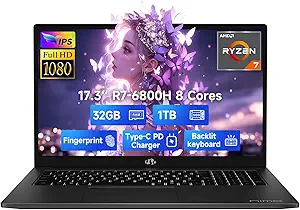
Buying a Budget Laptop: N95 Power Meets 16GB RAM
The LEEDOW 15.6-inch FHD laptop pairs an Intel N95 quad-core processor with a generous 16GB of LPDDR4 RAM and a 512GB SSD — a specification mix that's uncommon at this price point. If you're shopping for a secondary machine for office tasks, streaming, or study, understanding where this configuration shines and where it cuts corners is essential.
Key Considerations Before Buying
- The Intel N95 is a low-power 12th-gen-class chip capped at 3.4GHz, so it handles web browsing, Word, Excel, and video calls comfortably, but it is not suited to gaming or heavy video editing — set expectations accordingly.
- 16GB of LPDDR4 RAM is soldered in most budget laptops at this tier, meaning it cannot be upgraded later; the same applies to the 512GB SSD in many slim chassis, so buy for your long-term storage needs upfront.
- Connectivity is modest: WiFi 5 and Bluetooth 4.2 are a generation or two behind current standards, so if you rely on WiFi 6E speeds or the latest Bluetooth accessories, factor in potential bottlenecks.
What Our Analysts Recommend
On budget laptops, check the display resolution (FHD at 15.6 inches is the minimum for comfortable office work), the presence of a fingerprint reader like the Touch ID here for quick logins, and port variety — USB 3.0 and Mini HDMI cover the basics, but confirm they match your peripherals. Also verify battery claims against real-world reviews, as N95-based machines vary widely in endurance.
Traditional Laptops Market Context
Market Overview
The sub-£400 traditional laptop market is crowded with Intel N-series and Celeron machines, where brands compete almost entirely on RAM and storage figures. The LEEDOW's 16GB/512GB combination sits at the upper end of that budget bracket, which is why it attracts attention despite the lesser-known brand.
Common Issues
Buyers in this segment frequently report exaggerated battery life, dim or low-quality panels, and sluggish performance once multiple browser tabs and background apps pile up. Build quality and after-sales support are also recurring weak points for unfamiliar brands, so warranty terms matter as much as the spec sheet.
Quality Indicators
A genuine FHD (1920x1080) panel rather than HD, a named processor with published clock speeds, and clearly stated RAM type (LPDDR4) are positive signals. Look for listings that specify port versions and wireless standards precisely — vague specs often hide older components.
Review Authenticity Insights
Grade B Interpretation
A Grade B authenticity rating with an estimated 15% fake review rate means most reviews here are genuine, but a meaningful minority may be incentivised or manipulated. The adjusted rating of 4.20/5 versus the displayed 4.56/5 suggests the true customer sentiment is still positive, just less glowing than the headline figure implies.
Trust Recommendation
Treat the 4.20 adjusted score as your realistic baseline, and give extra weight to reviews that mention specific use cases like office work, video calls, or battery timings. If a review is purely enthusiastic with no detail, discount it — the pattern of generic praise is the clearest manipulation signal at this review volume.
Tips for Reading Reviews
With only 31 reviews, a handful of fakes can shift the average noticeably, so read the full text of the most detailed reviews rather than skimming star ratings. Prioritise reviewers who compare the laptop to other machines they own or who describe problems — balanced criticism is a stronger authenticity marker than perfection.
Expert Perspective
The LEEDOW 15.6-inch laptop is a sensible budget proposition on paper: an N95 quad-core, 16GB RAM, and 512GB SSD cover everyday office and study needs without overspending. The inclusion of a fingerprint reader is a nice convenience rarely seen at this price, and the FHD panel keeps text crisp for productivity work. However, the Grade B authenticity rating and 15% estimated fake review share mean you should verify performance claims independently rather than trusting the 4.56 headline rating.
Purchase Considerations
Weigh whether you need upgradeability (you likely won't get it here), whether WiFi 5 is sufficient for your home network, and whether the brand's warranty and support channels are reachable in the UK. If your workload is light and your budget is tight, the core specs are competitive; if you need longevity or faster wireless, look upward.
Comparing Alternatives
Compare this against similarly priced laptops from Acer, Lenovo, or HP before committing, as established brands often match these specs with better support networks.