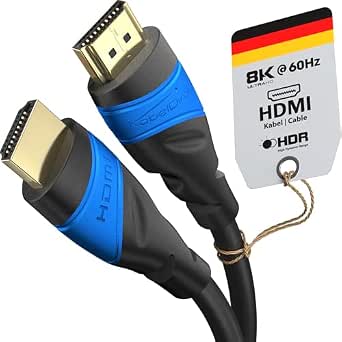
Buying an HDMI 2.2 Cable: What 96Gbps and 16K Really Mean
This 16K HDMI 2.2 cable advertises a 96Gbps bandwidth ceiling, enabling 16K@60Hz, 8K@240Hz, and 4K@480Hz. Before buying, you need to understand whether your devices can actually use that bandwidth and how to spot a cable that meets the spec rather than just claiming it.
Key Considerations Before Buying
- Bandwidth and resolution support: The 96Gbps rating is the headline feature, but your source and display must also support HDMI 2.2 to reach 16K@60Hz or 8K@240Hz. Without compatible hardware, the cable will fall back to lower resolutions and refresh rates.
- Cable length and signal integrity: At 3 metres, this cable is long enough to connect a wall-mounted TV to a media unit, but ultra-high-speed signals degrade over distance. Look for certified cables that maintain full bandwidth at this length, especially for 8K or 16K use.
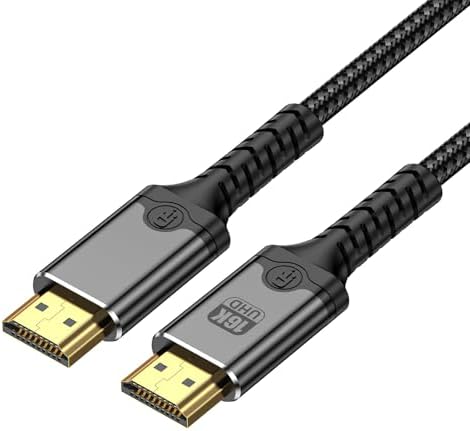
- Build quality and connector durability: Frequent plugging into a PS5 or gaming PC can wear out connectors. A braided jacket, gold-plated plugs, and strain relief are practical indicators of a cable that will survive regular use.
What Our Analysts Recommend
Check for official HDMI 2.2 certification or a clear bandwidth claim backed by test data. Look for 48Gbps or 96Gbps labels, but remember that many cables overstate performance. User reviews that mention specific resolutions and refresh rates working without dropouts are more reliable than marketing copy.
HDMI Cables Market Context
Market Overview
The HDMI cable market is flooded with versions claiming 8K and 16K support, but HDMI 2.2 is still emerging. Many cables sold as '2.1' or '2.2' are not certified, and the difference between 48Gbps and 96Gbps can be meaningless if your devices don't support the higher tier.
Common Issues
Common problems include cables that fail to carry 4K@120Hz over longer distances, intermittent signal dropouts, and misleading version numbers. Some cables also have poor shielding, causing interference with Wi-Fi or other devices.
Quality Indicators
A quality HDMI cable will have clear certification logos, a specified bandwidth, and a length that matches its performance claims. Look for reviews that test high refresh rates and resolutions, and avoid cables with vague specs or no certification.
Review Authenticity Insights
Grade B Interpretation
A Grade B authenticity rating with an estimated 15% fake reviews means most reviews are likely genuine, but a notable minority may be manipulated. The adjusted rating of 4.50/5 is still strong, suggesting the product performs well even after discounting suspicious reviews.
Trust Recommendation
Trust the adjusted rating more than the headline 4.89/5. Focus on reviews from verified purchases that mention specific use cases, such as connecting a PS5 or gaming PC, and be wary of short, generic praise.
Tips for Reading Reviews
For HDMI cables, look for reviews that state the exact devices used and the resolution/refresh rate achieved. Ignore reviews that only say 'great cable' without technical details, and check if negative reviews mention signal dropouts or compatibility issues.
Expert Perspective
This cable appears to be a solid choice for future-proofing, with a high bandwidth rating and positive user feedback. However, the real-world benefit depends on whether you own HDMI 2.2-compatible devices. For most current setups, a certified HDMI 2.1 cable may be sufficient and more affordable.
Purchase Considerations
Consider your current and near-future devices: if you plan to upgrade to 8K or 16K displays, this cable could be worth it. But if you're using 4K@120Hz, a 48Gbps cable will work just as well. Also, check the return policy in case of compatibility issues.
Comparing Alternatives
Compare with other certified HDMI 2.2 cables from reputable brands, and read reviews that specifically test high-bandwidth performance.