
Maximise Your Laptop Setup: 15.6″ Portable Monitor Buying Guide
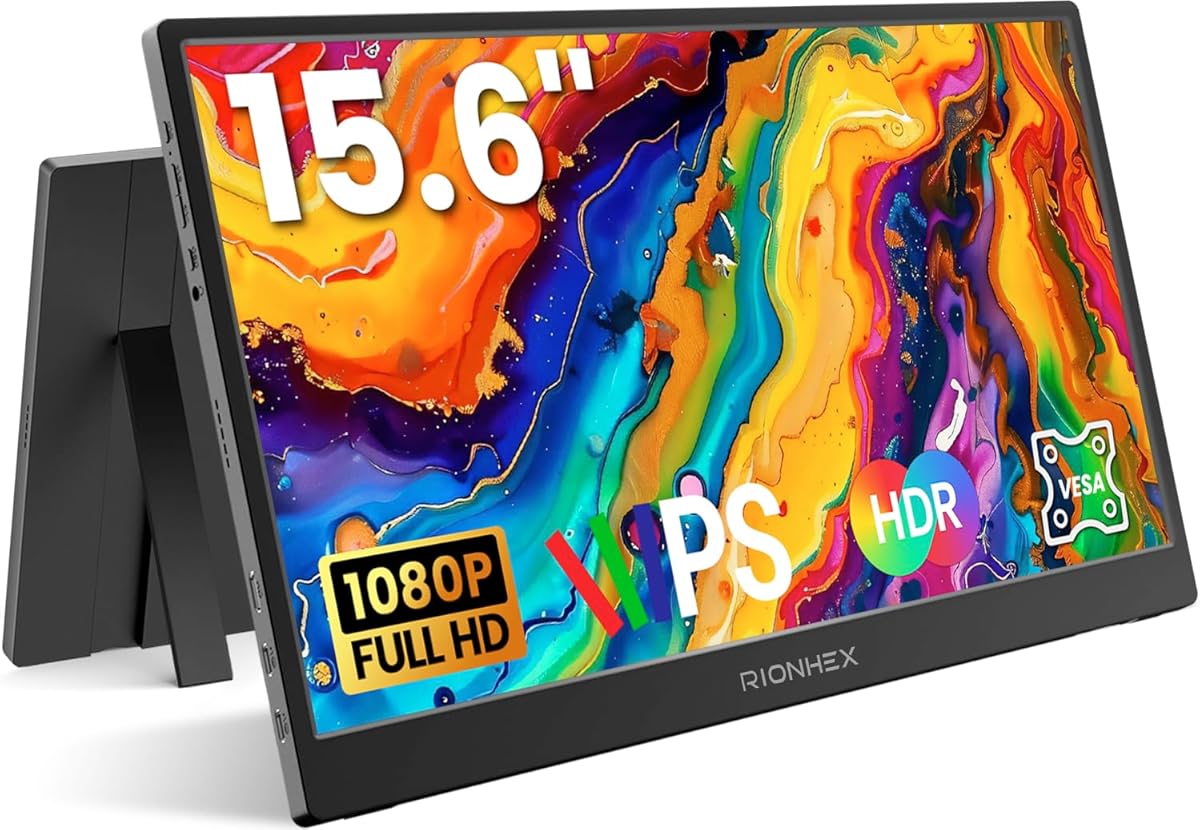
A portable monitor like this 15.6″ FHD 1080P IPS display is an excellent tool for boosting productivity on the go. Whether you’re a remote worker, a gamer connecting to a PS4/5 or Xbox, or a creative needing a second screen, understanding key features—such as connectivity (dual USB-C & HDMI), built-in speakers, and ergonomic support like a kickstand and VESA mount—can make or break your experience.
Key Considerations Before Buying
- Connectivity flexibility is crucial: dual USB-C ports and HDMI let you plug into laptops, PCs, Macs, and gaming consoles without adapters, so confirm your devices support video over USB-C or HDMI.
- Portability and build quality matter: a 15.6″ size is ideal for slipping into a bag, but check the monitor’s weight, kickstand sturdiness, and whether it includes VESA mounts for custom mounting solutions.
- Display performance affects usability: FHD 1080P IPS panels offer good colour accuracy and wide viewing angles, but consider brightness (typically 250-300 nits) and response time, especially for gaming or graphic work.
What Our Analysts Recommend
When shopping for a portable monitor, prioritise models with verified USB-C power delivery and video passthrough to reduce cable clutter. Look for robust kickstands that can hold the screen at various angles, and built-in speakers that are clear enough for casual use—though external speakers may still be preferred for immersive audio.
Monitors Market Context
Market Overview
The portable monitor market has grown rapidly as hybrid work and mobile gaming become mainstream. Most 15.6″ models now offer FHD IPS panels, but brands differentiate through connectivity options (USB-C, mini HDMI), integrated battery vs. USB-powered designs, and included stands or cases.
Common Issues
Common problems include inconsistent USB-C compatibility—some laptops only support power delivery, not video—and flimsy kickstands that can’t hold the monitor steady. Build quality varies widely, and built-in speakers are often weak or tinny, so check user feedback on audio performance.
Quality Indicators
High-quality portable monitors typically feature aluminium or reinforced plastic chassis, reliable kickstands with multiple tilt angles, and clear specifications for brightness (300+ nits) and colour gamut (sRGB 100% or better). VESA compatibility adds flexibility for mounting, and genuine reviews often highlight durability and cable management.
Review Authenticity Insights
Grade B Interpretation
A Review Authenticity Grade of B with an estimated 10.00% fake review percentage indicates that the vast majority of feedback is genuine, but a small fraction may be incentivised or fabricated. Given the small sample size (23 reviews), even a few suspicious reviews can skew the average, so the adjusted rating of 4.80/5 is more reliable than the perfect 5.00.
Trust Recommendation
You can trust the core consensus from verified purchasers—most describe real-world use cases like dual-screen laptop setups or connecting to consoles. However, be cautious of extremely short or overly glowing reviews with no specific details, as these are more likely to be fake.
Tips for Reading Reviews
Focus on reviews that mention specific connectivity tests (e.g., “works with my MacBook via USB-C”) or build quality observations (e.g., “kickstand is sturdy but heavy”). Look for repeated patterns—if multiple users report the same issue, it’s likely genuine. Also, check for recent updates on compatibility with newer devices.
Expert Perspective
This portable monitor offers a solid feature set for its price point, with dual USB-C & HDMI inputs, a 1080P IPS display, and built-in speakers—making it versatile for both productivity and console gaming. The high adjusted rating (4.80/5) from verified purchasers suggests it delivers on core expectations, especially as a second screen for laptops or Macs. However, the small review count means long-term reliability is less proven, so early adopters should test compatibility thoroughly.
Purchase Considerations
Weigh the convenience of all-in-one features (speakers, kickstand, VESA) against potential drawbacks like average brightness or audio quality. If you need a monitor for outdoor use or critical colour work, look for higher brightness and wider colour gamut specs. For most users, this model is a strong contender for desk and on-the-go use.
Comparing Alternatives
Before buying, compare with other 15.6″ portable monitors that offer integrated batteries for true wireless use or higher refresh rates (120Hz+) for competitive gaming. Check user reviews on build quality and USB-C compatibility with your specific devices.






