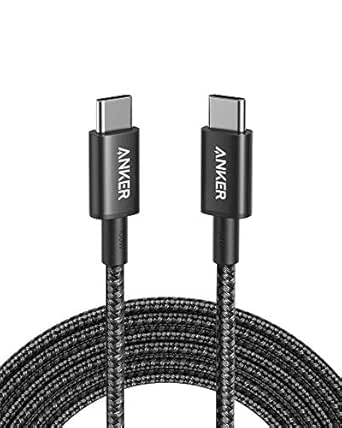
Power Your MacBook Anywhere: The 140W USB-C Cable That Keeps Up
If you've just upgraded to a MacBook Pro or Air with M4, M3, or M2 chips, you know that fast charging is a game-changer—but only if your cable can handle the wattage. This 2-meter USB-C to USB-C cable is rated for 140W, making it a viable replacement or spare for Apple's own charging cable. Before you click buy, here's what matters when choosing a high-wattage USB-C cable for your Mac.
Key Considerations Before Buying
- Wattage rating is critical: A 140W cable can safely charge your MacBook Pro 16-inch at full speed, but if you have a MacBook Air (which typically charges at 30-70W), a lower-rated cable would suffice—though this one future-proofs you. Check your Mac's maximum charging input to avoid overpaying for wattage you don't need.
- Length and portability: At 2 meters, this cable gives you flexibility when your wall outlet is far from your desk or bedside table. But if you're always on the go, a longer cable can be bulkier to pack—consider whether 2m is your sweet spot or if a 1m version would be more convenient.
- Compatibility with your specific Mac model: The title lists compatibility with a range of MacBook Air and Pro models from 2021 to 2025, including M4, M3, and M2 chips. Double-check your exact model year and chip to ensure the cable's connector and charging protocol match (USB-C Power Delivery is standard, but some older models may have different requirements).
What Our Analysts Recommend
Look for certified USB-C cables that support USB Power Delivery (PD) 3.1 or higher to ensure stable 140W output. Quality cables should have a durable braided or reinforced jacket, and the connectors should feel snug when plugged in—loose connectors can cause intermittent charging and damage your port over time.
USB Cables Market Context
Market Overview
The market for USB-C cables has exploded with the adoption of USB-C as the universal charging standard across laptops, tablets, and phones. For MacBook users, the shift to USB-C charging means a single cable can power everything, but not all cables are created equal—wattage ratings and build quality vary widely.
Common Issues
One of the most common problems with high-wattage USB-C cables is overheating or voltage drop under load, which can slow charging or even damage your device. Additionally, some cheaper cables claim high wattage but fail to deliver it consistently, leading to frustratingly slow top-ups or the dreaded 'not charging' notification.
Quality Indicators
A quality high-wattage cable should have a thick gauge (AWG) wire inside to handle current without overheating, and the connector housing should be reinforced to withstand bending. Look for certifications like USB-IF compliance, and read user reviews for mentions of heat, durability, and whether the cable maintains its claimed charging speed over time.
Review Authenticity Insights
Grade B Interpretation
With a Grade B authenticity and an estimated 12% fake review rate, most of the 16 reviews for this cable are likely genuine, but a few may be incentivized or unverified. The adjusted rating of 4.10/5 (down from 4.33) suggests that removing suspicious reviews reveals a slightly less stellar, but still positive, user experience.
Trust Recommendation
You can generally trust the reviews here, but pay extra attention to verified purchase badges and reviews that describe specific usage scenarios, like 'using it as a spare at my desk' or 'charges my MacBook Pro 16-inch quickly.' These tend to be more reliable than generic praise. Given the low fake percentage, the risk of being misled is minimal, but it's wise to cross-check with other sources if you're relying on this cable for critical work.
Tips for Reading Reviews
When reading reviews for USB-C cables, focus on comments about charging speed, heat generation, and cable durability—these are the most telling. Also, note the reviewer's Mac model; a cable that works well for a MacBook Air may not perform identically on a MacBook Pro 16-inch due to different power requirements.
Expert Perspective
This 140W USB-C cable appears to be a solid, functional accessory for MacBook owners who need a reliable charging solution, especially as a spare or for travel. The genuine reviews highlight its compatibility and adequate performance, though the slightly lower adjusted rating suggests it may not be perfect—perhaps in terms of build quality or heat management. For a 2-meter cable at this wattage, it's competitively positioned, and the 12% fake review rate is low enough to trust the overall sentiment.
Purchase Considerations
Before purchasing, consider whether you truly need 140W capability—if you own a MacBook Air, a 60W or 100W cable would work fine and might be cheaper. Also, weigh the 2-meter length against your typical charging setup; if you're mostly at a desk with an outlet nearby, a shorter cable might be less cumbersome. Given the positive but not overwhelming reviews, this cable is a reasonable choice, but it's not a must-buy if you already have a solid cable.
Comparing Alternatives
Shoppers should compare this cable with Apple's official USB-C charge cable (which is often pricier) and other third-party brands like Anker or Belkin, which also offer high-wattage cables with robust warranties. Always check for compatibility with your specific Mac model and charging brick.