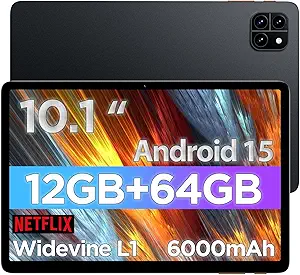
How to Choose an 11-Inch 2-in-1 Android Tablet with Keyboard
The 11-inch Android 16 tablet with a bundled keyboard, mouse, and pen aims to replace a lightweight laptop for work and study. With 30GB RAM (likely 6–8GB physical plus virtual expansion), 128GB storage, and a 7800mAh battery, it targets budget-conscious buyers who need versatility. But the 2-in-1 category is full of trade-offs, so knowing what matters is key.
Key Considerations Before Buying
- RAM and storage: 30GB RAM is often achieved via virtual memory expansion, which can slow down under heavy multitasking. Check the physical RAM; 128GB storage is minimal for apps and files, but the 1TB TF card slot helps.
- Battery and performance: A 7800mAh battery should last a full day of light use, but gaming or heavy apps will drain it faster. The octa-core processor and Android 16 should handle everyday tasks, but not high-end gaming.
- Connectivity and accessories: WiFi 6 and BT 5.4 ensure fast, stable connections. The included keyboard, mouse, and pen add value, but their build quality varies—look for reviews on typing comfort and pen responsiveness.
What Our Analysts Recommend
Prioritize listings that clearly state physical RAM and screen resolution (ideally 1920x1200 or higher). Check that the keyboard connects reliably and the pen supports pressure sensitivity if you plan to draw. A metal body and wide viewing angles are signs of better build quality.
Tablets Market Context
Market Overview
The budget Android tablet market is booming, with many brands offering 2-in-1 bundles to compete with Chromebooks and iPads. These tablets often run the latest Android version but cut corners on display quality and processor speed. The 11-inch size is a sweet spot for portability and productivity.
Common Issues
Common complaints include exaggerated RAM claims, dim or low-resolution screens, and sluggish performance after updates. Accessories like keyboards can be flimsy, and battery life may fall short of advertised figures. Software updates are often infrequent, affecting long-term security.
Quality Indicators
Look for tablets with at least 6GB physical RAM, an IPS display with 1080p resolution, and a battery capacity above 7000mAh. Brands that specify processor model (e.g., Unisoc, MediaTek) and offer regular security patches are more trustworthy. Verified reviews mentioning durability and customer service are good signs.
Review Authenticity Insights
Grade B Interpretation
A Grade C authenticity rating with an estimated 25% fake reviews means you should be cautious: while most reviews are genuine, a quarter may be incentivized or fake. The adjusted rating of 4.40/5 (down from 5.00) suggests real-world satisfaction is still good but not perfect.
Trust Recommendation
Focus on reviews from verified purchasers that include photos or detailed pros and cons. Disregard generic five-star reviews with no specifics. Cross-check with other retailers or tech forums to get a balanced view before buying.
Tips for Reading Reviews
Read the 3- and 4-star reviews first; they often highlight real issues like slow charging or screen glare. Look for mentions of long-term use (after a month) to gauge durability. Be wary of reviews that only praise the price or shipping speed.
Expert Perspective
This tablet offers impressive specs for the price, but the 30GB RAM claim likely includes virtual expansion, which can mislead. The included accessories and Android 16 are pluses, but the 128GB storage is minimal without a microSD card. The 7800mAh battery is decent for light use, but heavy gamers may need more power.
Purchase Considerations
Weigh the value of the bundle against your needs: if you mainly browse, stream, and take notes, this could suffice. But if you need a laptop replacement for intensive work, consider a higher-end tablet or a Chromebook. Check return policies in case performance doesn't meet expectations.
Comparing Alternatives
Compare with similarly priced tablets from brands like Samsung, Lenovo, or Amazon before deciding, as they may offer better displays or longer software support.