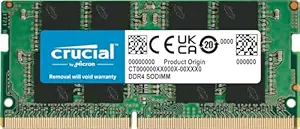
Upgrade Your Laptop's Performance with EVM 8GB DDR3 1600MHz RAM
If you own an older laptop with DDR3 memory slots, upgrading to an 8GB stick like the EVM 8GB DDR3 1600MHz SO-DIMM can breathe new life into your system. This low-voltage 1.35V module is designed for both Intel and AMD platforms, making it a versatile choice for boosting multitasking and application speed. Understanding compatibility and performance expectations is key to a successful upgrade.
Key Considerations Before Buying
- Ensure your laptop supports DDR3 memory and has an available SO-DIMM slot; this 204-pin module is standard for most DDR3 laptops. Check your system's maximum supported RAM capacity to avoid over-specifying.
- The 1.35V low-voltage design is ideal for energy efficiency and reduced heat, but verify your motherboard's compatibility with low-voltage memory. Some older systems may require standard 1.5V RAM.
- At 1600MHz, this RAM offers a solid balance of speed and reliability for everyday tasks like web browsing, office work, and light media editing. It may not satisfy heavy gaming or professional video rendering needs.
What Our Analysts Recommend
Quality indicators in DDR3 laptop RAM include brand reputation for reliability, consistent voltage ratings (1.35V or 1.5V), and a long warranty period. The EVM module's 10-year warranty is a strong sign of manufacturer confidence. Also, verify that the RAM is tested for compatibility with your specific laptop model.
Memory Market Context
Market Overview
The DDR3 laptop memory market is mature but still active, driven by users extending the life of older laptops rather than replacing them. Prices have stabilized, making 8GB upgrades affordable and popular for budget-conscious consumers. However, with DDR4 and DDR5 dominating new systems, DDR3 availability is gradually shrinking.
Common Issues
Common issues include compatibility problems with older motherboards, especially regarding voltage requirements (1.35V vs 1.5V) and maximum supported module sizes. Users may also encounter performance mismatches if mixing different speed or latency modules. Fake or counterfeit RAM is a concern in this price-sensitive segment.
Quality Indicators
Look for modules with official JEDEC compliance, clear labeling of speed and voltage, and a reputable warranty. Verified purchasers and a mix of positive and negative reviews, as seen with this EVM product, suggest genuine user feedback. Avoid products with overwhelmingly positive reviews that lack detailed technical feedback.
Review Authenticity Insights
Grade B Interpretation
With a Grade B authenticity rating and an estimated 10% fake review rate, this product's reviews are largely trustworthy but require some caution. The 4.11/5 average rating (adjusted to 3.90/5) indicates generally positive experiences, but a small portion of reviews may be incentivized or fabricated. This is typical for budget electronics on Amazon India.
Trust Recommendation
Focus on verified purchase reviews, especially those that mention specific laptop models and performance improvements. The 10% fake rate is manageable, but you should cross-check any overly glowing or vague reviews. The 10-year warranty adds a layer of protection, making the purchase less risky even if some reviews are unreliable.
Tips for Reading Reviews
When reading reviews for laptop RAM, prioritize those that detail installation steps, compatibility with specific brands (e.g., Dell, Lenovo, HP), and before/after performance comparisons. Ignore reviews that simply say 'works great' without context. Look for patterns in negative reviews, such as DOA (dead on arrival) or system instability, which may indicate quality control issues.
Expert Perspective
The EVM 8GB DDR3 1600MHz SO-DIMM is a solid option for budget laptop upgrades, offering a good balance of price, performance, and warranty. The 10-year warranty is exceptional for this price point, and the low-voltage design is a plus for energy efficiency. However, the 10% fake review rate and adjusted rating of 3.90/5 suggest some variability in user experience. For most users needing a reliable DDR3 upgrade, this is a worthwhile consideration, but it's not the highest-performing option available.
Purchase Considerations
Weigh the cost against the performance gain for your specific use case—if your laptop is very old, the upgrade may yield diminishing returns. Also consider that DDR3 is a legacy technology; investing more than ₹1,500-2,000 might be better saved for a new laptop. The 10-year warranty mitigates some risk, but ensure your laptop's motherboard supports 1.35V memory.
Comparing Alternatives
Shoppers should compare with other DDR3 8GB modules from brands like Crucial or Kingston, which may offer slightly higher reliability but at a higher price. Check for user feedback on compatibility with your exact laptop model before purchasing.