
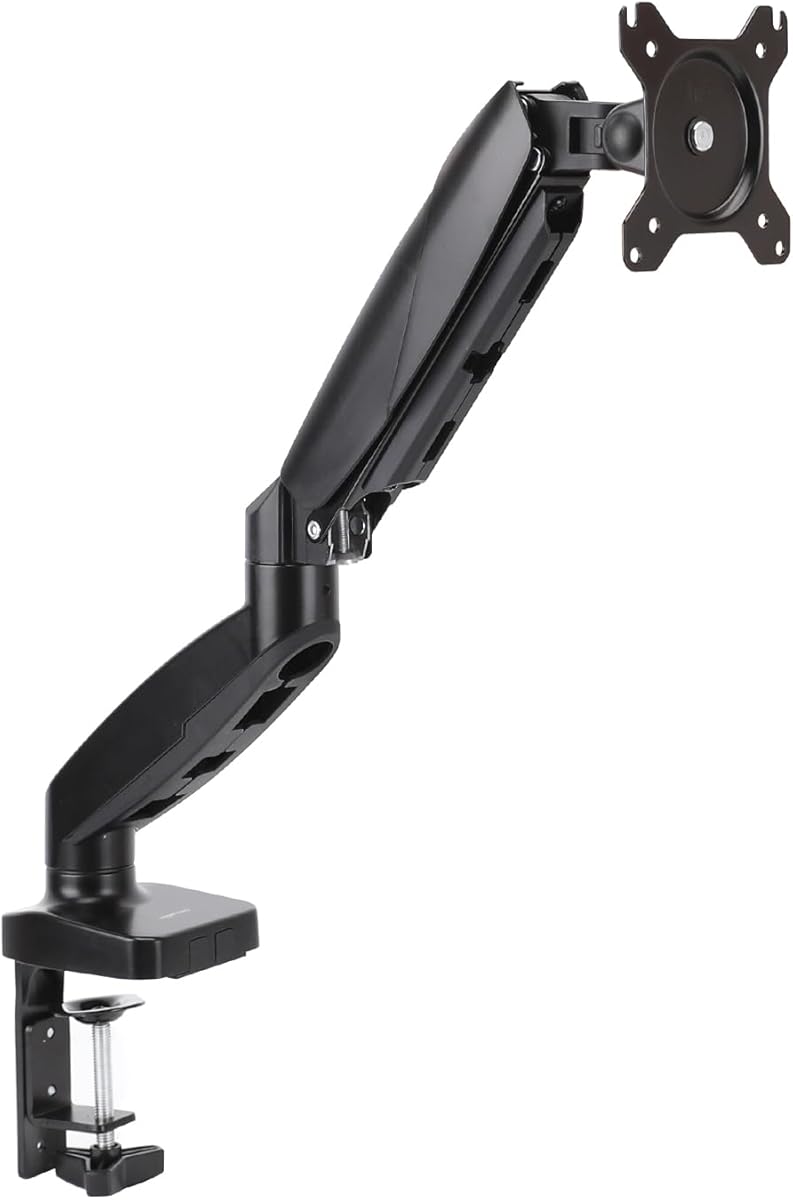
Choosing a Single Monitor Arm: What Matters for Your 27-Inch Display Setup
The Amazon Basics single monitor arm offers adjustable positioning for displays up to 27 inches, a common size for home offices. When evaluating this specific model, focus on its VESA compatibility, weight capacity, and desk mounting options to ensure it meets your ergonomic needs. Unlike generic arms, this model's 68.6 cm limit requires careful consideration of your monitor's actual dimensions and weight.
Key Considerations Before Buying
- Verify your monitor's VESA mount pattern (typically 75x75mm or 100x100mm) matches the arm's included bracket before purchasing.
- Check your desk thickness and material—this clamp-style mount requires adequate clearance and may not work well with glass or very thin desks.
- Consider your desired range of motion; this arm offers tilt, swivel, and height adjustment, but verify the reach matches your sitting position.
What Our Analysts Recommend
Quality monitor arms feature smooth gas spring mechanisms that hold position without drift. Look for cable management channels integrated into the arm design, which this Amazon Basics model includes. Pay attention to the clamp's construction—sturdy metal components outperform plastic in maintaining stability over time.
Monitor Arms Market Context
Market Overview
The single monitor arm market has expanded significantly with budget-friendly options like Amazon Basics competing with premium brands. For 27-inch displays, arms must balance adequate lifting capacity with smooth articulation. Many users seek arms that minimize desk space while improving ergonomics, driving demand for adjustable solutions.
Common Issues
Users frequently report sagging over time, especially with monitors approaching the weight limit. Installation challenges arise with non-standard desk edges or insufficient clearance for clamp mechanisms. Some arms develop stiffness in joints or fail to maintain tilt positions after repeated adjustments.
Quality Indicators
High-quality arms maintain consistent tension across all adjustment points without requiring frequent re-tightening. Look for arms with independent tension controls for height and tilt. Quality cable management systems route wires internally rather than using external clips that can snag or break.
Review Authenticity Insights
Grade B Interpretation
A Grade B authenticity rating with 11% estimated fake reviews indicates mostly reliable feedback with some potential manipulation. For this specific monitor arm, the 4.50 adjusted rating (down from 4.78) suggests genuine satisfaction but with slightly inflated original scores. The high review count (3,183) provides substantial data despite the manipulation concerns.
Trust Recommendation
Focus on reviews that mention specific installation details or compatibility with particular monitor models, as these demonstrate authentic experience. Be skeptical of overly enthusiastic reviews that lack technical details about the arm's performance over time. The adjusted 4.50 rating represents a more accurate assessment of user satisfaction.
Tips for Reading Reviews
Prioritize reviews that discuss long-term use (3+ months) to assess durability concerns. Look for mentions of specific monitor brands and weights to gauge compatibility with your setup. Pay attention to reviews mentioning desk type and thickness, as installation issues are common pain points.
Expert Perspective
The Amazon Basics monitor arm represents solid value in the budget segment, with its 4.50 adjusted rating reflecting genuine user satisfaction. Its 27-inch/68.6 cm capacity covers most mainstream monitors, though users with heavier displays should verify weight specifications carefully. The high review count with good authenticity suggests consistent performance across many installations, though the Grade B rating warrants careful review evaluation. This product succeeds in basic adjustability but may lack the refined tension controls of premium alternatives.
Purchase Considerations
This arm makes the most sense for users seeking basic ergonomic adjustments without premium features like quick-release mechanisms or ultra-smooth movement. Consider your monitor's exact weight and whether you'll frequently adjust the position—budget arms can develop play over time with heavy use. The clamp installation works well for standard desks but may require additional reinforcement for very heavy monitors.
Comparing Alternatives
Shoppers should compare tension mechanisms and weight capacities with similarly priced arms from brands like North Bayou or HUANUO before deciding.


