
Choosing a USB 3.0 Capture Card: What Gamers and Streamers Need to Know
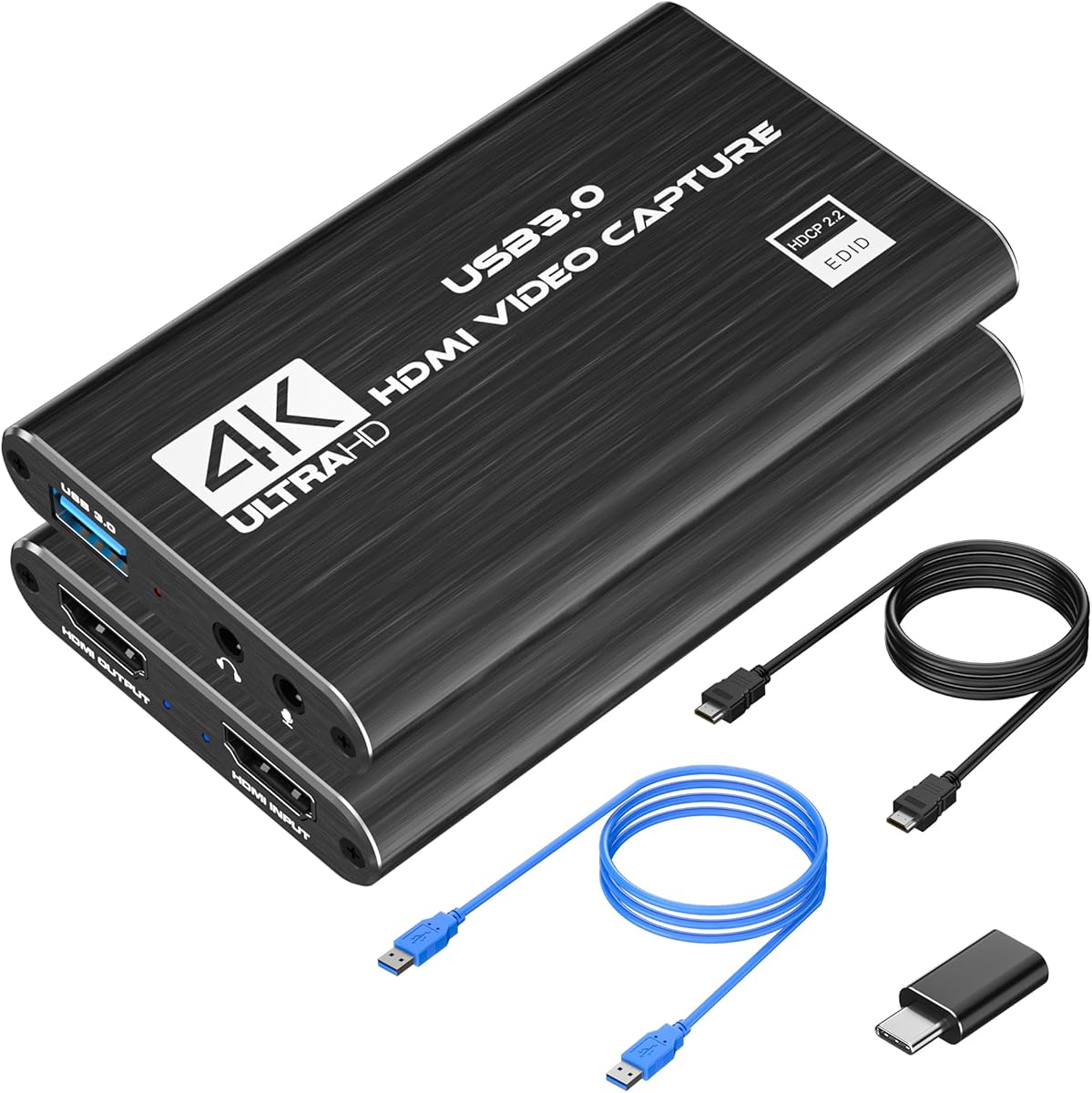
This specific USB 3.0 capture card with 4K HDMI loop-out and 1080p60 capture targets console gamers and beginner streamers. Unlike internal PCIe cards, its USB interface prioritizes plug-and-play convenience for laptops and simple setups, making it essential to understand its real-world performance trade-offs.
Key Considerations Before Buying
- The '4K HDMI Loop-Out' means your console can output to a monitor in 4K, but the captured signal is limited to 1080p at 60FPS, a crucial distinction for stream quality versus gameplay experience.
- USB 3.0 bandwidth is the bottleneck; verify your PC has genuine USB 3.0 ports (typically blue) to avoid stuttering or frame drops during 1080p60 capture, a common issue with older USB 2.0 connections.
- Compatibility claims for PS5/PS4/Switch are broad; check for specific HDCP stripper functionality if capturing from protected content, which not all budget cards handle reliably.
What Our Analysts Recommend
Quality indicators include consistent mention of low latency on the passthrough signal for competitive gaming and stable performance in OBS without needing constant driver tweaks. Look for reviews detailing multi-hour streaming sessions without overheating or disconnects, which separates durable hardware from flimsy clones.
Internal TV Tuner & Video Capture Cards Market Context
Market Overview
The budget USB capture card market is flooded with near-identical Chinese-manufactured devices, making brand differentiation minimal. This product sits in the crowded sub-€50 segment where the core chipset (often a MacroSilicon or similar solution) is common, and value is determined by build quality, driver support, and included cables.
Common Issues
Users frequently report audio sync drift over long streams, unreliable plug-and-play detection on some PC chipsets, and overly fragile HDMI ports that loosen over time. Many cards also ship with minimal software, pushing users to rely on OBS, which can expose driver instability.
Quality Indicators
Beyond specs, quality is shown in consistent driver updates from the seller, the inclusion of a robust USB-C to USB-A cable (not a flimsy one), and metal casing for heat dissipation. Reviews noting clear, artifact-free capture in fast-motion gaming scenes signal a well-implemented encoder.
Review Authenticity Insights
Grade B Interpretation
A Grade B with an 11% estimated fake review rate indicates a generally trustworthy review pool, but suggests some incentivized reviews may be boosting scores. The adjusted rating of 4.20/5 (down from 4.44) is a more reliable benchmark of genuine user satisfaction.
Trust Recommendation
Focus on the 3 and 4-star reviews for balanced insights, as the 5-star reviews likely contain the inflated portion. Pay particular attention to verified purchase reviews from Italy that discuss long-term use over weeks or months, not just unboxing impressions.
Tips for Reading Reviews
Prioritize reviews that specify their setup (e.g., 'used with my Nintendo Switch on an AMD Ryzen PC') and detail specific software like OBS Studio or Streamlabs. Be skeptical of reviews only praising 'easy installation' without commenting on sustained performance during actual gameplay capture.
Expert Perspective
This card's value proposition is clear: affordable 1080p60 capture with 4K passthrough for console streamers. The solid adjusted rating of 4.20 suggests it delivers on core promises for most users. However, its position in a commoditized market means reliability can be unit-dependent. The high proportion of genuine reviews discussing Switch and PS4 use confirms it serves its target niche effectively, though professional streamers will hit its quality ceiling quickly.
Purchase Considerations
Weigh the convenience of USB connectivity against the potential for audio/video sync issues common in this price tier. If your primary use is capturing Nintendo Switch gameplay for casual streaming or content creation, this is a fit. For PS5 capture requiring full HDCP compliance or high-bitrate archival recording, investigate further.
Comparing Alternatives
Shoppers should compare latency figures and driver software with competitors like the Elgato Cam Link 4K or even the Genki ShadowCast, which occupy different price-to-performance points.


