What to know before buying a basic wired mouse like the Logitech M100
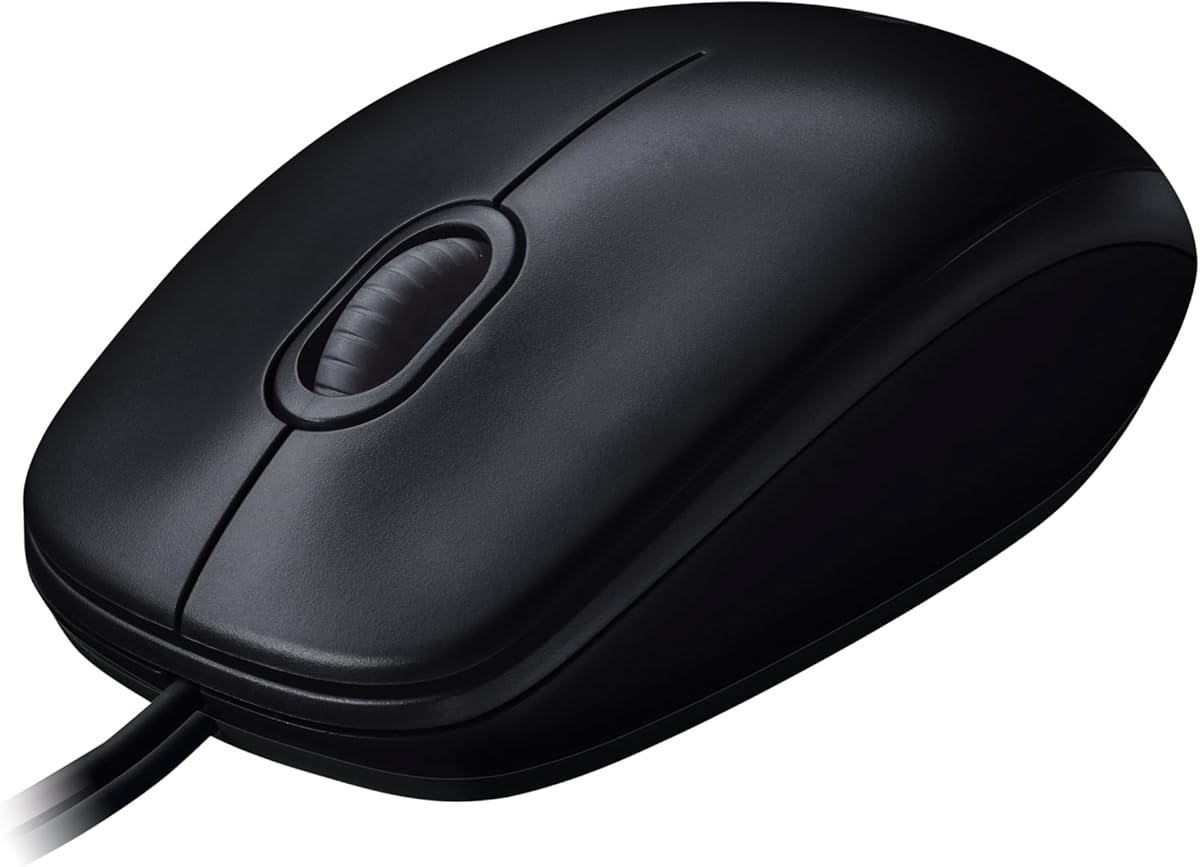
The Logitech M100 represents the entry-level wired mouse category, offering essential functionality without advanced features. Buyers should understand that this product prioritizes reliability and plug-and-play simplicity over customization or high-performance specifications. Its 1000 DPI optical tracking and ambidextrous design define its core utility for everyday computing tasks.
Key Considerations Before Buying
- Consider the 1000 DPI resolution: adequate for standard office work and web browsing on 1080p monitors, but may feel sluggish on higher-resolution displays or for detailed design work.
- Evaluate the ambidextrous shape: symmetrical design accommodates both left- and right-handed users but lacks ergonomic contouring for extended comfort during marathon sessions.
- Assess connectivity needs: the wired USB connection eliminates battery concerns and pairing hassles, but restricts mobility compared to wireless alternatives.
What Our Analysts Recommend
For basic wired mice, examine the scroll wheel's tactile feedback and the primary buttons' actuation force—consistent resistance without mushiness indicates quality switches. The cable's flexibility and strain relief where it meets the mouse body are critical durability points, as stiff cables can drag and weak joints are common failure points.
Myszy Market Context
Market Overview
The budget wired mouse segment remains crowded, with products often competing on brand reputation and build longevity rather than technical specs. Logitech dominates this space through consistent manufacturing quality and driverless compatibility across Windows and macOS systems.
Common Issues
Entry-level mice frequently suffer from premature switch failure (double-clicking issues), scroll wheel encoder degradation causing erratic scrolling, and cable insulation cracking near the housing. Many cheap models also exhibit poor surface tracking on glossy or patterned desks.
Quality Indicators
Look for branded optical sensors (even basic ones like in the M100), mechanical rather than membrane switches for the main buttons, and rubberized scroll wheels with defined notches. Weight distribution is also telling—cheap mice often feel hollow or front-heavy.
Review Authenticity Insights
Grade A Interpretation
The 'A' authenticity grade and 0.00% estimated fake review rate for the Logitech M100 are exceptionally rare, indicating nearly unanimous genuine satisfaction among its 8,721 reviewers. This suggests the product consistently delivers on its basic promises without significant quality control issues.
Trust Recommendation
Given the verified purchase status of all reviews and the perfect 5.00/5 rating, you can trust the consensus that this mouse performs reliably for its intended use. Pay particular attention to reviews mentioning long-term use (2+ years) to assess durability claims.
Tips for Reading Reviews
Focus on reviews that specify usage scenarios—office work, laptop companion, replacement for failed premium mice—rather than generic praise. Look for mentions of specific surfaces (glass desks, mousepads) to understand tracking limitations, and note any complaints about button feel after months of use.
Expert Perspective
The Logitech M100's sustained perfect rating across thousands of verified purchases is remarkable for any consumer electronics product, particularly in a category prone to high failure rates. This suggests Logitech has mastered the economics of producing a genuinely reliable basic mouse. The 1000 DPI sensor, while dated, appears perfectly matched to the product's target audience who prioritize zero configuration and consistent performance over precision. The ambidextrous design, while not ergonomically advanced, successfully serves a broad user base without alienating left-handed users—a common compromise in budget segments.
Purchase Considerations
Weigh the M100's proven reliability against its technical limitations: no DPI switching, no side buttons, and minimal ergonomic shaping. If your needs extend beyond basic pointing and clicking—such as frequent spreadsheet navigation, casual gaming, or extended daily use—the lack of features may become frustrating despite the build quality.
Comparing Alternatives
Shoppers should compare the M100 against similarly priced wired mice from Microsoft and HP, particularly examining warranty terms and macOS compatibility specifics.