Right-Hand Relief: What to Know About the Anker Vertical Mouse
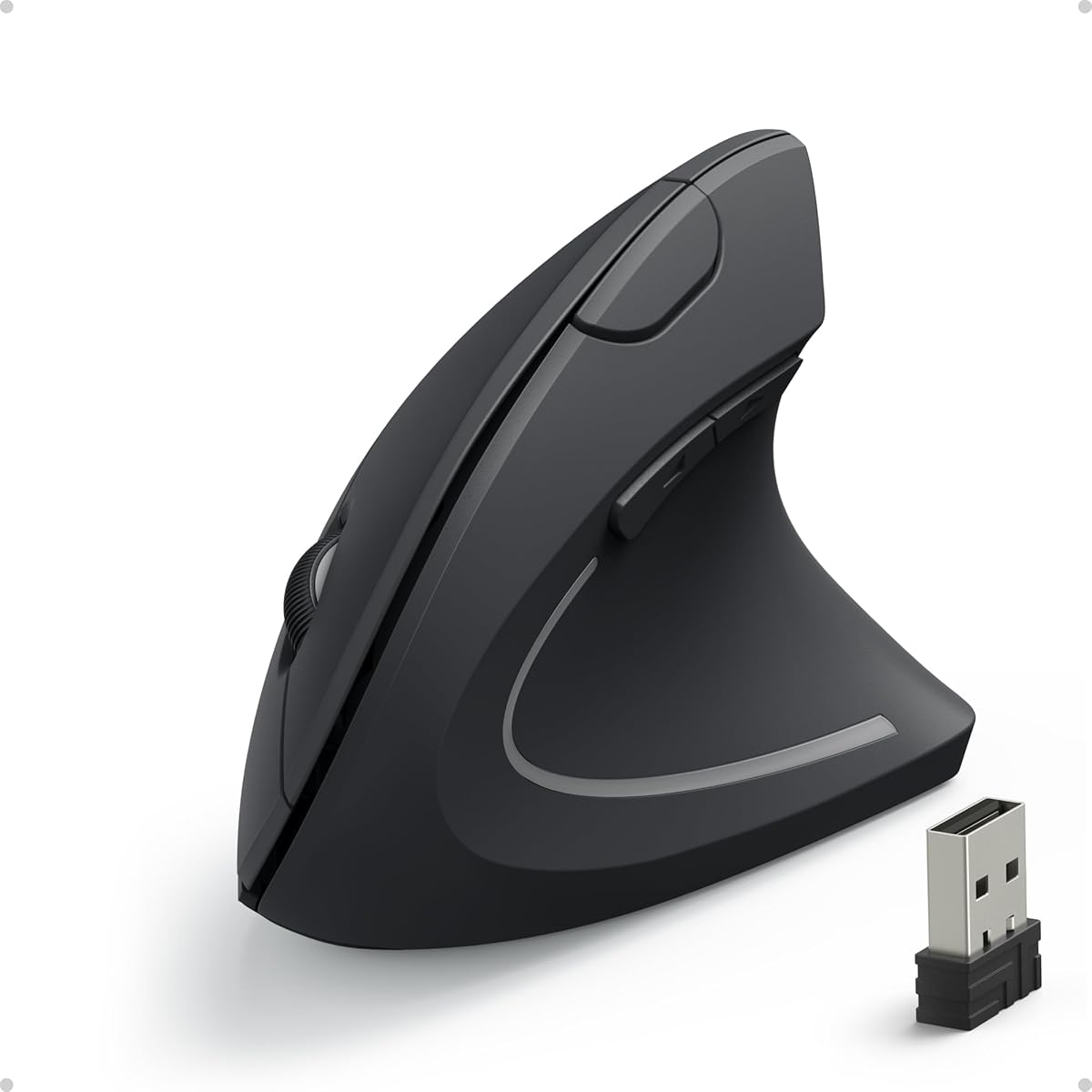
If you're shopping for an ergonomic mouse to alleviate wrist strain, the Anker 2.4G Wireless Ergonomic Mouse stands out with its vertical design tailored for right-handed users. This guide breaks down key features like multi-device connectivity and adjustable DPI settings to help you decide if it's the right fit for your setup.
Key Considerations Before Buying
- The vertical grip forces your hand into a handshake position, which can reduce pressure on the carpal tunnel—critical for those with wrist pain or RSI. Ensure you're right-handed, as this model is not ambidextrous.
- With 800/1200/1600 DPI options, you can toggle sensitivity for tasks like graphic design or general browsing. The 2.4G USB receiver offers stable, low-latency connectivity, but note that batteries are required and not included.
- Multi-device connectivity is a plus if you switch between a laptop and desktop, but it lacks Bluetooth—relying solely on the USB receiver. This may limit compatibility with devices lacking USB-A ports.
What Our Analysts Recommend
In vertical mice, prioritize build quality and sensor accuracy—the Anker's 5-button layout and smooth tracking are solid indicators. Check for responsive scroll wheels and non-slip grips, which enhance comfort during extended use.
Mice Market Context
Market Overview
The ergonomic mouse market has surged as remote work and prolonged computer use drive demand for RSI prevention. Vertical mice like this Anker model compete with trackballs and contoured designs, often priced between $15 and $30 for budget-friendly relief.
Common Issues
Users often report a learning curve with vertical mice, as the angled grip can feel awkward initially. Durability can also vary—some models develop button stickiness or sensor drift after months of use, making build quality a key concern.
Quality Indicators
Look for mice with adjustable DPI, sturdy construction, and reputable sensor brands like Avago or PixArt. Verified reviews highlighting long-term comfort and battery life are strong quality signals, as seen in the Anker's high rating.
Review Authenticity Insights
Grade B Interpretation
The Grade B authenticity rating, with an estimated 10% fake reviews, indicates that while most feedback is trustworthy, you should approach a small subset with caution. This is typical for popular budget electronics, where incentivized reviews can inflate initial ratings.
Trust Recommendation
Focus on the detailed, verified reviews that mention specific use cases like wrist pain or multi-device setups—these are likely genuine. The adjusted rating of 4.30 out of 5.00 still reflects strong satisfaction, so you can trust the overall positive sentiment.
Tips for Reading Reviews
For ergonomic mice, prioritize reviews that describe long-term usage (months, not days) and compare with other models. Look for balanced critiques that note both benefits (e.g., reduced pain) and drawbacks (e.g., size fit for small hands).
Expert Perspective
The Anker 2.4G Wireless Ergonomic Mouse delivers reliable performance for its price point, with a vertical design that effectively addresses wrist discomfort for right-handed users. Its 4.56-star rating from over 53,000 reviews suggests broad appeal, though the 10% fake review rate tempers enthusiasm slightly. The adjustable DPI and multi-device connectivity offer practical flexibility, but the lack of Bluetooth and battery requirement are notable limitations.
Purchase Considerations
Weigh the ergonomic benefits against your specific needs: if you require Bluetooth for a tablet or have limited USB ports, this may not be ideal. Otherwise, it's a cost-effective choice for reducing strain during daily computing tasks.
Comparing Alternatives
Shoppers should compare with Logitech's ERGO M575 or J-Tech Digital's vertical mouse, which offer Bluetooth options or higher DPI ranges, depending on your priorities.