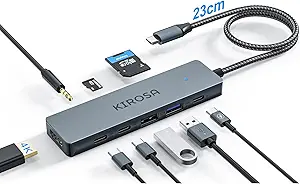
Powered USB Hub Buying Guide: What to Know Before You Buy
A powered USB hub like the TP-Link 7-Port USB 3.0 Hub with 2 Smart Charging Ports can solve port shortages and power-hungry device issues. But not all hubs are created equal—power delivery, data speed, and build quality vary widely.
Key Considerations Before Buying
- Power supply: A powered hub includes an AC adapter to provide dedicated power to each port, ensuring stable connections for external drives and fast charging. The TP-Link hub's 12V/4A adapter delivers ample power for all 7 data ports and 2 charging ports.
- Data transfer speed: USB 3.0 offers up to 5Gbps, but real-world speeds depend on the host and connected devices. This hub supports simultaneous data transfer across all ports without significant slowdowns.
- Charging capabilities: Smart charging ports automatically detect your device and deliver optimal current up to 2.4A per port. This is ideal for smartphones and tablets, but note that charging speeds may be slower than a dedicated wall charger.
What Our Analysts Recommend
Look for a hub with a robust power adapter, individual port protection, and a compact design. Check for certifications like FCC and CE, and ensure it supports USB 3.0 for future-proofing. The TP-Link hub also includes a 2-year warranty, a good indicator of reliability.
USB Hubs Market Context
Market Overview
The USB hub market is flooded with options, from budget no-name brands to established networking companies like TP-Link. As laptops get thinner and ports disappear, demand for reliable hubs has surged, especially for powered models that can handle multiple peripherals.
Common Issues
Many cheap hubs suffer from insufficient power, causing devices to disconnect or fail to charge. Others overheat or have flimsy ports that wear out quickly. Some hubs also interfere with Wi-Fi or Bluetooth due to poor shielding.
Quality Indicators
A quality hub will have a UL-listed power adapter, sturdy construction, and clear labeling of port types. Brands with a track record in networking or computer accessories, like TP-Link, Anker, or Sabrent, tend to offer better reliability and support.
Review Authenticity Insights
Grade A Interpretation
With an authenticity grade of A and an estimated fake review percentage of 8%, the reviews for this TP-Link hub are highly trustworthy. This means the 4.44-star rating (adjusted to 4.30) is likely a genuine reflection of user satisfaction.
Trust Recommendation
You can confidently rely on the review sentiment when making your purchase decision. The high volume of verified purchases and detailed user experiences further validate the product's performance.
Tips for Reading Reviews
Focus on reviews that mention specific use cases, such as connecting multiple hard drives or charging iPads, as these provide practical insights. Also, look for comments on long-term durability and customer service experiences.
Expert Perspective
The TP-Link Powered USB Hub stands out for its reliable power delivery and solid build quality. With 7 USB 3.0 data ports and 2 smart charging ports, it offers a versatile solution for both data-intensive tasks and device charging. The high review count and strong authenticity score suggest it's a dependable choice for most users.
Purchase Considerations
Consider your power needs: if you frequently connect bus-powered external drives, this hub's dedicated power will prevent dropouts. However, if you need USB-C or higher data speeds, you might look elsewhere. Also, the hub's size may be a factor if you need something ultra-portable.
Comparing Alternatives
While this TP-Link hub is a strong contender, compare it with similar powered hubs from Anker and Sabrent to ensure it meets your specific port and power requirements.