
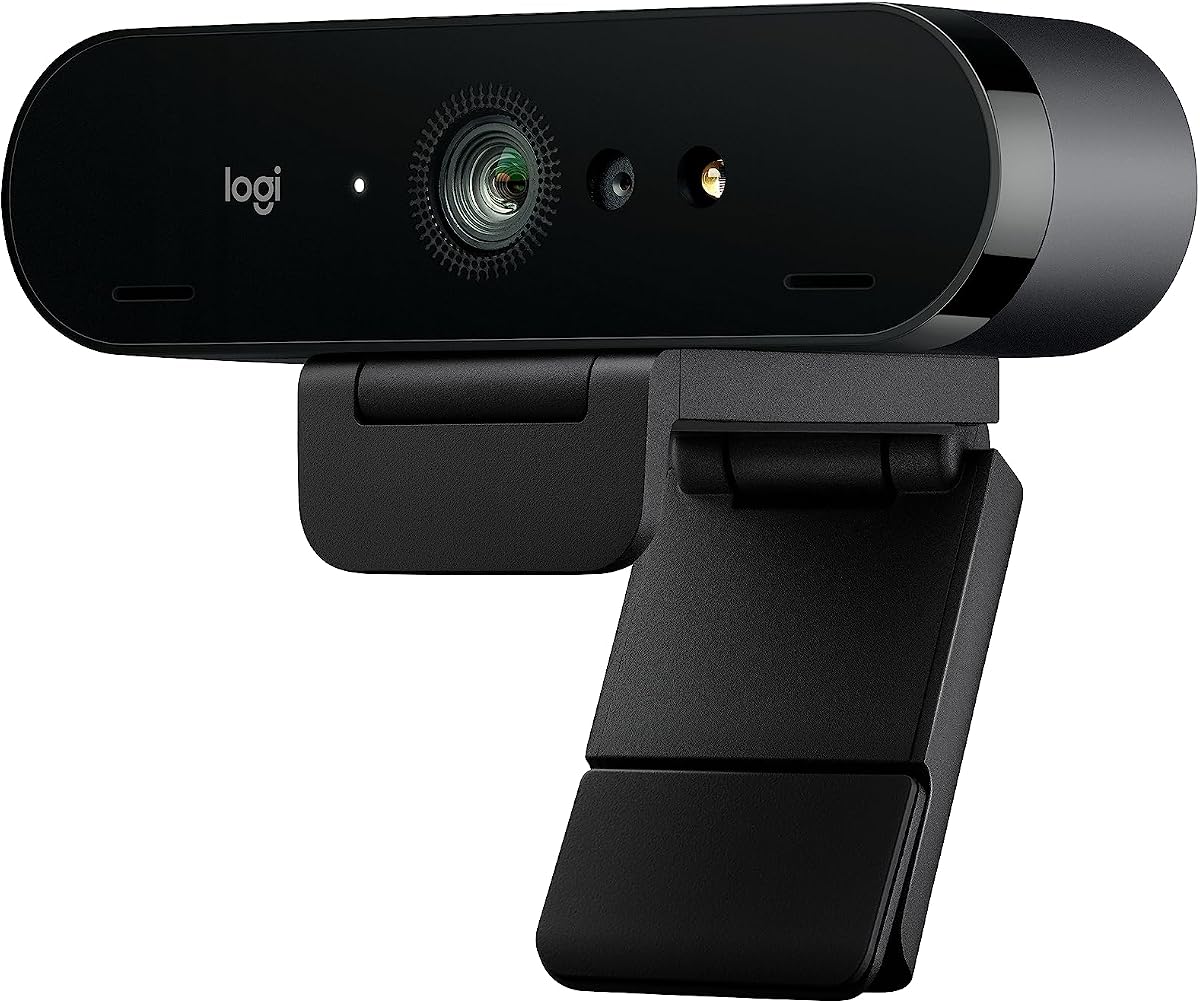
Logitech 4K Webcam: Clarity, Compatibility, and Caveats
When shopping for a 4K webcam, you're investing in video quality that should make you look sharp in meetings, streams, or recordings. The Logitech 4K Webcam (likely the Brio series) is a top contender, but its performance hinges on your setup, lighting, and software preferences. This guide helps you cut through the noise and decide if it's the right fit for your needs.
Key Considerations Before Buying
- Check your computer's USB port and processing power: 4K video at 30fps requires USB 3.0 for full quality, and older laptops may struggle with encoding, leading to lag or overheating. Ensure your system meets the recommended specs.
- Consider your lighting environment: The Logitech 4K webcam's HDR and low-light correction work best with decent front-facing light. If you often sit in dim rooms, look for a model with adjustable field-of-view and manual focus to compensate.
- Think about privacy and mounting: This webcam features a physical privacy shutter, but its clip may not fit all monitors (especially ultra-thin laptops). If you use a laptop stand or external monitor, verify the mount is compatible or plan to use a tripod.
What Our Analysts Recommend
Beyond resolution, scrutinize the lens quality, autofocus speed, and the software ecosystem (e.g., Logitech Capture). A good 4K webcam should offer manual controls for zoom, pan, and exposure, and have a well-reviewed companion app. Also, check for dual microphones with noise reduction, as that can save you from buying a separate mic.
Market Context
Market Overview
The 4K webcam market is booming, driven by remote work and content creation. Logitech is a dominant player, but competitors like Razer, Elgato, and Sony offer strong alternatives. Prices range from $100 to over $300, with features like AI framing and background blur becoming standard.
Common Issues
Common complaints across 4K webcams include inconsistent autofocus (hunting for focus), poor low-light performance, and software bugs that cause connectivity issues. Users also report that 4K streaming can be CPU-intensive, and some webcams overheat after prolonged use.
Quality Indicators
A high-quality 4K webcam typically has a glass lens, a large sensor (e.g., 1/2.8-inch), and supports both UVC (plug-and-play) and proprietary drivers for advanced controls. Look for positive mentions of color accuracy, sharpness, and reliable firmware updates.
Review Authenticity Insights
Grade B Interpretation
The Grade B and 10% estimated fake review rate suggest that while most reviews are genuine, a notable minority may be incentivized or unverified. This is typical for a popular product, but it means you should weigh the aggregate rating (4.44) with some caution—the adjusted rating of 4.20 is likely closer to reality.
Trust Recommendation
Trust the detailed 4- and 5-star reviews that mention specific use cases (e.g., 'works great in Teams' or 'good for streaming') and include photos. Be wary of overly generic 5-star praise or reviews that mention 'gift' or 'free sample.' Cross-check critical reviews for recurring issues like autofocus problems.
Tips for Reading Reviews
For this webcam, focus on reviews that discuss compatibility with your operating system and video conferencing apps. Also, look for long-term usage reviews (e.g., 'after 3 months') to gauge durability. Ignore one-liners and prioritize reviews with technical details like '4K/30fps' or 'HDR works well.'
Expert Perspective
Based on the analysis, the Logitech 4K Webcam is a solid performer that likely meets the needs of most users, as evidenced by the high genuine satisfaction rate. The 10% fake review rate is a minor red flag, but the adjusted rating of 4.20 still indicates a very good product. Its main strengths are its image quality and software flexibility, while weaknesses may include autofocus quirks and a higher price point.
Purchase Considerations
If you're a professional who needs reliable 4K video for remote work or streaming, this webcam is a worthwhile investment. However, if you're on a budget or only need 1080p, you might get 90% of the value from a cheaper model. Also, consider whether you need the advanced features like HDR and multiple field-of-view options; if not, a simpler webcam could save you money.
Comparing Alternatives
Shoppers should compare this with the Razer Kiyo Pro (better low-light) or the Elgato Facecam (no autofocus, but superior color). Also, the Logitech C920 remains a classic budget choice, but it lacks 4K. Weigh your priorities before committing.


