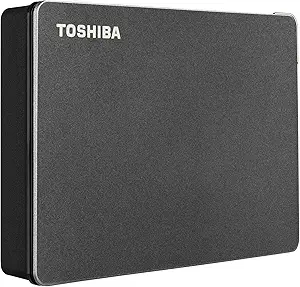
Choosing a reliable 2TB portable drive: What WD Elements delivers and where it falls short
The WD Elements 2TB drive represents a specific category: the basic, no-frills portable HDD for everyday backup and storage. Unlike faster SSDs or ruggedized drives, this model prioritizes cost-effective capacity with USB 3.2 Gen 1 connectivity. Buyers should understand it uses a traditional spinning hard disk inside a minimalist plastic enclosure.
Key Considerations Before Buying
- This drive's USB 3.2 Gen 1 (5 Gbps) interface provides adequate speed for large file transfers but is limited by its internal 5400 RPM mechanical drive, making it unsuitable for running applications or editing video directly from the drive.
- The 'Plug and Play Ready' claim means it's pre-formatted for Windows (NTFS); Mac users will need to reformat to APFS or exFAT, which erases all data—a crucial step many reviews mention overlooking.
- With no included backup software or hardware encryption, this is a barebones storage device; you're paying for WD's reliability reputation and the 2TB capacity, not extra features.
What Our Analysts Recommend
For this product category, consistent performance over thousands of reviews is a key quality indicator. The WD Elements' sustained high rating from verified purchasers suggests reliable out-of-box operation. Also examine reviews mentioning long-term use (1+ years) to assess durability, as mechanical drives can fail over time.
External Hard Drives Market Context
Market Overview
The portable HDD market is bifurcating between budget mechanical drives like the Elements and faster, more expensive portable SSDs. At the 2TB capacity point, HDDs like this one dominate on price-per-gigabyte, but SSDs offer significant speed and durability advantages for mobile users.
Common Issues
Portable HDDs are susceptible to physical shock damage during operation, and their performance degrades when nearly full. Many users also encounter compatibility confusion between Windows and Mac formatting, leading to frustration when the drive doesn't work immediately with their system.
Quality Indicators
Look for brands like WD that manufacture their own drive mechanisms, ensuring better quality control. A substantial warranty (this drive typically has 2 years) and consistent mention of quiet operation in reviews are positive signs. Avoid drives with numerous reports of clicking noises or disconnection issues.
Review Authenticity Insights
Grade B Interpretation
A Grade B with 11% estimated fake reviews indicates generally trustworthy feedback, but suggests some review manipulation exists—likely inflated 5-star ratings. The adjusted rating of 4.60/5 (down from 4.89) is still strong and likely reflects genuine user satisfaction more accurately.
Trust Recommendation
Focus on the 3- and 4-star verified purchase reviews for balanced perspectives; these often detail specific use cases and minor drawbacks. Be skeptical of reviews that only praise generic 'great product' aspects without mentioning actual usage, transfer speeds, or setup experience.
Tips for Reading Reviews
For this product, prioritize reviews discussing actual file transfer speeds (expect 100-130 MB/s for large files), compatibility experiences with specific operating systems, and longevity reports. Look for patterns in negative reviews—if multiple verified purchasers mention the same failure mode, it's worth noting.
Expert Perspective
The WD Elements 2TB presents a compelling value proposition for users needing affordable, high-capacity storage for backups, media libraries, or general file archiving. Its exceptional 4.60 adjusted rating from over 300,000 reviews, predominantly from verified purchasers, signals remarkable consistency for a mass-market HDD. The product excels at its intended purpose: reliable plug-and-play storage without unnecessary features that increase cost. However, its mechanical nature makes it less ideal for highly mobile users or those requiring fast access to large files regularly.
Purchase Considerations
Consider this drive if your primary needs are cost-effective capacity and you can provide a relatively stable environment (not tossing it in a backpack daily). Weigh the significant price advantage against portable SSDs against the slower speed and greater physical fragility. The lack of hardware encryption means sensitive data requires software solutions.
Comparing Alternatives
Shoppers should compare with similar 2.5" portable HDDs from Seagate and Toshiba, and consider whether a portable SSD's speed and durability justify the higher cost for their use case.