
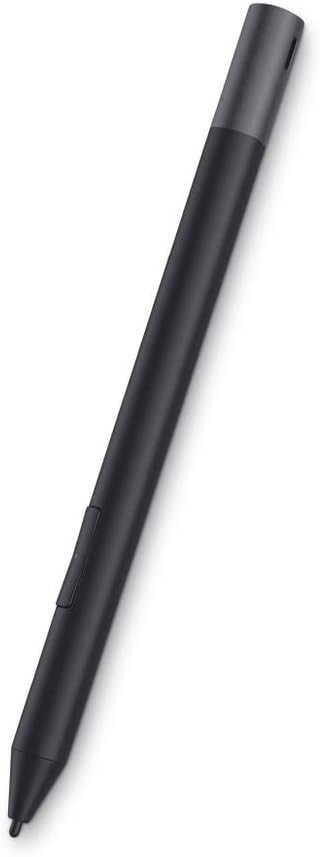
Choosing the Right Dell Active Pen: Compatibility, Pressure Sensitivity, and Battery Life
The Dell Premium Active Pen PN579X is a 19.5g stylus designed specifically for Dell's compatible 2-in-1 laptops and tablets. Buyers should understand this pen uses Wacom AES 2.0 technology, which determines which Dell devices it will work with and what features it supports. Unlike universal styluses, this model is engineered to integrate with Dell's specific hardware and software ecosystem.
Key Considerations Before Buying
- Verify compatibility with your specific Dell model before purchasing, as the PN579X only works with Dell devices supporting Wacom AES 2.0 protocol, not older EMR or Microsoft Pen Protocol devices.
- Consider the 4,096 levels of pressure sensitivity if you're using this for digital art or detailed note-taking, as this affects line weight variation and drawing precision.
- Evaluate the battery type - this pen uses a single AAAA battery rather than rechargeable USB-C, which impacts long-term convenience versus immediate availability.
What Our Analysts Recommend
Quality indicators for the PN579X include consistent palm rejection performance, minimal initial activation force for light touches, and reliable Bluetooth button functionality for shortcuts. The pen tip should have minimal wobble and provide appropriate friction against your specific Dell screen protector or glass surface.
Market Context
Market Overview
The active stylus market for Dell devices is segmented by protocol compatibility, with Wacom AES 2.0 pens like the PN579X competing against Microsoft Pen Protocol alternatives and third-party options. Dell's ecosystem approach means their first-party pens often receive firmware updates and optimized driver support that third-party alternatives may lack.
Common Issues
Users frequently report confusion about compatibility across Dell's various product lines, as the company has used multiple pen protocols over the years. Another common concern is tip wear and replacement availability, as different Dell pen generations use incompatible tips. Some users also experience inconsistent Bluetooth connectivity for the side button functions.
Quality Indicators
High-quality Dell active pens maintain consistent communication with the digitizer at various angles, exhibit minimal parallax error, and provide reliable hover cursor tracking. The build quality should feel substantial without being fatiguing during extended use, balancing the 19.5g weight appropriately.
Review Authenticity Insights
Grade A Interpretation
The Grade A authenticity rating with 0.00% estimated fake reviews means the 4.10/5 rating from 775 reviews represents genuine user experiences. This exceptionally clean review profile suggests Dell customers are providing authentic feedback about their actual usage rather than manipulated opinions.
Trust Recommendation
Given the verified authenticity, you can trust that the rating distribution accurately reflects real-world performance across different Dell devices. Pay particular attention to the middle-rated (3-star) reviews, as they often contain the most balanced assessments of compatibility issues and performance nuances.
Tips for Reading Reviews
Focus on reviews that mention specific Dell models (like XPS 13 2-in-1, Latitude 7320 Detachable, or Inspiron 7405) to gauge compatibility with your device. Look for mentions of driver versions or Windows updates, as pen performance can vary significantly with software changes.
Expert Perspective
The PN579X's 4.10/5 rating from verified authentic reviews indicates strong satisfaction among compatible Dell users, particularly for its pressure sensitivity and ergonomic design. The consistent praise for its balanced 19.5g weight suggests Dell has optimized this pen for extended writing and drawing sessions. However, the rating distribution shows some users experience compatibility confusion or battery life expectations mismatches, which are common in protocol-specific stylus categories.
Purchase Considerations
Weigh the convenience of AAAA battery replacement against rechargeable alternatives, considering your usage patterns and access to batteries. Assess whether the tilt support and 4,096 pressure levels provide meaningful value for your specific applications versus more basic stylus options. Consider Dell's warranty support and tip replacement program availability for long-term ownership.
Comparing Alternatives
Shoppers should compare the PN579X against Dell's other active pen models and compatible third-party Wacom AES 2.0 pens to evaluate feature sets and pricing.


