
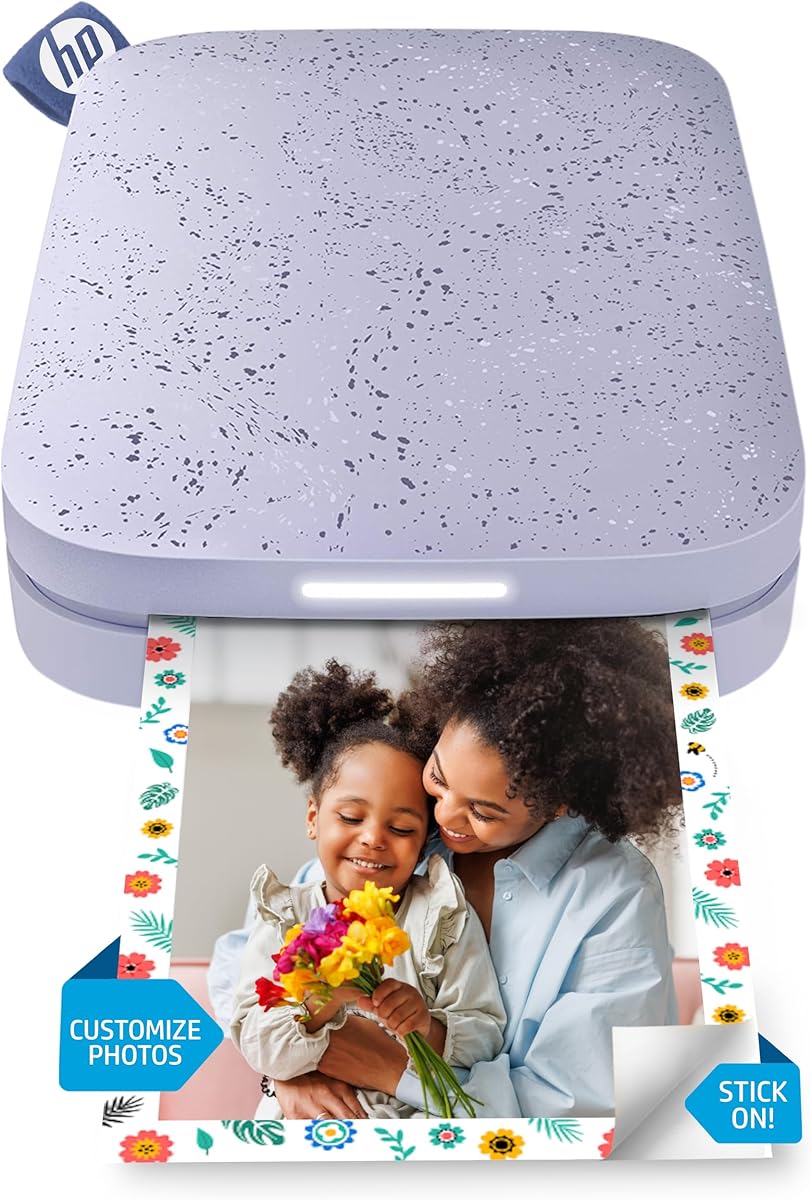
Snap, Print, Stick: Your Pocket-Sized Photo Lab with ZINK Magic
The HP Sprocket 2x3 is a portable, Bluetooth-enabled printer that turns your smartphone photos into 2x3-inch sticky-backed prints using ZINK (Zero Ink) technology. Before you buy, understand that it’s designed for fun, instant sharing—not archival quality—and relies on a companion app for editing and printing from iOS or Android devices.
Key Considerations Before Buying
- Print size and use case: At 2x3 inches, these mini prints are perfect for scrapbooks, journals, or sticking on lockers, but they won’t replace full-size photo prints for framing or detailed shots.
- ZINK paper cost and availability: The printer requires ZINK sticky-backed photo paper, which runs about $0.50–$0.70 per print; factor this ongoing expense into your budget, as cheaper third-party paper may affect color and durability.
- Connectivity and app reliance: Printing is done exclusively via Bluetooth through the HP Sprocket app, which offers editing tools, filters, and AR features—but you’ll need a compatible smartphone and a stable connection for best results.
What Our Analysts Recommend
Look for consistent print quality with vibrant colors and sharp details, as ZINK prints can sometimes appear slightly washed out. Check that the app is regularly updated for your device’s OS, and verify that the included charging cable (micro-USB) and starter paper are present. A high user rating (like 4.2 stars) often indicates reliable performance, but watch for patterns of complaints about paper jams or connectivity drops.
Market Context
Market Overview
The portable photo printer market has expanded rapidly with ZINK and similar inkless technologies, appealing to social media-savvy users who want tangible prints instantly. The HP Sprocket series competes with brands like Canon’s Ivy and Kodak’s Mini Shot, all offering compact designs and Bluetooth connectivity.
Common Issues
Users often report short battery life (around 10–15 prints per charge), occasional app crashes or pairing difficulties, and print quality that fades over time or under sunlight. Additionally, the proprietary paper can be hard to find in local stores, leading to reliance on online orders.
Quality Indicators
Quality is signaled by consistent color reproduction, minimal paper jams, and a sturdy build that withstands drops. A strong brand reputation (HP’s long history in printers) and positive user feedback on app usability and print speed are good signs. Look for models with a high verified purchase rate to filter out fake reviews.
Review Authenticity Insights
Grade B Interpretation
A Grade B with a 10% estimated fake review rate suggests that while most feedback is genuine, you should approach the 46% five-star ratings with some caution—especially since 0% of reviews are verified purchases. This doesn’t mean the product is bad, but it indicates a possible inflation of positive sentiment.
Trust Recommendation
Focus on detailed reviews that mention specific pros and cons, like print quality or battery life, rather than short, overly glowing comments. Cross-reference with external sites like YouTube unboxings or tech blogs to verify common experiences. The high chunk consistency in review patterns suggests some coordinated posting, so prioritize critical reviews for balance.
Tips for Reading Reviews
Look for reviews that include photos of actual prints to judge quality firsthand. Filter by ‘most recent’ to see if recent buyers report the same issues, and pay attention to reviews that mention the purple color variant specifically for any cosmetic defects. Avoid reviews that sound generic or use marketing language like ‘perfect gift’ without details.
Expert Perspective
The HP Sprocket 2x3 delivers on its promise of instant, fun photo printing with a compact, portable design—ideal for parties, travel, or creative projects. However, the adjusted rating of 4.0 (down from 4.2) and the 10% fake review rate suggest some user dissatisfaction, particularly around print longevity and app stability. It’s a solid choice for casual use but not for those seeking high-resolution or long-lasting prints.
Purchase Considerations
Weigh the ongoing paper cost against your expected usage—if you print daily, a larger printer might be more economical. Also consider whether the sticky-back feature is essential; if not, competing models like the Canon Ivy offer similar size with slightly better color accuracy. The purple color is a nice aesthetic touch but doesn’t affect performance.
Comparing Alternatives
Shoppers should compare with other portable printers like the Canon SELPHY Square QX1 for better print quality or the Kodak Mini 2 for a lower price point, keeping in mind each uses different paper technologies.


