
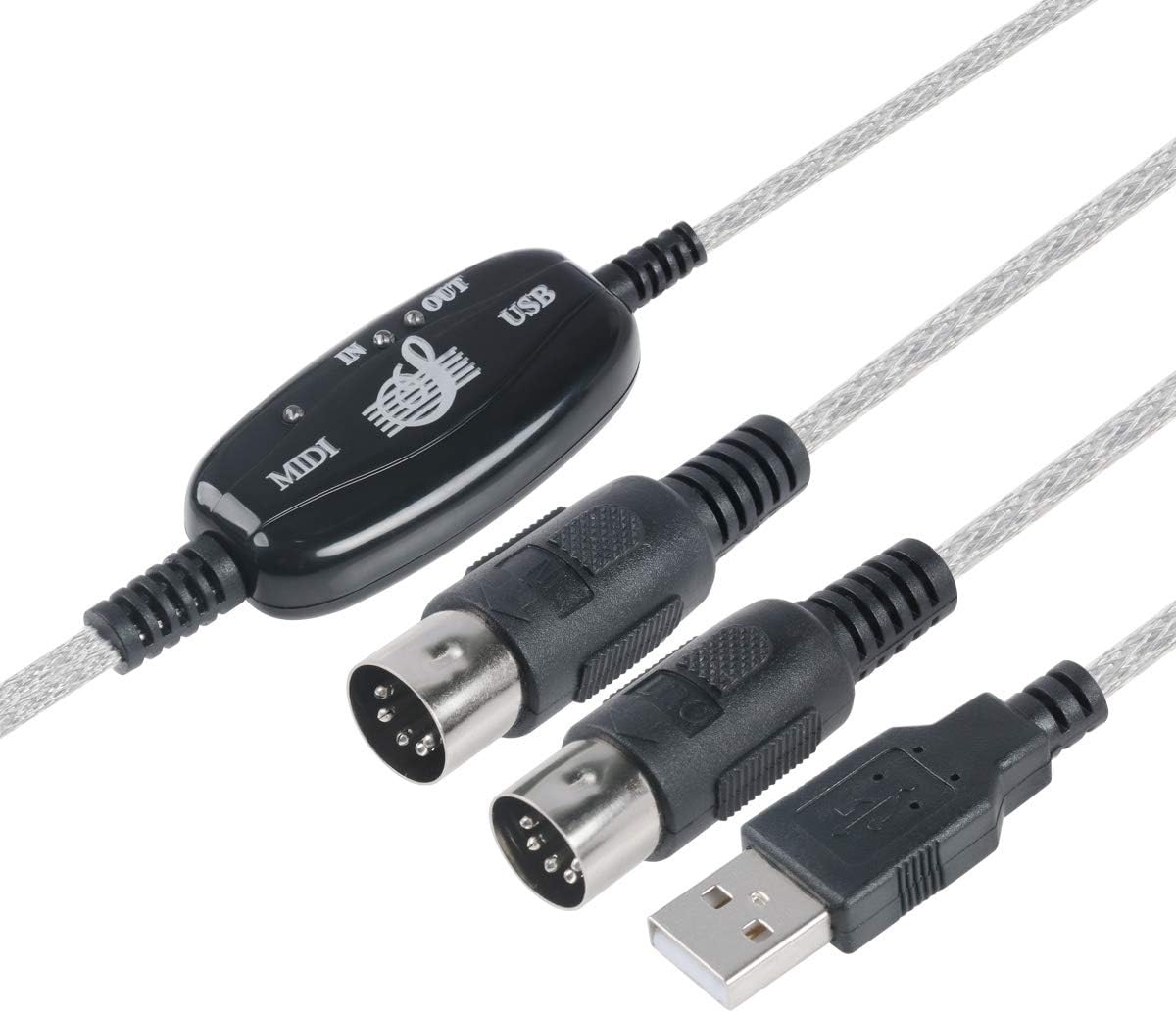
TENINYU USB-MIDI Cable: Essential 16-Channel Link for Your Synth Setup
If you're connecting a synthesizer, digital piano, or other MIDI gear to your computer for music production, a reliable USB-to-MIDI interface is non-negotiable. The TENINYU 2-in-1 cable aims to bridge classic 5-pin DIN MIDI ports with modern USB-C or USB-A laptops, promising 16 channels of bidirectional communication for your studio or live rig.
Key Considerations Before Buying
- Check your instrument's MIDI ports: This cable has separate IN and OUT connectors, so ensure your synth or keyboard has both 5-pin MIDI DIN ports. If it only has a USB port, this cable won't work.
- Driver compatibility: While the cable is class-compliant on Windows and Mac, some older or budget instruments may require specific driver settings. Be prepared to select the correct MIDI device in your DAW or software.
- Cable quality and latency: For live performance or recording, low latency is critical. A quality cable with proper shielding and robust connectors minimizes signal degradation and dropped notes, so inspect the build for solid strain relief and gold-plated pins.
What Our Analysts Recommend
Look for a cable that explicitly states 16-channel MIDI I/O and supports both input and output directions. Check for customer feedback about latency, plug-and-play reliability across different operating systems (Windows, macOS), and whether the cable works with popular DAWs (Ableton, Logic, FL Studio). Also, ensure the cable length is adequate for your setup and that the connectors fit snugly without wobble.
MIDI Cables Market Context
Market Overview
The market for USB-to-MIDI cables is crowded with budget options, but quality varies widely. Many musicians are moving to USB-MIDI directly, yet countless legacy synths and stage keyboards still rely on 5-pin DIN, making these adapters essential for integration into modern computer-based studios.
Common Issues
Common problems include flaky connections due to poor shielding, mislabeled IN/OUT ports (causing no signal), and inconsistent driver support on newer operating systems. Some cables fail to power on or are not recognized after a few months of use, highlighting the importance of a durable connector and quality internal electronics.
Quality Indicators
Quality indicators include a braided or thick PVC jacket for durability, gold-plated connectors for corrosion resistance, and an integrated chip that is class-compliant (no driver installation needed). Also, look for clear LED indicators that show power and MIDI activity, as these are signs of a well-designed interface.
Review Authenticity Insights
Grade B Interpretation
With a Grade B and an estimated fake review rate of 10%, the review pool is largely genuine but contains a notable minority of potentially biased or incentivized feedback. The adjusted rating of 4.00/5 suggests the true performance may be slightly below the headline 4.22, so temper expectations accordingly.
Trust Recommendation
You can trust the general consensus that this cable works for basic MIDI connectivity, but pay close attention to reviews that mention specific use cases (e.g., 'connected to my Korg Minilogue XD') and those that detail problems after several weeks of use. Ignore overly short, vague five-star reviews that lack specifics.
Tips for Reading Reviews
When reading reviews for this type of product, focus on those that describe setup steps, software used, and any troubleshooting. Look for repeated complaints about a specific issue (like one direction not working) and weigh them more heavily than isolated praises. Also, consider the ratio of positive to negative reviews—if many users report the same flaw, it's likely real.
Expert Perspective
The TENINYU USB to MIDI cable appears to be a functional, budget-friendly solution for connecting legacy MIDI gear to a computer. The genuine reviews indicate it does its job for many users, but the slightly lower adjusted rating and 10% fake review presence suggest that reliability may be inconsistent. For a critical studio setup, you might want to invest in a more established brand, but for home use or basic MIDI control, this cable is likely sufficient.
Purchase Considerations
Weigh the low price against the potential for driver issues or build quality variability. If you need a cable for occasional use or as a backup, this is a reasonable choice. However, if you're a professional relying on zero-downtime during sessions, consider a mid-range interface with a dedicated driver and robust build.
Comparing Alternatives
Shoppers should compare this with similar offerings from brands like M-Audio, Roland, or iConnectivity, which may offer better long-term durability and support, albeit at a higher price point.


