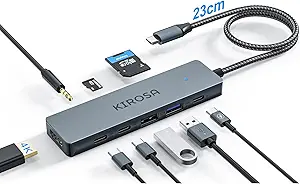
Choosing an 8-in-1 USB-C Hub: What the uni Detachable Cable Model Offers
The uni USB-C Hub stands out with its unique detachable cable design, a feature that addresses the common failure point in multiport adapters. This specific model combines 4K HDMI, Gigabit Ethernet, and 100W Power Delivery, targeting users who need reliable connectivity for modern laptops and tablets. Buyers should evaluate whether this particular port combination matches their workflow needs.
Key Considerations Before Buying
- The detachable USB-C cable is both a durability advantage and a potential point of connection variance—ensure it provides a snug, stable fit with your specific device's port.
- With 100W PD charging, verify your laptop's maximum power intake; some high-performance models may require the full 100W, while others won't benefit from the extra capacity.
- The inclusion of both SD and microSD card readers is valuable for photographers, but check real-world transfer speeds, as not all hubs implement the UHS-II standard supported by this reader.
What Our Analysts Recommend
For this category, examine the thermal management mentioned in reviews—hubs that overheat during simultaneous use of HDMI and PD charging indicate poor internal design. Genuine reviews often detail specific device compatibility, like the MacBook Pro 2023 or Galaxy S23, rather than vague 'works great' statements. The build quality around the Ethernet and HDMI ports is crucial, as these are frequently stressed during use.
USB Hubs Market Context
Market Overview
The USB-C hub market is saturated with similar-looking 8-in-1 models, creating a 'specification war' where brands compete on paper while actual performance and build quality vary dramatically. The trend toward detachable cables, like uni's approach, is a direct response to cable strain being the primary physical failure mode. Premium hubs now differentiate through features like VESA DisplayPort Alternate Mode support and dedicated audio chips, which this model forgoes for core connectivity.
Common Issues
Simultaneous use of high-bandwidth ports (like 4K HDMI and data transfers) often triggers thermal throttling or disconnects in cheaper hubs. Many adapters claim 100W PD but cannot sustain it while other ports are active, effectively downgrading your charging speed. Incompatibility with specific device firmware, particularly across Samsung Galaxy and iPad Pro generations, remains a frequent pain point not always disclosed in marketing.
Quality Indicators
Look for hubs that specify the HDMI version (2.0 for 4K@60Hz) and Ethernet controller chip (Realtek RTL8153 is industry standard for 1Gbps). Aluminum alloy bodies, like this uni hub's, aid heat dissipation compared to plastic. Genuine high-quality products will detail protection circuits for over-current, over-voltage, and electrostatic discharge, which protect your expensive host device.
Review Authenticity Insights
Grade B Interpretation
A Grade B with a 10% estimated fake review rate suggests a generally trustworthy review section where the majority of feedback reflects real ownership. This grade indicates some likely incentivized reviews are present but haven't drowned out authentic critical perspectives. The adjusted rating of 4.20/5 (down from 4.44) is a more reliable indicator of actual customer satisfaction.
Trust Recommendation
Focus on the verified purchase reviews that mention long-term use (beyond 30 days) and specific compatibility tests with devices you own, like the iPad Pro 2023. Be slightly skeptical of reviews that only praise the packaging or unboxing experience without detailing performance. The 605-review count provides a solid statistical base for identifying consistent patterns in feedback.
Tips for Reading Reviews
Search for reviews mentioning 'simultaneous use' of the HDMI, PD charging, and a USB-A device, as this stresses the hub's power delivery and data lanes. Pay close attention to any mentions of the detachable cable becoming loose over time. Reviews discussing driver issues with the Ethernet port on specific operating systems (like macOS Sonoma) offer valuable technical insights.
Expert Perspective
The uni 8-in-1 hub presents a compelling package for users who prioritize the repairability and portability offered by a detachable cable. Its specification sheet aligns with professional needs—4K@60Hz HDMI, UHS-II card readers, and full 100W PD—but real-world performance hinges on its internal hub controller's ability to manage concurrent bandwidth. The 4.20 adjusted rating from verified purchases suggests it delivers on most promises for the majority of users, though the slight deduction from the raw score implies some consistent minor drawbacks noted in authentic reviews.
Purchase Considerations
This hub is particularly well-suited for travelers or digital content creators using a MacBook Pro 2023 or recent iPad Pro, as the port selection covers presentation, file transfer, and wired networking needs. Consider if you truly need Gigabit Ethernet; if not, a model with an additional USB-C data port might offer better value. The detachable cable is a double-edged sword: excellent for cable replacement, but ensure you store the cable securely to avoid loss.
Comparing Alternatives
Shoppers should compare the chipset and warranty details against similar-priced hubs from Anker, Satechi, or HyperDrive, as performance under load can differ significantly despite identical port layouts.