
Keep Your Switch Cool: Choosing the Right Dock Fan
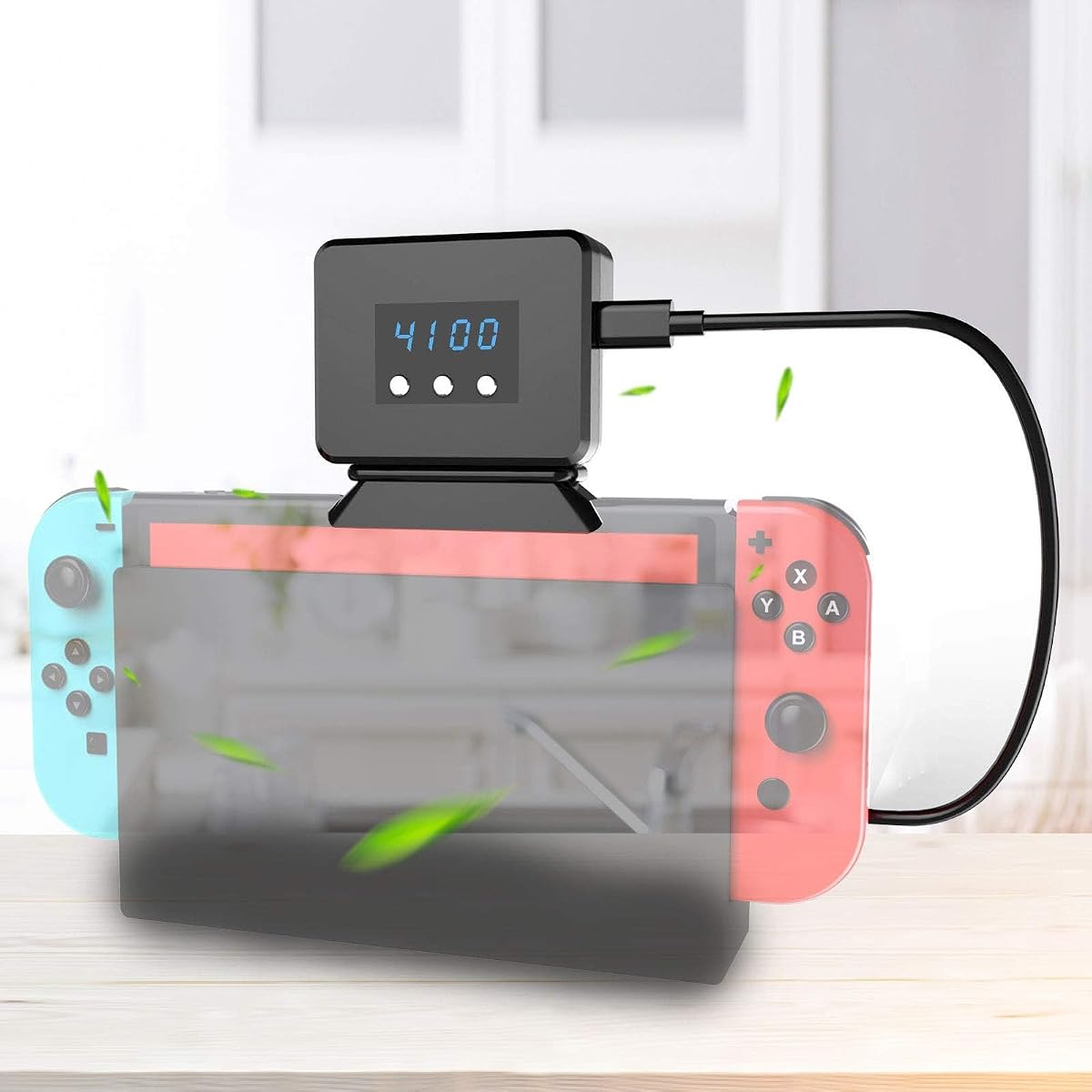
The EEEKit Cooling Fan for Nintendo Switch is a dock-mounted accessory that displays temperature and actively cools your console during TV mode. Unlike generic USB fans, it's designed specifically for the Switch dock, addressing overheating concerns that can lead to performance throttling.
Key Considerations Before Buying
- Compatibility: Ensure the fan fits your Switch model (original, OLED, or Lite) and dock type. The EEEKit is designed for the standard dock, but some third-party docks may not accommodate it.
- Cooling performance: Look for fans with adjustable speed settings and a temperature display that provides real-time feedback. The EEEKit's display helps you monitor if the cooling is effective.
- Power source: Most dock coolers draw power from the dock's USB port. Check that your dock has an available USB port and that the fan doesn't interfere with other accessories.
What Our Analysts Recommend
Prioritize fans with quiet operation, durable build quality, and a clear temperature readout. A good cooler should lower internal temperatures by several degrees without adding significant noise. Avoid models with flimsy clips or poor ventilation.
Nintendo NES Market Context
Market Overview
The Nintendo Switch accessory market is flooded with third-party cooling solutions, ranging from simple fans to elaborate docking stations. With the Switch's popularity, especially among gamers who play for extended sessions, demand for effective cooling has grown. However, quality varies widely, and some products overpromise and underdeliver.
Common Issues
Many dock coolers are noisy, fail to provide meaningful cooling, or obstruct dock functionality. Some users report that fans can cause vibration or scratch the console. Additionally, temperature displays on cheaper models are often inaccurate or stop working after a few months.
Quality Indicators
A reliable cooler will have a robust mounting mechanism, a fan that moves a decent volume of air (measured in CFM), and a temperature sensor that's reasonably accurate. Brands with a track record of positive reviews and responsive customer service are safer bets.
Review Authenticity Insights
Grade A Interpretation
The EEEKit Cooling Fan has an adjusted rating of 4.10/5 from 971 reviews, with an estimated 8% fake reviews. An A grade indicates that the vast majority of reviews are authentic, so you can trust the overall sentiment. The slight difference between the original 4.22 and adjusted 4.10 suggests some inflated reviews, but not enough to skew the product's reputation.
Trust Recommendation
Given the high authenticity grade, you can rely on the reviews to gauge real-world performance. Focus on reviews that mention specific use cases, such as long gaming sessions or dock compatibility, to see if the product meets your needs. The 4.10 rating suggests most users are satisfied, but read the critical reviews to understand common drawbacks.
Tips for Reading Reviews
Look for reviews that include photos or videos of the fan in action, as they provide visual proof of fit and performance. Pay attention to comments about noise level and cooling effectiveness, as these are subjective but frequently mentioned. Also, check if reviewers mention the temperature display's accuracy and longevity.
Expert Perspective
The EEEKit Cooling Fan is a solid option for Switch owners concerned about overheating during docked play. Its temperature display is a unique feature that adds practical value, allowing you to monitor cooling in real-time. With a 4.10 adjusted rating and high review authenticity, it's a trustworthy choice, though it's not without competition.
Purchase Considerations
Consider whether you frequently play in docked mode for extended periods; if so, a cooling fan can help maintain performance and longevity. However, if you mostly play handheld, this accessory may not be necessary. Also, check your dock's USB availability and whether the fan's design blocks other ports.
Comparing Alternatives
Before buying, compare with other dock coolers that offer similar features, such as the Nyko Intercooler or generic USB fans. Some may be cheaper or quieter, but the EEEKit's temperature display sets it apart.


![Auarte [Charge Inside] Switch 2 Carrying Case for Nintendo Switch 2 Console 2025 / Switch Original/Switch OLED, Slim Travel Carry Case for Switch 2 Accessories with 10 Game Card Storage (Carbon Black)](https://m.media-amazon.com/images/I/51K3cPdG1xL._SX342_SY445_QL70_FMwebp_.jpg)


