
Choosing a Third-Party Mac Keyboard: Multi-Device Connectivity and Mac-Specific Features
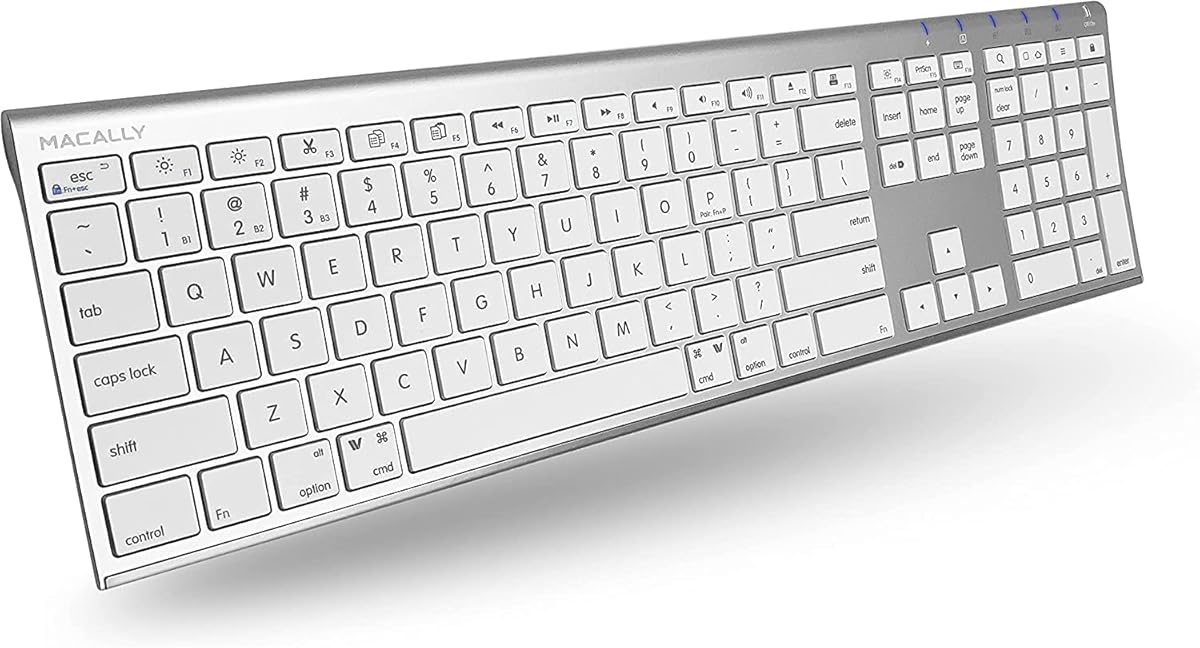
When selecting a wireless keyboard for your Mac ecosystem, the Macally model presents specific trade-offs versus Apple's Magic Keyboard. This keyboard's 110-key layout with numeric keypad and 20 dedicated shortcuts targets users who need expanded functionality beyond Apple's minimalist design, particularly those managing multiple devices.
Key Considerations Before Buying
- Multi-device pairing (up to 3 devices) is essential for users switching between a MacBook, iMac, and iPad, but verify Bluetooth switching speed in reviews.
- The 20 Mac-specific shortcuts, like Mission Control and Dictation keys, should match your workflow; assess if they replace functions you currently use.
- Battery life and charging method: This keyboard's rechargeable battery via USB-C differs from Apple's Lightning and may affect your cable management.
What Our Analysts Recommend
For third-party Mac keyboards, examine key travel and scissor-switch mechanism reviews closely—they define typing feel. Also, scrutinize feedback on Bluetooth stability with macOS, as some non-Apple keyboards experience intermittent dropouts during wake-from-sleep.
Keyboards Market Context
Market Overview
The market for Mac-compatible keyboards is divided between Apple's first-party offerings and third-party alternatives like Macally that often add features like numeric keypads, more shortcuts, and multi-device support at lower price points.
Common Issues
Common complaints include Bluetooth pairing difficulties after macOS updates, key legends wearing off faster than Apple's, and slight differences in key spacing or actuation force that can disrupt muscle memory for touch typists.
Quality Indicators
Look for consistent mention of solid build quality (no flexing), stable feet that don't slip on desks, and keys that offer quiet, responsive feedback. Reviews noting months of reliable daily use are stronger indicators than initial impressions.
Review Authenticity Insights
Grade B Interpretation
A Grade B with an 11% estimated fake review rate suggests the overall rating of 4.33 is slightly inflated but still reflects predominantly genuine experiences. The adjusted rating of 4.10/5 is a more reliable benchmark.
Trust Recommendation
Prioritize verified purchase reviews that detail long-term use (3+ months) and mention specific Mac models (e.g., 'with my M1 MacBook Air'). Be slightly more skeptical of reviews focusing only on unboxing or that lack contextual details about their setup.
Tips for Reading Reviews
Search reviews for mentions of 'Bluetooth lag' or 'connection drops'—these are critical for wireless peripherals. Also, look for comparisons to the Apple Magic Keyboard, as these provide direct context on the typing experience and value proposition.
Expert Perspective
The Macally keyboard's value proposition is clear: it offers a full-sized layout with a numpad and extensive shortcuts at a price below Apple's Magic Keyboard with Numeric Keypad. The 4.10 adjusted rating from thousands of reviews indicates general satisfaction, particularly among users who need the dedicated number pad for data entry or finance work. However, the slight authenticity dilution means the exceptional 5-star ratings should be weighed against more detailed 3- and 4-star reviews discussing long-term durability and macOS compatibility nuances.
Purchase Considerations
This keyboard makes the most sense if you require a numeric keypad and multi-device switching and are willing to accept potential minor differences in key feel from Apple's signature keyboards. It's less ideal for purists who prioritize perfect aesthetic and tactile alignment with Apple's design ethos.
Comparing Alternatives
Shoppers should compare this directly with Logitech's MX Keys for Mac and Apple's own Magic Keyboard with Numeric Keypad, focusing on typing feel and software integration.


