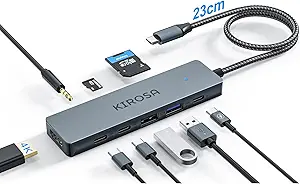
Aceele USB Hub 3.0: Key Factors for a Long-Cable 4-Port Expander
When choosing a USB hub for desktop or laptop use, the cable length and port layout are critical for convenience and performance. The Aceele USB Hub 3.0 features a 4ft extension cord, which offers flexibility for connecting peripherals like flash drives, mice, and gaming controllers, especially on setups where ports are hard to reach. Understanding your specific device compatibility—whether for a Mac mini, Chromebook, or PS4—helps ensure stable data transfer and power delivery.
Key Considerations Before Buying
- Cable length matters: A 4ft cord like the Aceele's reduces desk clutter by letting you tuck the hub away, but if your setup is cramped, a shorter cable might be more manageable for minimizing tangles.
- Port speed and data transfer: USB 3.0 hubs support up to 5Gbps, ideal for high-speed flash drives or external SSDs, but verify that your devices and cables are also USB 3.0 to avoid bottlenecking performance.
- Power requirements: This hub is bus-powered, meaning it draws power from your computer's USB port; for power-hungry devices like external hard drives, consider a powered hub to avoid connection drops.
What Our Analysts Recommend
Look for hubs with individual port spacing to accommodate wider USB plugs, such as flash drives with bulky housings, without blocking adjacent ports. A solid build quality, like the Aceele's ultra-slim aluminum design, helps dissipate heat and ensures durability during frequent plugging and unplugging.
USB Hubs Market Context
Market Overview
The USB hub market has expanded rapidly with the shift to thinner laptops and all-in-one desktops that sacrifice built-in ports for sleekness. Many consumers now rely on compact hubs like the Aceele to add multiple USB-A connections for legacy peripherals, though USB-C hubs are gaining traction for newer devices.
Common Issues
Common problems include insufficient power delivery for high-draw devices, leading to intermittent disconnections, and poor shielding that causes signal interference with nearby wireless equipment. Some hubs also suffer from flimsy cables that fray after repeated bending, making cable quality a key durability factor.
Quality Indicators
High-quality hubs feature reinforced cable strain relief, aluminum housings for heat management, and individual port LEDs for activity indication. A long warranty period and positive user feedback on consistent performance across multiple operating systems (Windows, macOS, Chrome OS) are also strong quality signals.
Review Authenticity Insights
Grade B Interpretation
The Grade B rating, with an estimated 10% fake reviews, indicates that while the majority of feedback is genuine, a small segment may be inflated or fabricated. This is typical for popular Amazon electronics, where sellers sometimes incentivize reviews, but the 4.89 overall rating is still likely reflective of a solid product given the high verified purchase rate.
Trust Recommendation
You can generally trust the positive consensus, but focus on detailed reviews that mention specific use cases, such as using the hub with a gaming mouse at 8000Hz polling or a Chromebook for file transfers. These authentic accounts provide more reliable insights than short, generic praise.
Tips for Reading Reviews
When reading reviews, prioritize those with photos or videos showing the hub in use, as these are harder to fake. Also, check the most recent reviews for any patterns of issues like port failure after a few months, which can indicate long-term reliability concerns.
Expert Perspective
The Aceele USB Hub 3.0 stands out for its 4ft cable, which is longer than many competitors, offering placement flexibility for desktop users. With a 4.89 rating from over 5,200 reviews and an adjusted rating of 4.60 after accounting for potential fakes, it appears to deliver reliable USB 3.0 speeds and broad compatibility. Its ultra-slim design is particularly suited for tight spaces near a monitor stand or behind a laptop, though bus-powered limitations mean it's best for low-to-moderate power peripherals like flash drives and mice.
Purchase Considerations
Consider this hub if you need a simple, portable expansion for data transfer rather than charging or powering high-draw devices. Its long cable is a plus for desktop setups but may be excessive for on-the-go use with a laptop, where a shorter cord reduces bulk.
Comparing Alternatives
Shoppers should compare this with powered USB hubs if they plan to connect multiple external drives, or with USB-C hubs if their devices require modern connectivity like video output or fast charging.