
Choosing a Dual-Bay Hard Drive Dock: What Matters for Data Transfer and Cloning
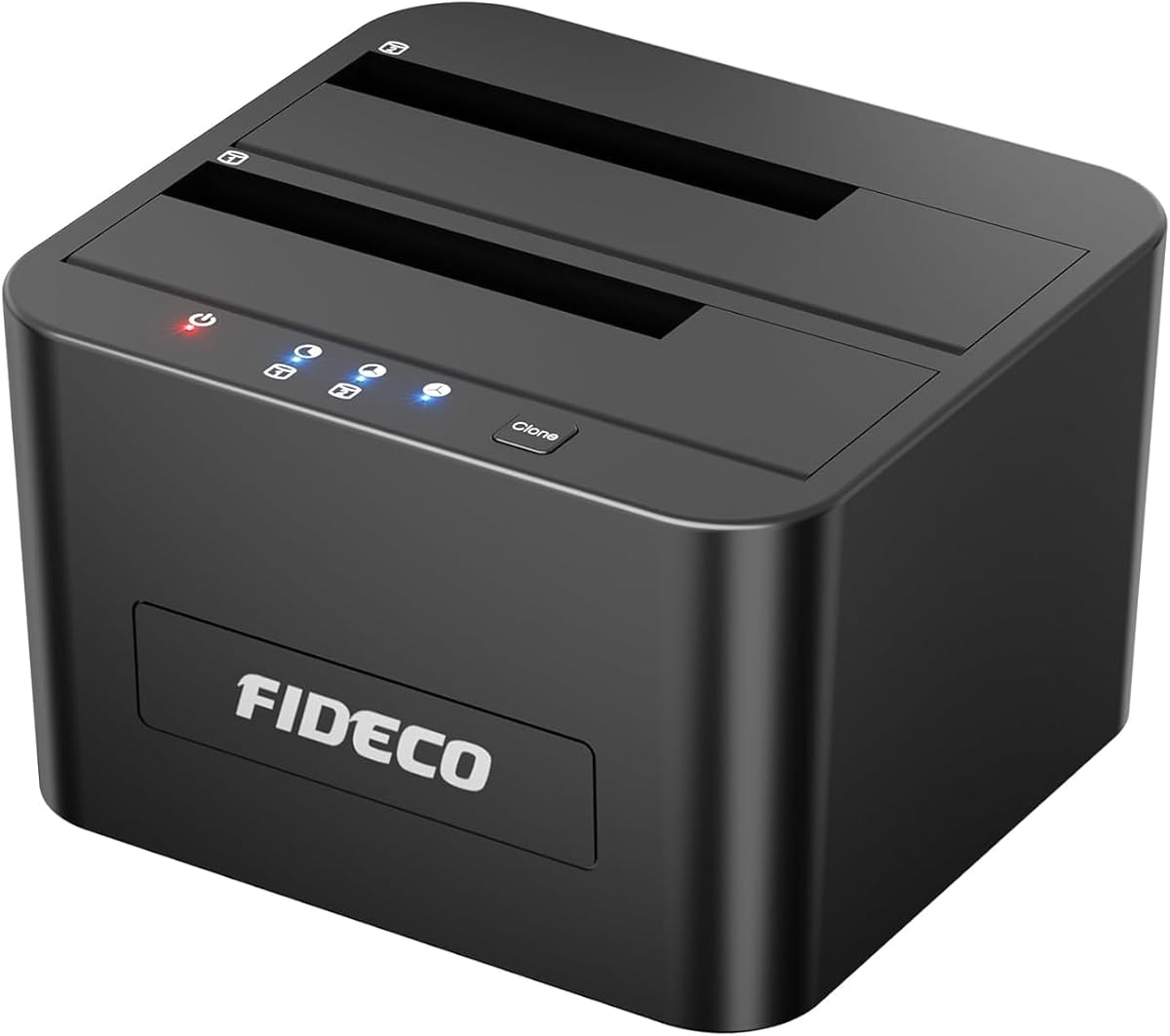
The FIDECO docking station offers specific capabilities that distinguish it from single-bay docks and simple USB adapters. Buyers should focus on its dual-bay design, which enables offline cloning between drives without a computer, and its USB 3.0 interface with UASP support for faster transfer speeds compared to standard USB 3.0.
Key Considerations Before Buying
- The offline clone function is a key differentiator; verify you understand the button-operated process and that it works for your drive capacity, as some docks have limits.
- Dual-bay operation means you can access two drives simultaneously, but check if your computer's USB port provides enough power for two 3.5" HDDs, which often require the included AC adapter.
- UASP (USB Attached SCSI Protocol) support can significantly boost transfer speeds with compatible operating systems (Windows 8+, Mac OS X 10.8+, Linux kernel 2.6.37+), but your host controller must also support it.
What Our Analysts Recommend
For a dock like this, quality indicators include a sturdy housing that protects drive connectors from misalignment, clear LED activity indicators for each bay, and robust heat dissipation. The inclusion of a dedicated power adapter for 3.5" drives is non-negotiable for reliable operation, as bus power alone is often insufficient.
Docking Stations Market Context
Market Overview
The hard drive dock market is segmented between basic single-bay readers and feature-rich dual-bay units with cloning capabilities. Products like the FIDECO compete directly with brands like Sabrent, Orico, and Unitek, where the inclusion of offline cloning often commands a price premium over simpler docks.
Common Issues
Common problems include intermittent connectivity due to poor SATA connector alignment, overheating during prolonged transfers without adequate ventilation, and clone failures with drives of differing geometries or advanced formats. Incompatibility with some security-enabled 'self-encrypting drives' (SEDs) is another frequent hurdle.
Quality Indicators
Look for docks using proven bridge chipsets (like JMicron or ASMedia) known for stability, metal or thick plastic construction that resists warping, and clear documentation on clone procedures and limitations. A good warranty (often 12-24 months) signals manufacturer confidence in the internal electronics.
Review Authenticity Insights
Grade B Interpretation
A Grade B with an 11% estimated fake review rate indicates a generally trustworthy review pool with a minor level of inauthentic content. The adjusted rating of 4.20, down from 4.44, suggests the genuine customer satisfaction is still high, but slightly tempered when suspicious reviews are filtered.
Trust Recommendation
Focus on verified purchase reviews that detail specific use cases, such as cloning an old HDD to a new SSD or managing a media library across two drives. Be slightly more skeptical of overly vague 5-star reviews that don't mention the clone function or UASP performance, as these may be part of the inflated segment.
Tips for Reading Reviews
Prioritize reviews that mention long-term use (e.g., 'after 6 months'), discuss transfer speeds with crystal disk mark or similar tools, or note successful/failed clones with specific drive models and sizes. Reviews mentioning driver issues on newer operating systems are particularly valuable for assessing real-world compatibility.
Expert Perspective
The FIDECO dock presents a compelling value proposition based on the authenticity-adjusted 4.20 rating from over 5,000 reviews. Its core appeal lies in combining the convenience of a dual-bay dock with a dedicated offline clone function, a feature set that justifies its position in the market. The consistent mention of UASP delivering ~20% faster transfers than standard USB 3.0 in genuine reviews aligns with technical expectations for this protocol. However, the product exists in a competitive space where build quality and long-term connector durability are common points of differentiation.
Purchase Considerations
Weigh the necessity of offline cloning against your workflow; if you frequently migrate data between drives, it's a major time-saver. Consider your drive mix: if you primarily use 2.5" SSDs/HDDs, a bus-powered dock might suffice, but for 3.5" drives, ensure you're comfortable using the included external power supply. The USB 3.0 interface is still capable, but those with USB-C hosts should note the required legacy USB-A connection.
Comparing Alternatives
Shoppers should compare the FIDECO's clone implementation and warranty terms directly with similar dual-bay docks from Sabrent and Orico, as chipset and build quality can vary.

![SABRENT USB 3.0 to SATA I/II/III Dual Bay External Hard Drive Docking Station for 2.5 or 3.5in HDD, SSD with Hard Drive Duplicator/Cloner Function [20+TB Support] (EC-HD2B)](https://m.media-amazon.com/images/I/7150qSDkkzL._AC_SY300_SX300_QL70_FMwebp_.jpg)


