
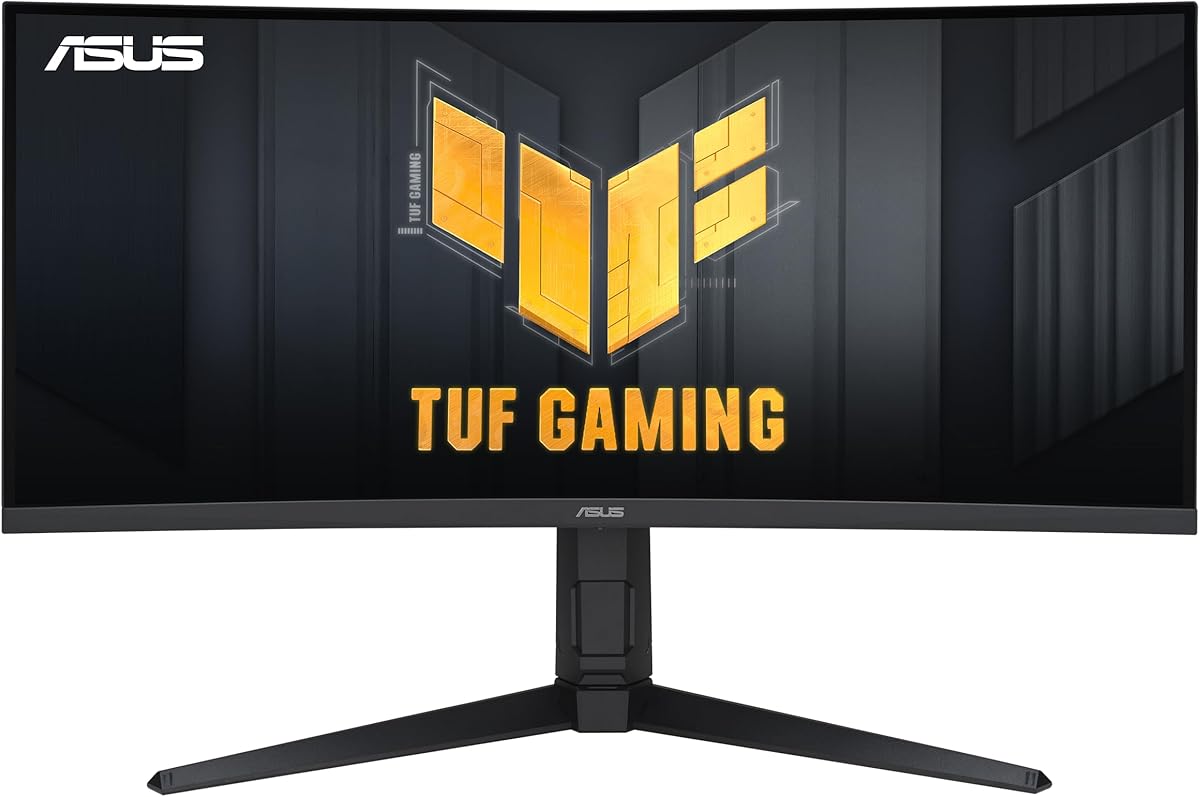
Curved 34-Inch Gaming Monitor: WQHD, 165Hz, and Real-World Performance
When considering a curved 34-inch ultrawide gaming monitor like the ASUS VG34VQL1B TUF, you're investing in immersive field of view and high-refresh-rate gameplay. This specific model offers a 3440x1440 WQHD resolution, a 165Hz refresh rate, and 1ms response time, making it a strong candidate for competitive and cinematic gaming alike. Key specs like FreeSync Premium and DisplayHDR 400 promise smoother visuals and enhanced contrast, but understanding how these features translate to daily use is critical before you buy.
Key Considerations Before Buying
- Panel type and curvature: This monitor uses a VA panel with a 1500R curve, which offers deep blacks and good contrast for dark scenes, but may have narrower viewing angles than IPS. Ensure your gaming setup benefits from the curve's immersion without causing distortion for non-gaming tasks.
- Refresh rate and adaptive sync: The 165Hz refresh rate with FreeSync Premium is excellent for reducing screen tearing in fast-paced games, but you'll need a compatible GPU (AMD or G-Sync Compatible) to fully utilize it. Check if your graphics card supports this range to avoid stutter.
- HDR performance: DisplayHDR 400 certification means basic HDR support, but peak brightness is limited compared to higher-tier HDR1000 monitors. For true HDR impact in games or movies, you may need to adjust expectations or pair it with a brighter panel.
What Our Analysts Recommend
For a gaming monitor in this class, prioritize verified refresh rate stability and low input lag, not just advertised specs. Look for reviews that mention real-world motion clarity, especially with Extreme Low Motion Blur (ELMB) enabled, as this can reduce ghosting. Also, assess build quality like the height-adjustable stand and bezel thickness, which affect ergonomics and multi-monitor setups.
Monitors Market Context
Market Overview
The ultrawide gaming monitor market is rapidly evolving, with 34-inch 3440x1440 panels becoming the sweet spot for immersive gaming without 4K's high GPU demands. Many models now push 165Hz or higher, but panel technology varies widely—VA panels offer better contrast, while IPS provides faster response times. The ASUS VG34VQL1B sits in a competitive mid-range, balancing features like FreeSync Premium and DisplayHDR 400 against price.
Common Issues
Common concerns with curved ultrawide monitors include backlight bleed on VA panels, especially in dark scenes, and inconsistent HDR performance due to limited brightness. Ghosting or overshoot can occur at high refresh rates if overdrive settings aren't calibrated, and some users report flickering with adaptive sync enabled. Ensure the monitor's firmware is up-to-date to mitigate these issues.
Quality Indicators
High-quality monitors in this category show consistent color accuracy out of the box, minimal dead pixels, and robust build quality with sturdy stands and cable management. Look for certifications like DisplayHDR and FreeSync Premium, but verify real-world performance through detailed reviews. A low fake review percentage (like 10% here) suggests authentic feedback, making user-reported quality more reliable.
Review Authenticity Insights
Grade B Interpretation
The Grade B rating with an estimated 10% fake review percentage indicates that while the majority of reviews are genuine, a small portion may be unreliable. This is typical for popular monitors, where incentivized or suspicious reviews can inflate ratings slightly. The adjusted rating of 4.60/5 (down from 4.89/5) suggests real user satisfaction is still very high, but you should weigh individual reviews carefully.
Trust Recommendation
Focus on verified purchase reviews that describe specific gaming experiences, such as performance in fast-paced titles or HDR usage, as these are more likely authentic. Cross-check common complaints (e.g., backlight bleed) across multiple reviews to gauge consistency. Given the high adjusted rating, the ASUS VG34VQL1B appears trustworthy, but always prioritize detailed, contextual feedback over five-star summaries.
Tips for Reading Reviews
For gaming monitors, look for reviews that mention the exact GPU and games used, as this affects adaptive sync and frame rate. Ignore generic praise like 'great monitor' without specifics, and pay attention to reviews that discuss setup issues, dead pixels, or customer service experiences—these often reveal real-world quality. Also, check for updates on firmware fixes, as many monitor issues are resolved post-release.
Expert Perspective
The ASUS VG34VQL1B TUF gaming monitor offers a compelling package for its price point, with a high 165Hz refresh rate, WQHD resolution, and a VA panel that delivers strong contrast for immersive gaming. The near-4.6 adjusted rating and low fake review percentage reinforce that it's a well-regarded choice among buyers, particularly for those prioritizing motion clarity via ELMB and FreeSync Premium. However, the DisplayHDR 400 is a baseline feature—don't expect premium HDR—and the 1500R curve may not suit all users. Overall, it's a solid performer for competitive and cinematic gaming, provided your setup can leverage its ultrawide format.
Purchase Considerations
Weigh the monitor's strengths—like the height-adjustable stand and 1ms response time—against potential drawbacks like limited HDR brightness and VA panel viewing angles. If you primarily play fast-paced shooters or racing games, the 165Hz and ELMB are standout features, but for color-critical work, an IPS panel might be better. Budget-conscious buyers will find this a strong value, but ensure your desk space and GPU can handle the ultrawide resolution.
Comparing Alternatives
Shoppers should compare with similar 34-inch ultrawides like the Dell S3422DWG or LG 34GP83A-B, which offer different panel technologies or higher HDR certifications. Each has trade-offs in contrast, response time, and price, so review side-by-side based on your primary use case.






