
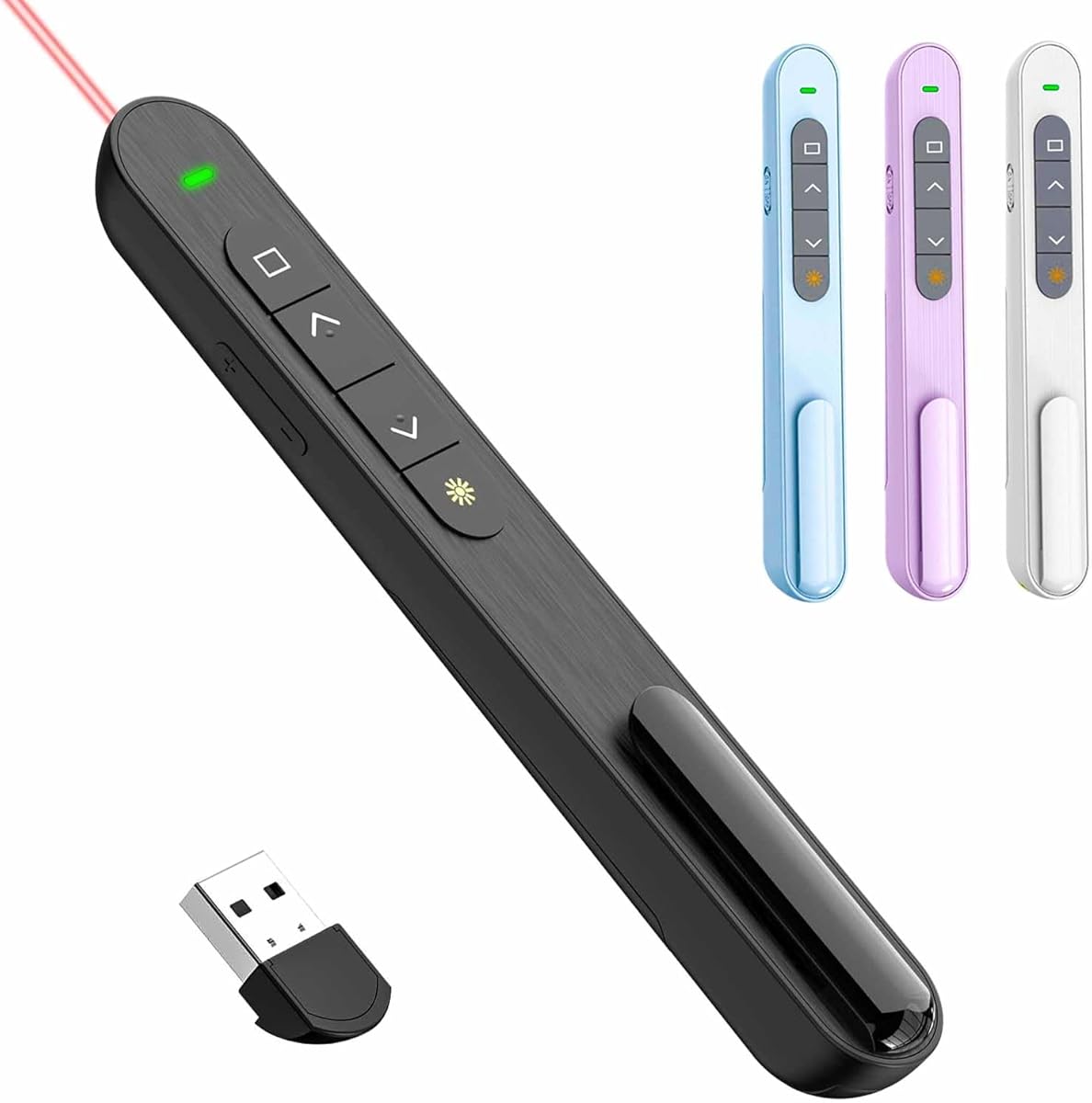
Smart Buying Guide for QUI Presentation Clicker with Volume Control
When shopping for a wireless presenter remote like the QUI Presentation Clicker, which stands out for its integrated volume control, you're looking for a tool that ensures seamless, distraction-free presentations. This guide will help you navigate the key features that matter most for reliability and ease of use.
Key Considerations Before Buying
- Range and connectivity: Ensure the remote uses a reliable 2.4GHz USB receiver with a range of at least 30 meters, so you can move freely around the room without losing connection.
- Volume control convenience: The QUI model integrates volume adjustment directly on the remote, which is ideal for presentations that include audio. Check that the buttons are responsive and positioned ergonomically to avoid accidental presses.
- Battery life and charging: Look for a remote with long battery life (e.g., months of use on a single charge) and a clear low-battery indicator to prevent mid-presentation failures.
What Our Analysts Recommend
Quality in presentation remotes often lies in the tactile feedback of buttons, the precision of the laser pointer, and the build durability. A well-designed remote like the QUI should feel solid in hand, have a comfortable grip, and offer a plug-and-play USB receiver that doesn't require software installation. Additionally, consider models that include a USB receiver storage slot to prevent loss.
Presentation Remotes Market Context
Market Overview
The presentation remote market has evolved from simple slide advancers to multifunctional devices with features like volume control, backlighting, and even voice command. With many options from brands like Logitech, Kensington, and QUI, consumers now expect robust wireless performance and intuitive design.
Common Issues
Common complaints in this category include flimsy construction, unreliable connectivity (especially with Bluetooth-only models), and receivers that are easily misplaced or incompatible with certain operating systems. Some users also report that laser pointers are too weak for large venues.
Quality Indicators
High-quality presentation remotes typically feature a solid, non-slip build, clear labeling of buttons, and a laser pointer with sufficient visibility. Look for products with positive user feedback regarding range and consistent performance, and those that offer a warranty or return policy.
Review Authenticity Insights
Grade A Interpretation
The Grade A rating and estimated 5% fake review rate for the QUI Presentation Clicker indicate that the review landscape is largely authentic. This means the 4.67-star rating (adjusted to 4.60) is a trustworthy reflection of real user experiences, giving you confidence in the product's performance.
Trust Recommendation
Given the high authenticity grade, you can rely on the overall rating and the detailed feedback from verified buyers. However, it's still wise to read a mix of positive and critical reviews to understand potential drawbacks, such as the size of the remote or the range in actual use.
Tips for Reading Reviews
When reading reviews for this type of product, focus on comments that mention specific usage scenarios (e.g., classroom, boardroom, or conference) and any issues with connectivity or battery life. Look for patterns in feedback about the volume control feature and the ease of using the remote in one hand.
Expert Perspective
The QUI Presentation Clicker with Volume Control stands out in a crowded market by addressing a common need—audio adjustment during presentations without having to go back to the computer. With a high adjusted rating of 4.60 and a low fake review rate, the product appears to deliver on its promises, offering a reliable wireless range and user-friendly design. The integration of volume control is a thoughtful touch that enhances its utility for presenters who use multimedia content.
Purchase Considerations
Before purchasing, consider the size and ergonomics relative to your hand, and whether the volume control placement feels natural. Also, verify compatibility with your operating system (Windows, macOS, etc.) and confirm that the USB receiver is compatible with your available ports. If you frequently present in large venues, check the range specifications against your typical room sizes.
Comparing Alternatives
While the QUI remote is a strong contender, you may also want to compare it with other popular models like the Logitech Spotlight or the Kensington Professional Presenter, which offer different feature sets and price points, to ensure you find the best fit for your specific presentation needs.


