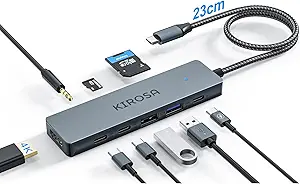
Choosing a 7-port USB hub: What matters for reliable multi-device connectivity
The PANPEO 7-port USB 3.0 hub offers specific features that distinguish it in a crowded market, particularly its individual port switches and 3-foot cable. Buyers should understand how these characteristics translate to real-world use, especially when connecting multiple devices simultaneously.
Key Considerations Before Buying
- Individual port switches allow you to power-cycle specific devices without disconnecting everything—particularly useful when a flash drive or external HDD becomes unresponsive.
- The 3-foot cable provides flexibility for desktop setups but requires checking your power source placement, as longer cables can experience voltage drop with power-hungry devices.
- Seven USB 3.0 ports offer theoretical 5Gbps speeds, but simultaneous use of multiple high-bandwidth devices (like mobile HDDs) will share that bandwidth, potentially slowing transfers.
What Our Analysts Recommend
Quality USB hubs maintain stable connections under simultaneous load—check reviews mentioning multiple external drives working together. Look for mentions of consistent LED indicator functionality, as flickering lights often signal power regulation issues. The housing should feel substantial enough to dissipate heat during extended use.
USB Hubs Market Context
Market Overview
The USB hub market is saturated with similar-looking products, making differentiation challenging. USB 3.0 remains the standard for most peripherals despite USB-C's growth, with 7-port hubs representing the sweet spot between connectivity and desktop footprint.
Common Issues
Overheating during sustained data transfers, inconsistent power delivery to multiple devices, and ports failing sequentially rather than simultaneously plague budget hubs. Many hubs struggle with simultaneous high-power draws from multiple 2.5" HDDs without external power.
Quality Indicators
Quality hubs maintain consistent data transfer speeds across all ports under load. Look for reviews mentioning stable performance with mixed device types (flash drives, HDDs, peripherals). Properly implemented individual port switches that don't reset adjacent ports indicate better circuit design.
Review Authenticity Insights
Grade B Interpretation
A Grade B with 11% estimated fake reviews suggests mostly authentic feedback with some promotional content. The adjusted 4.00/5 rating (from 4.22/5) indicates genuine satisfaction sits slightly below the raw average.
Trust Recommendation
Focus on reviews discussing specific usage scenarios like connecting Surface Pro devices or PS4/5 consoles, as these contain verifiable details. Verified purchase reviews mentioning the 3-foot cable's practical length offer more reliable insights than generic praise.
Tips for Reading Reviews
Prioritize reviews that mention simultaneous device combinations (e.g., 'two HDDs plus a keyboard'). Look for comments about the individual port switches' reliability over time, as this feature's longevity separates quality implementations from gimmicks.
Expert Perspective
The PANPEO hub's 4.00 adjusted rating from 2,358 reviews indicates reliable performance for most users, though the 11% fake review rate warrants scrutiny of specific claims. Its individual port switches represent a meaningful differentiator from cheaper hubs with master switches only. The product appears strongest for mixed peripheral connectivity rather than simultaneous high-bandwidth data transfers.
Purchase Considerations
Consider this hub if you need to manage multiple low-to-medium power devices independently. The 3-foot cable suits desktop arrangements where the host device sits nearby. Evaluate whether you truly need seven ports or if a powered hub would better serve multiple high-draw devices.
Comparing Alternatives
Compare with hubs offering similar individual port control, particularly regarding switch durability and power delivery consistency across all ports.