
Choosing a USB-C Ethernet Adapter That Delivers Both Data and Power Reliably
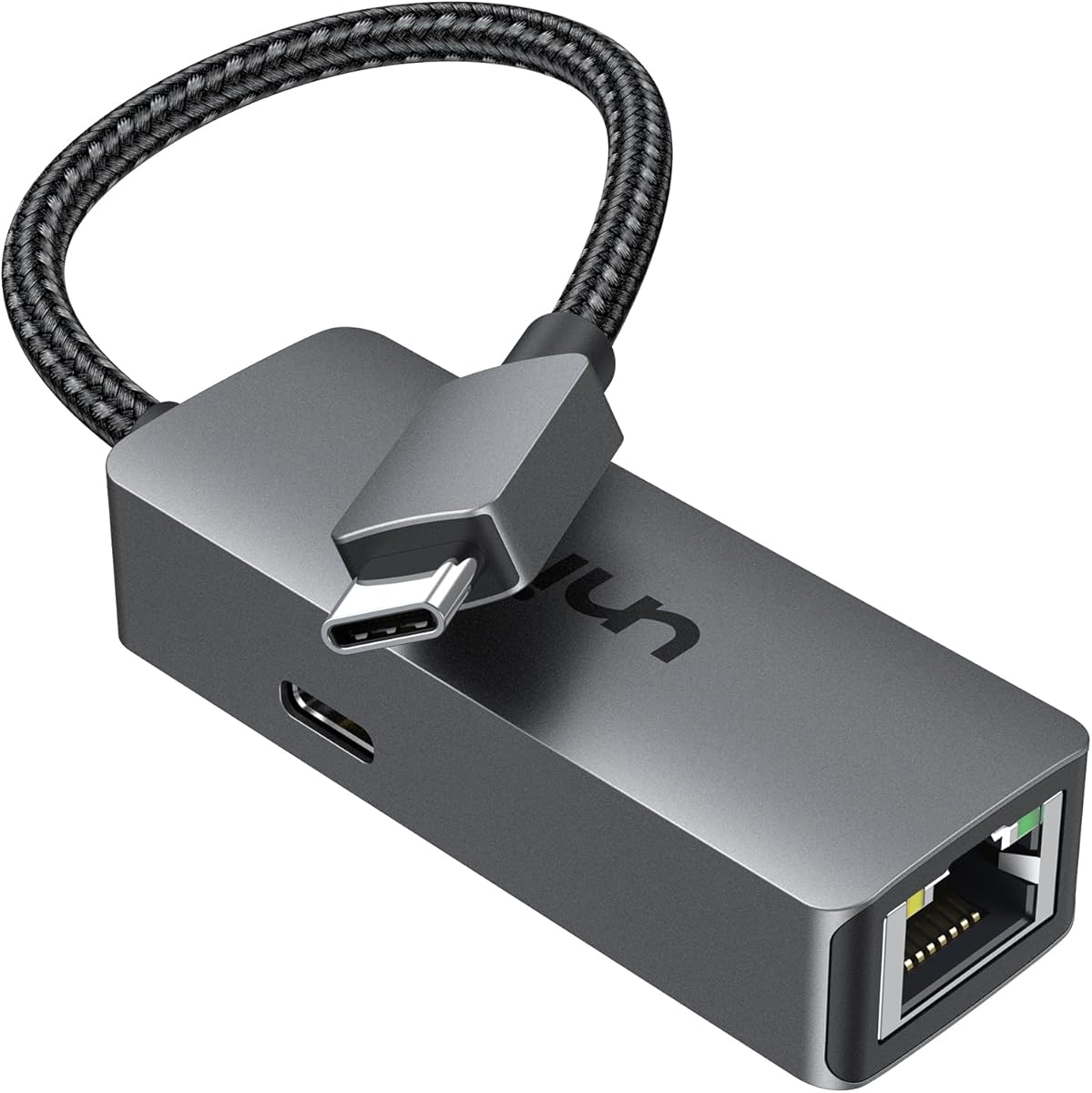
The uni adapter stands out by combining a full 1Gbps Gigabit Ethernet port with a 100W Power Delivery pass-through charging port in a single compact dongle. Buyers should understand that this dual-function design solves two common laptop connectivity problems simultaneously, but requires careful evaluation of power negotiation and thermal management.
Key Considerations Before Buying
- Verify your laptop's USB-C port supports both data and Power Delivery simultaneously, as some budget Chromebooks or older devices may have limitations that affect the adapter's dual functionality.
- Consider your actual power needs; the 100W PD port is ideal for charging high-wattage laptops like the 16-inch MacBook Pro, but is overkill for devices like a MacBook Air that only draws 30W.
- Check for driver compatibility with your operating system, as some Windows laptops may require specific chipset drivers (like Realtek) for the Ethernet port to function at full gigabit speeds without manual installation.
What Our Analysts Recommend
Quality indicators for this product type include clear labeling of the PD charging wattage (e.g., 100W) and Ethernet speed (1Gbps), robust construction around the RJ45 port to prevent clip breakage, and adequate heat dissipation for sustained data transfer while charging. Look for mentions of stable simultaneous operation in verified reviews.
USB Network Adapters Market Context
Market Overview
The USB-C to Ethernet adapter market is crowded with options ranging from basic $15 dongles to premium multi-port hubs. The integration of high-wattage Power Delivery charging into a simple two-port adapter, like this uni model, represents a growing premium segment targeting professionals who need reliable wired networking without sacrificing charging capability.
Common Issues
Common problems include overheating during simultaneous high-speed data transfer and charging, unreliable connection handoffs that cause the Ethernet to drop when plugging in power, and physical fragility of the RJ45 clip or USB-C connector from frequent travel use. Chipset compatibility issues, particularly with Linux distributions or older Windows builds, also frequently appear in negative reviews.
Quality Indicators
Identify quality products by examining reviews for mentions of consistent gigabit speeds, stable power delivery without charging interruptions, and build quality that withstands plug/unplug cycles. Premium adapters often use branded chipsets (like Realtek or ASIX) for Ethernet controllers and include over-current/over-temperature protection circuits.
Review Authenticity Insights
Grade B Interpretation
A Grade B with a 10% estimated fake review rate suggests the uni adapter's review profile is generally trustworthy but requires discerning reading. The high volume of verified purchases (15,830 reviews) provides a substantial base of authentic feedback, though approximately 1 in 10 reviews may be artificially positive.
Trust Recommendation
Focus on verified purchase reviews that mention specific use cases, like connecting to a corporate network with a Dell XPS while charging, or note compatibility details with Surface Book hinge angles. Be slightly skeptical of reviews that only praise generic 'fast shipping' or 'great product' without technical details.
Tips for Reading Reviews
Prioritize reviews that discuss performance under load—simultaneous 4K video streaming over Ethernet while charging at 65W+, for example. Look for patterns in critical reviews mentioning the same specific flaw, like intermittent disconnects on Chromebooks, as these often reveal genuine product limitations.
Expert Perspective
The uni adapter's exceptional 4.89/5 rating, even when adjusted to a still-strong 4.60/5, indicates it successfully executes its core promise: providing reliable gigabit Ethernet and high-wattage charging in a minimal footprint. The high review volume suggests widespread adoption and field testing across the listed device ecosystem. The product's success likely hinges on its focused design—avoiding the complexity and compatibility issues of larger hubs while delivering two essential functions professionals actually need.
Purchase Considerations
Weigh whether you truly need both functions concurrently. If you only occasionally need Ethernet and never charge via the same port, a simpler, cheaper single-port adapter may suffice. However, for users of modern USB-C laptops who regularly dock at a desk, the convenience of a single-cable solution for both network and power justifies the premium.
Comparing Alternatives
Shoppers should compare the uni's 100W PD rating and compact form factor against similar dual-port adapters from Anker, Ugreen, or Apple, paying close attention to real-world thermal performance differences noted in reviews.

![Lightning to Ethernet Adapter for iPhone,[Apple MFi Certified] 1.6ft RJ45 Ethernet LAN Network Adapter with 8Pin Compatible for iPhone 14/13/12/11/XS/XR/8/7/6/iPad/iPod,Plug and Play,Support 100Mbps](https://m.media-amazon.com/images/I/51IpoTv+XzL._AC_SY300_SX300_.jpg)


