Choosing a Gas Spring Monitor Arm: What the ErGear Model Reveals About Quality
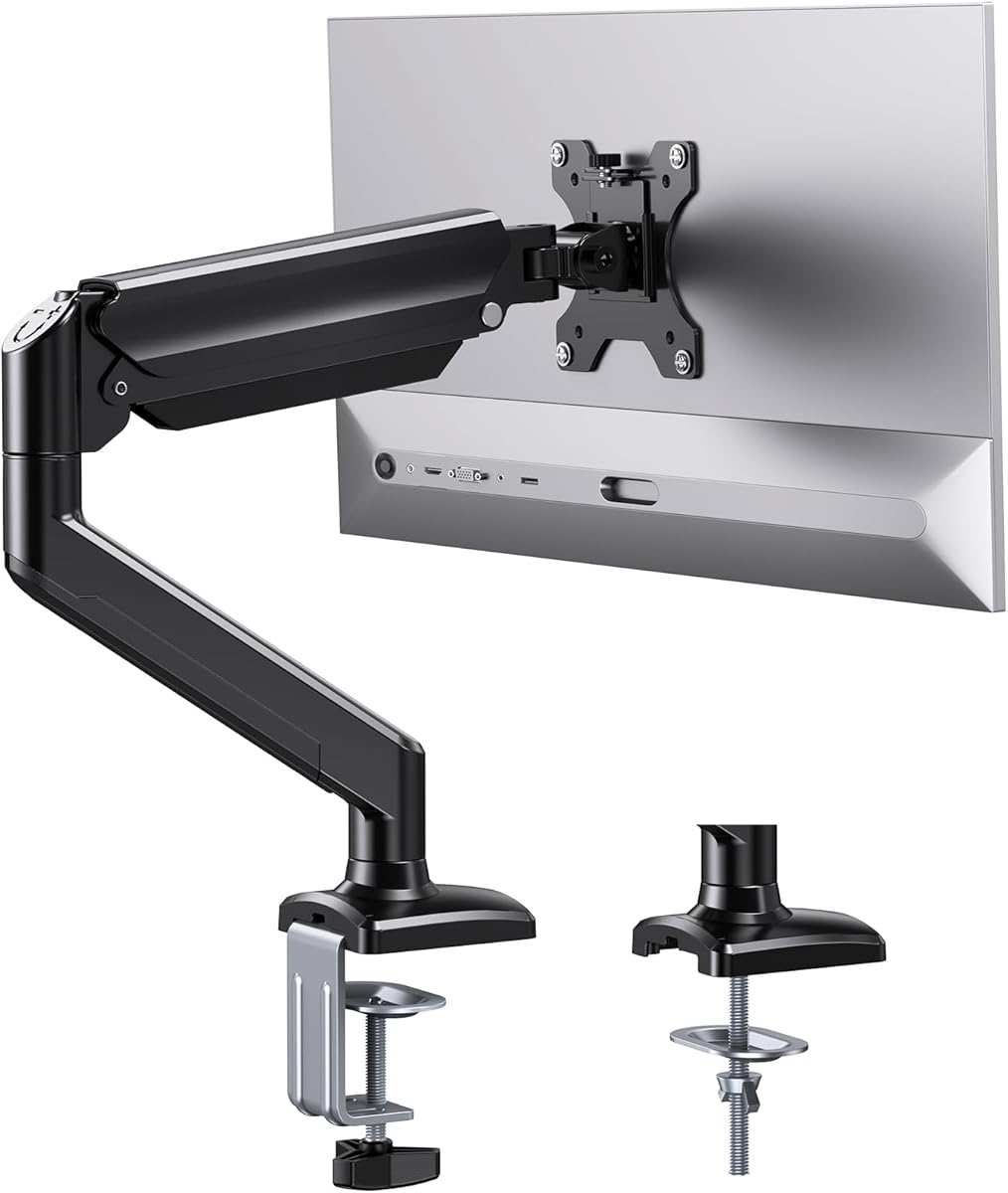
When selecting a single monitor arm like the ErGear model, the 22 lb weight capacity and 13-36 inch screen range are your starting points, but the real test is in the mounting hardware and gas spring tension. This specific product's dual C-clamp and grommet base options indicate flexibility, but the 100x100mm VESA limit means checking your monitor's backplate is essential.
Key Considerations Before Buying
- Verify your monitor's VESA pattern fits the 100x100mm maximum; many 32-inch+ monitors use larger patterns like 200x200mm or 300x300mm.
- The 22 lb capacity is adequate for most 34-inch ultrawides but may be borderline for heavier, professional-grade monitors with thick bezels.
- Assess your desk edge thickness: the C-clamp requires sufficient clearance, while the grommet mount needs a pre-drilled hole of appropriate size.
What Our Analysts Recommend
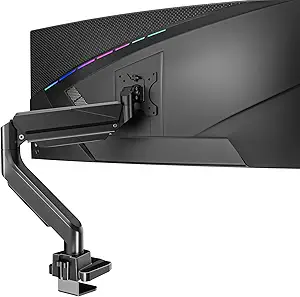
Quality in this category is shown by consistent gas spring tension that holds position without sagging or drifting. Look for mentions of the pivot points—high-quality arms maintain smooth, silent articulation. The ErGear's specific design, with its single gas cylinder and multiple joints, should offer stable movement without the 'bounce' common in cheaper tension-arm designs.
Monitor Arms Market Context
Market Overview
The single gas spring monitor arm market is highly competitive, with many brands offering similar specs; differentiation often comes down to build quality, ease of installation, and the precision of the counterbalance mechanism.
Common Issues
Users frequently report arms that can't hold heavier monitors at full extension, leading to screen sag, or gas springs that lose tension over time. Another common complaint is wobbly or loose joints that fail to keep the monitor steady during typing.
Quality Indicators
Beyond weight ratings, examine the construction of the VESA plate and the quality of the allen-key hardware provided. A robust, all-metal VESA plate and high-grade fasteners, as suggested by the ErGear's positive feedback on sturdiness, are better indicators than marketing claims alone.
Review Authenticity Insights
Grade B Interpretation
A Grade B with an 11% estimated fake review rate suggests the vast majority of the 8,248 reviews are genuine, but shoppers should be slightly cautious of overly glowing, non-specific praise. The adjusted rating of 4.60/5 is still exceptionally strong for this category.
Trust Recommendation
Focus on reviews that detail specific monitor models used, installation challenges overcome, and long-term performance over months of use. The high proportion of verified purchases here adds significant credibility to the overall sentiment.
Tips for Reading Reviews
Prioritize reviews that mention the actual weight of their monitor and the arm's performance at full extension. Look for comments about the gas spring's adjustability—a key functional aspect—and any issues with cable management routing specific to this ErGear model.
Expert Perspective
The ErGear arm presents a compelling value proposition, evidenced by its high authentic rating. Its strength lies in its dual mounting options and appropriate weight capacity for mainstream monitors. The specific feedback praising its smooth articulation and lack of screen wobble suggests well-machined joints, a critical detail often overlooked in cheaper arms. The slight drop to a 4.60 adjusted rating is normal and still indicates very satisfied customers.
Purchase Considerations
This product is best suited for users with monitors under 22 lbs and within the 100x100mm VESA standard who value desk space reclamation. Consider if you need the full 36-inch range, as performance at maximum extension with a heavy load is where many arms in this class show weakness.
Comparing Alternatives
Shoppers should compare the ErGear's gas spring mechanism and warranty details directly against competitors like HUANUO or VIVO, which offer similar specs in the same price tier.