
Converting Analog Memories to Digital Requires the Right Capture Card
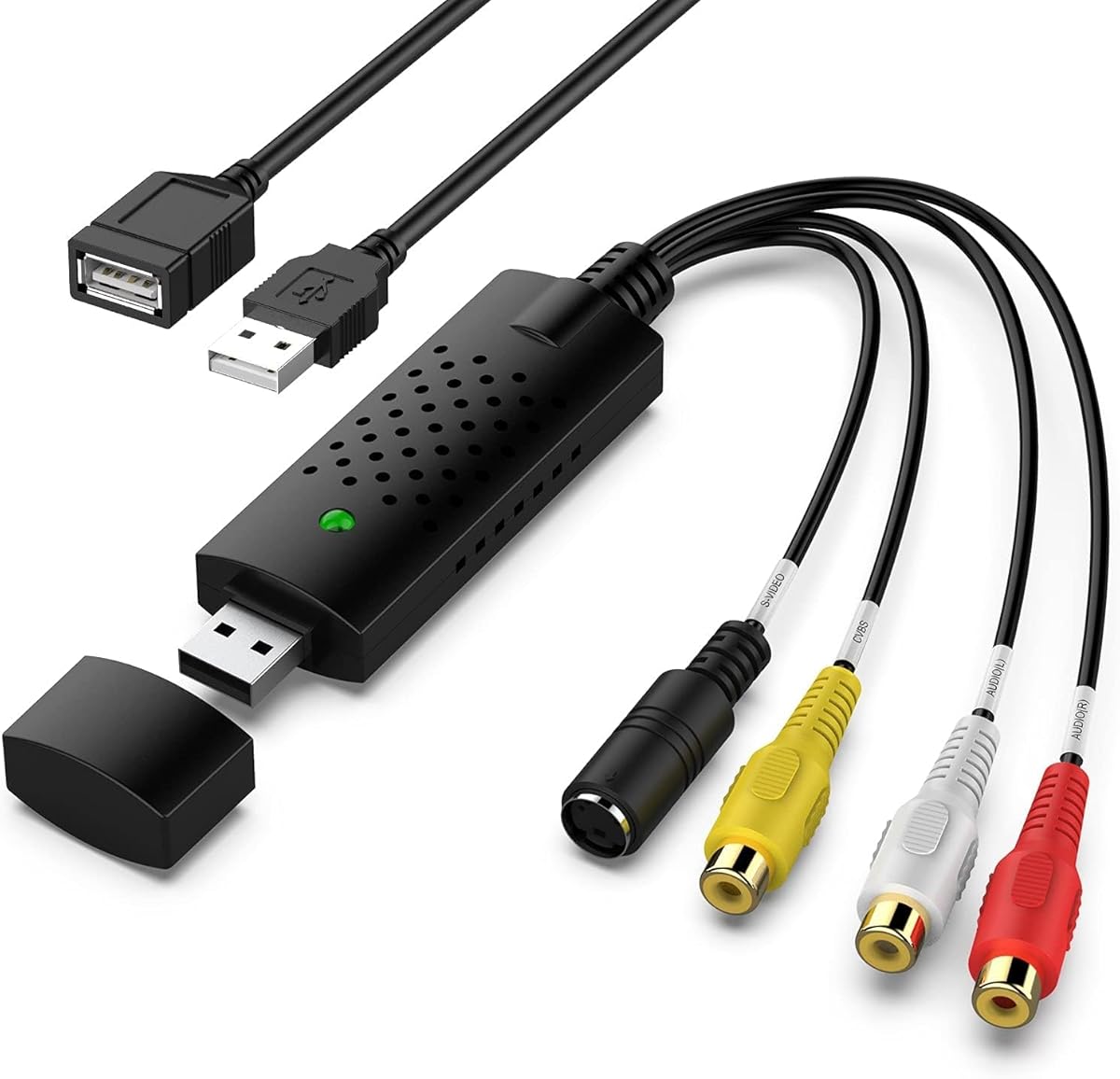
This USB video capture device specifically targets consumers converting VHS, Hi8, Mini DV, and VCR tapes to digital formats. Unlike generic converters, it includes RCA composite inputs for standard definition sources and claims compatibility with legacy systems like Windows Vista, which is crucial for older camcorder connections.
Key Considerations Before Buying
- Verify your source device outputs: This converter only accepts analog RCA composite signals, not component, S-Video, or HDMI inputs common on newer equipment.
- Check software compatibility: While marketed for Mac and Windows, many users report needing third-party software like OBS for reliable capture, as bundled software may be outdated.
- Assess your tape condition: This device won't restore degraded tapes; it merely converts existing signal quality, so heavily damaged media will produce poor digital results.
What Our Analysts Recommend
Quality indicators include proper shielding against signal interference (noticeable as horizontal lines in video), consistent audio/video synchronization during long captures, and drivers that don't require disabling driver signature enforcement on modern Windows systems. Look for devices with physical hardware encoding chips rather than software-only solutions.
Video Converters Market Context
Market Overview
The analog-to-digital converter market is saturated with inexpensive USB dongles, but quality varies dramatically between models that properly handle interlaced analog signals and those that introduce artifacts. This product sits in the budget segment targeting home archivists rather than professional video editors.
Common Issues
Many converters suffer from audio drift (sound gradually desynchronizing from video during capture), poor deinterlacing causing 'combing' artifacts in motion, and driver conflicts with modern operating systems despite advertised compatibility claims.
Quality Indicators
Superior converters maintain frame-accurate synchronization throughout multi-hour captures, include hardware-based TBC (Time Base Correction) elements to stabilize wobbly VHS signals, and provide clear documentation about supported resolutions like 720x480 for NTSC or 720x576 for PAL sources.
Review Authenticity Insights
Grade A Interpretation
A Grade B with 12% estimated fake reviews suggests generally trustworthy feedback with some inflated positivity. The 0.3-point drop from the displayed 4.20 to adjusted 3.90 rating indicates mild review manipulation, likely through incentivized reviews rather than fabricated content.
Trust Recommendation
Focus on reviews discussing specific technical hurdles like configuring 48kHz audio sampling rates to prevent distortion or experiences capturing 6-hour VHS tapes without dropout. These detailed accounts are more reliable than generic 'works great' reviews.
Tips for Reading Reviews
Prioritize reviews mentioning specific source formats (like 'Hi8 from my 1998 Sony Handycam') and capture durations, as these demonstrate actual use. Be skeptical of reviews claiming 'perfect quality'—analog conversion inherently involves quality loss that honest users acknowledge.
Expert Perspective
This capture card represents a functional budget option for straightforward analog conversions, though the adjusted 3.90 rating reflects real-world limitations. It successfully handles basic RCA composite inputs but lacks professional features like hardware deinterlacing or TBC. The Windows Vista compatibility claim is technically accurate but misleading for modern systems, where users often need workarounds. Genuine reviews consistently note it performs adequately for occasional home archiving but struggles with challenging sources like heavily degraded tapes or copy-protected commercial VHS tapes.
Purchase Considerations
Consider this device if you have a small collection of well-maintained personal tapes and basic technical skills to troubleshoot driver issues. Avoid if you need to convert S-Video sources (higher quality than composite), require batch processing capabilities, or expect plug-and-play simplicity without configuration.
Comparing Alternatives
Shoppers should compare devices with built-in hardware deinterlacers and check whether competitors offer dedicated software updated within the last two years.


