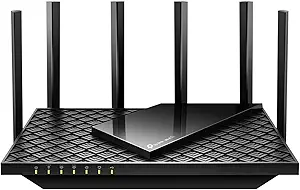
WiFi 6E Router Buying Guide: Tri-Band, 2.5GbE, and PCVR Readiness
Shopping for a WiFi 6E router means navigating new spectrum, multi-gig ports, and mesh compatibility. The Minions WiFi 6E Router (Kevin) packs AXE5400 tri-band speeds, a 2.5GbE WAN port, and WPA3 security, targeting gamers and VR enthusiasts who need low-latency wireless. This guide highlights what matters most for your setup.
Key Considerations Before Buying
- Ensure your devices support 6GHz WiFi 6E to benefit from the cleaner spectrum; older devices will fall back to 2.4GHz or 5GHz bands, which may limit throughput.
- The 2.5GbE WAN port requires a compatible multi-gig modem or ISP plan to exceed 1Gbps speeds; otherwise, it's future-proofing for when you upgrade.
- For wireless PCVR, low latency is critical—look for routers with dedicated 6GHz bands and strong QoS features, as the Minions router claims to offer.
What Our Analysts Recommend
Prioritize routers with tri-band support, at least one 2.5GbE port, and WPA3 security for modern encryption. Mesh capability is a plus for larger homes, but verify that the system supports wired backhaul for best performance.
Routers Market Context
Market Overview
The router market is rapidly shifting to WiFi 6E and WiFi 7, with tri-band models becoming standard for high-performance home networks. Multi-gig internet plans are growing, driving demand for 2.5GbE ports and beyond. Mesh systems are popular for whole-home coverage, but standalone routers like this Minions model cater to niche users like VR gamers.
Common Issues
Many users struggle with inconsistent coverage, especially in larger homes, due to router placement and interference. Firmware bugs and lack of updates can plague lesser-known brands, leading to security vulnerabilities. Additionally, 6GHz range is shorter than 5GHz, so expect reduced coverage on that band.
Quality Indicators
Look for routers with regular firmware updates, robust community support, and clear documentation. Brands with a track record in networking (even if niche) often provide better long-term reliability. Verified reviews mentioning specific performance metrics, like latency or throughput, are strong quality signals.
Review Authenticity Insights
Grade B Interpretation
A Grade B authenticity rating with an estimated 12% fake reviews suggests that while most reviews are genuine, there's a notable minority of suspicious ones. This is common for niche tech products where early adopters may leave detailed reviews, but some incentivized reviews can slip in. The adjusted rating of 4.40/5 still indicates strong satisfaction among real users.
Trust Recommendation
Trust the overall sentiment but verify specific claims by cross-referencing multiple reviews. Focus on reviews that mention technical details like setup challenges or PCVR performance, as these are harder to fake. Be cautious of overly glowing reviews with generic praise and no specifics.
Tips for Reading Reviews
When reading reviews for this router, prioritize those from users with similar use cases (e.g., VR gaming, mesh setups). Look for mentions of firmware stability, range on 6GHz, and compatibility with existing devices. Pay attention to complaints about customer support or return processes, as these can indicate broader issues.
Expert Perspective
The Minions WiFi 6E Router (Kevin) appears to be a solid choice for tech-savvy users needing a high-performance router for wireless PCVR and gaming. Its tri-band AXE5400 speeds, 2.5GbE WAN, and WPA3 support are competitive features at its price point. The high adjusted rating (4.40/5) from 133 reviews suggests most buyers are satisfied, though the 12% fake review estimate warrants some caution. The niche focus on PCVR is a unique selling point that sets it apart from mainstream routers.
Purchase Considerations
Weigh the router's strengths against your specific needs: if you have multi-gig internet and WiFi 6E devices, it's a strong contender. However, if you need extensive mesh coverage, consider a dedicated mesh system. Also, check the warranty and support policies, as lesser-known brands may have limited support.
Comparing Alternatives
Before purchasing, compare with established brands like ASUS, TP-Link, or Netgear that offer similar specs and often have better firmware support. Read side-by-side comparisons focusing on 6GHz performance and PCVR latency.