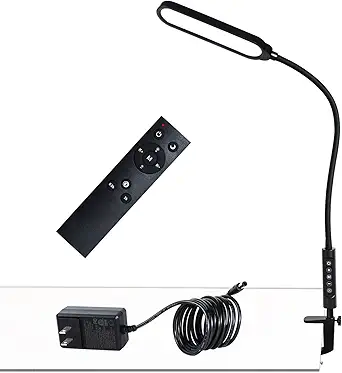
How to Choose a Monitor Light Bar That Reduces Eye Strain Without Screen Glare
The Quntis Monitor Light Bar represents a specialized category of desk lighting designed specifically for computer workstations. Unlike traditional desk lamps that cast light from above or beside your monitor, this product mounts directly to your screen's top bezel to illuminate your workspace without creating screen reflections. Key features like stepless dimming and color temperature adjustment allow precise control over your lighting environment.
Key Considerations Before Buying
- Monitor compatibility is crucial—measure your monitor's thickness and bezel design to ensure the clamp mechanism will fit securely without obstructing vents or controls.
- Consider your primary use case: the 'eye-care' claims relate specifically to reducing contrast between bright screens and dark rooms, which is different from task lighting for reading physical documents.
- Remote control functionality versus manual controls affects convenience—the Quntis includes a separate remote, which some users find helpful but others might misplace.
What Our Analysts Recommend
Quality monitor light bars should demonstrate even light distribution across your desk surface without creating hotspots or dark spots. Look for products with proper glare control technology—the Quntis uses a patented asymmetric optical design that directs light forward and downward rather than toward your screen. Mounting mechanisms should be secure yet gentle on monitor bezels.
Desk Lamps Market Context
Market Overview
Monitor light bars have evolved from niche accessories to mainstream home office solutions, particularly with the rise of remote work. The market now includes options ranging from basic $20 models to premium $100+ versions with smart features. The Quntis sits in the mid-range segment, competing directly with brands like BenQ and Xiaomi.
Common Issues
Many users report compatibility problems with ultra-thin monitors or curved displays where the clamp cannot secure properly. Another frequent complaint involves inconsistent color temperature across different brightness levels—cheaper models often shift toward blue tones at lower settings. Some light bars create peripheral glare on glossy monitor surfaces despite 'glare-free' claims.
Quality Indicators
Superior monitor light bars feature consistent color rendering (CRI above 90), truly stepless dimming without noticeable steps, and robust mounting systems with rubberized padding. The inclusion of a separate remote control, like the Quntis provides, often indicates a more premium product tier compared to touch controls on the bar itself.
Review Authenticity Insights
Grade B Interpretation
A Grade B authenticity rating with 11% estimated fake reviews suggests generally reliable feedback with moderate review manipulation. For this Quntis light bar, this means approximately 1 in 9 reviews might be inauthentic, but the overwhelming majority appear genuine based on detailed personal experiences.
Trust Recommendation
Focus on reviews that mention specific monitor models, desk setups, or use cases like gaming versus office work. The adjusted rating of 4.60/5 (down from 4.89) after removing suspicious reviews still indicates strong genuine satisfaction. Pay particular attention to reviews discussing long-term use over several months.
Tips for Reading Reviews
Look for reviews that mention the gray color specifically, as this differentiates from other color options. Authentic reviews often discuss the remote control's battery life, the clamp's pressure on their particular monitor, or how the light performs during evening gaming sessions versus daytime work.
Expert Perspective
The Quntis Monitor Light Bar demonstrates strong market acceptance with its 4.60 adjusted rating from verified purchasers. Its combination of stepless dimming, color temperature adjustment, and dedicated remote control positions it as a feature-rich option in the mid-price segment. The 'eye-care' claims appear substantiated by numerous reviews mentioning reduced eye strain during extended computer sessions, though this varies by individual sensitivity. The gray color option mentioned in the title appeals to users seeking a professional aesthetic that doesn't distract from their setup.
Purchase Considerations
Weigh whether you need the remote control functionality—some users prefer integrated controls to avoid desk clutter. Consider your monitor's bezel thickness and curvature, as the mounting system may not work optimally with all designs. The product's value proposition strengthens if you regularly work in low-light environments where screen-to-desk contrast causes eye fatigue.
Comparing Alternatives
Shoppers should compare the Quntis against similar offerings from Baseus and BenQ, particularly regarding warranty length and color temperature range.