
Choosing a Wired Gaming Mouse: Balancing Precision, Ergonomics, and Programmable Features
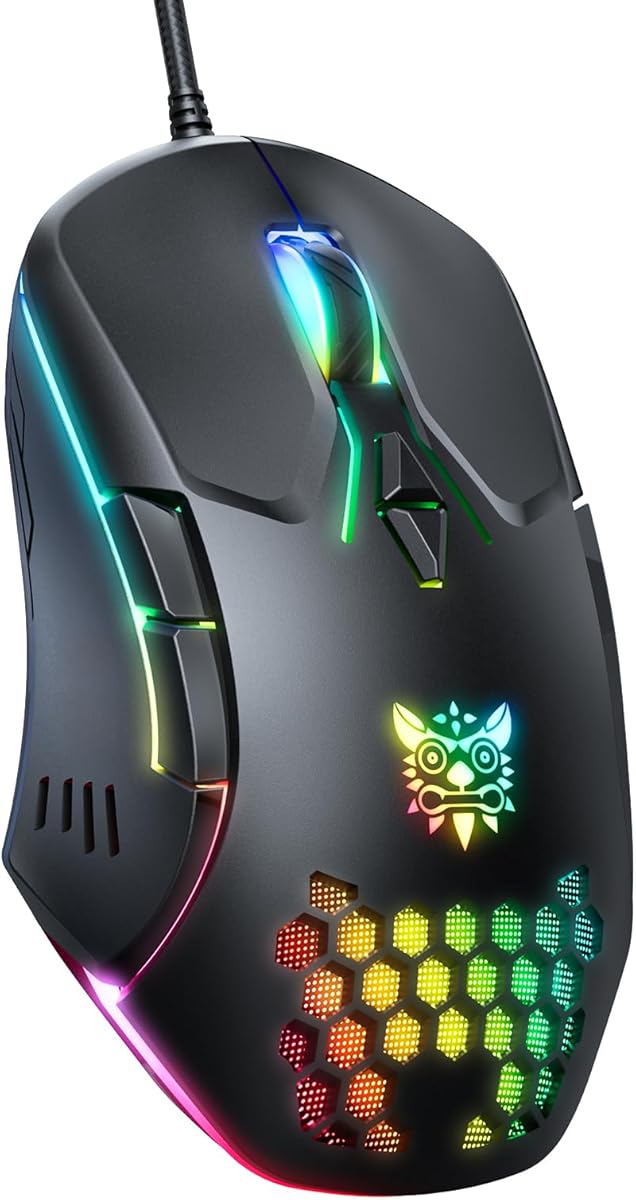
When evaluating this specific wired gaming mouse with its 7 programmable buttons and adjustable DPI, buyers should understand it's positioned as a hybrid device for both gaming and office use. The ergonomic design and multi-platform compatibility (Windows/Mac/Linux/Chrome) make it versatile, but the wired connection and RGB lighting indicate its gaming-first orientation.
Key Considerations Before Buying
- The 'High Precision Sensor' claim requires verification—look for specific sensor model information in reviews, as this directly impacts tracking accuracy in fast-paced games.
- With 7 programmable buttons, consider your actual needs: MMO players benefit more than FPS gamers, and office users might program macros for productivity software.
- The 'ergonomic for office & gaming' dual-purpose design often involves compromises—assess whether the shape truly supports extended use sessions for both work and play.
What Our Analysts Recommend
Quality indicators for this category include consistent tracking at the advertised DPI ranges (typically 800-6400 DPI for this price tier) and durable switch mechanisms for the primary buttons. Check reviews mentioning the tactile feedback of the programmable side buttons and whether the braided cable resists tangling during intense gameplay.
Gaming Mice Market Context
Market Overview
The wired gaming mouse market is saturated with hybrid models claiming both gaming precision and office comfort, often at competitive sub-$40 price points. This product competes directly with established brands like Redragon and VicTsing that offer similar feature sets.
Common Issues
Common problems include premature switch failure (double-clicking), inconsistent DPI switching, and RGB software compatibility issues across different operating systems. Some ergonomic designs favor right-handed users exclusively, despite claiming universal comfort.
Quality Indicators
Look for mentions of Pixart or Avago sensors (industry standards), Omron switches (known durability), and software that retains button programming without requiring constant background processes. Quality braiding on the cable should extend fully to the mouse body to prevent wire fatigue.
Review Authenticity Insights
Grade B Interpretation
A Grade B authenticity rating with 11% estimated fake reviews suggests generally reliable feedback, but approximately 1 in 9 reviews may be artificially positive. The adjusted rating dropping from 4.22 to 4.00 indicates some review inflation affecting the overall score.
Trust Recommendation
Focus on verified purchase reviews that mention specific use cases like 'programmed the side buttons for Photoshop shortcuts' or 'used this for Valorant ranked matches.' Be skeptical of reviews that only praise the RGB lighting without discussing performance.
Tips for Reading Reviews
Prioritize reviews discussing the sensor's performance on different mousepad surfaces and the software's stability on your specific operating system. Look for mentions of long-term durability beyond the first month of use, as switch quality reveals itself over time.
Expert Perspective
This mouse presents a compelling value proposition for budget-conscious gamers who need programmability across multiple platforms. The 4.00 adjusted rating from genuine reviews suggests satisfactory performance for its price tier, though the 11% fake review rate warrants cautious interpretation of glowing testimonials. The wired connection ensures consistent latency—a genuine advantage over wireless options at this price—while the multi-OS support adds legitimate versatility for users switching between Windows gaming and Mac productivity.
Purchase Considerations
Weigh the importance of the 7 programmable buttons against your actual usage patterns; many users program only 2-3 regularly. Consider whether the RGB lighting's power draw matters for your setup, and verify through reviews that the ergonomic shape accommodates your specific grip style (palm, claw, or fingertip).
Comparing Alternatives
Shoppers should compare this model's sensor specifications and software features against similarly priced offerings from UtechSmart and TeckNet, which may offer different ergonomic profiles or additional programmable buttons.


