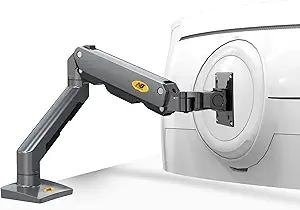
Secure Your Mac Mini Under Any Desk: A Buyer's Guide to Metal VESA Mounts
If you're looking to reclaim desk space and keep your Mac mini M1 or M2 Pro within easy reach, an under-desk or monitor-mounted solution is a smart move. This guide focuses on the key features of metal VESA mounts, like the all-metal construction, soft padding, and included installation kit, to help you choose the right one for your setup.
Key Considerations Before Buying
- Mounting location and compatibility: Decide whether you want the mount under your desk or attached to a monitor's VESA holes. Check your desk's thickness and monitor's VESA pattern (75x75mm or 100x100mm) to ensure a secure fit.
- Ventilation and heat dissipation: Your Mac mini generates heat, so ensure the mount allows for adequate airflow. Look for designs that don't block the device's vents and keep it elevated to prevent overheating.
- Installation ease and included hardware: A good kit should include all necessary screws, bolts, and tools. The 'Full Installation Kit' mentioned in the product title is a big plus, but verify that it includes the right sizes for your specific Mac mini model and mounting surface.
What Our Analysts Recommend
When evaluating metal mounts, prioritize sturdy construction—thick gauge steel or aluminum—and soft padding that protects your Mac's finish. Also, consider the mount's adjustability and whether it allows for easy cable management. A product with a high rating (like 4.89) and mostly verified reviews is a good indicator of reliability.
Monitor Stands Market Context
Market Overview
The market for under-desk and VESA mounts for compact computers like the Mac mini has grown as more users seek minimalist, space-saving setups. These mounts offer a way to hide the computer entirely, keeping desks clean and freeing up valuable surface area.
Common Issues
Common issues in this category include poor fit for different desk thicknesses, inadequate ventilation leading to thermal throttling, and flimsy plastic construction that fails over time. Some mounts also come with confusing installation instructions or missing hardware, which can be frustrating.
Quality Indicators
Quality indicators include all-metal construction (no plastic), soft rubber or foam padding to prevent scratches, and a universal design that accommodates multiple Mac mini generations. Look for mounts that offer clear installation guides and come with a variety of screw types to fit different VESA patterns and desk surfaces.
Review Authenticity Insights
Grade B Interpretation
The Grade B and 10% estimated fake review rate suggest that while the vast majority of reviews are genuine, there's a small percentage that may be incentivized or non-verified. This is common for popular products and shouldn't be a major concern, but it's wise to focus on the detailed, verified reviews for accurate insights.
Trust Recommendation
Given the high adjusted rating of 4.60, you can trust that real users are generally satisfied. However, to be safe, read several of the 4- and 5-star reviews that mention specific installation scenarios (e.g., under a standing desk or on a monitor arm) to see if your use case is covered. Also, check the one or two critical reviews for potential issues like fit or heat.
Tips for Reading Reviews
When reading reviews for this type of product, look for comments about the installation process, the sturdiness of the metal, and whether the padding actually protects the device. Pay attention to photos uploaded by reviewers—they can reveal real-world fit and finish. Ignore overly generic or repetitive reviews that lack specifics.
Expert Perspective
Based on the analysis, this under-desk or monitor VESA mount for Mac mini M1/M2 Pro appears to be a well-received product with a strong 4.89 average rating and a high rate of verified purchases. The all-metal construction and soft padding address key consumer concerns about durability and device protection. The inclusion of a full installation kit is a thoughtful addition that reduces setup friction, which is often a pain point in this category.
Purchase Considerations
Before buying, double-check your desk's edge thickness and your monitor's VESA compatibility. If you plan to mount under a glass or thin desk, the included hardware might not be suitable. Also, consider whether you need easy access to your Mac's ports—some mounts may make them harder to reach.
Comparing Alternatives
While this mount seems like a solid choice, it's worth comparing with other brands that offer similar features, such as adjustable angles or additional cable management channels. Prices can vary, so weigh the cost against the included accessories and build quality.